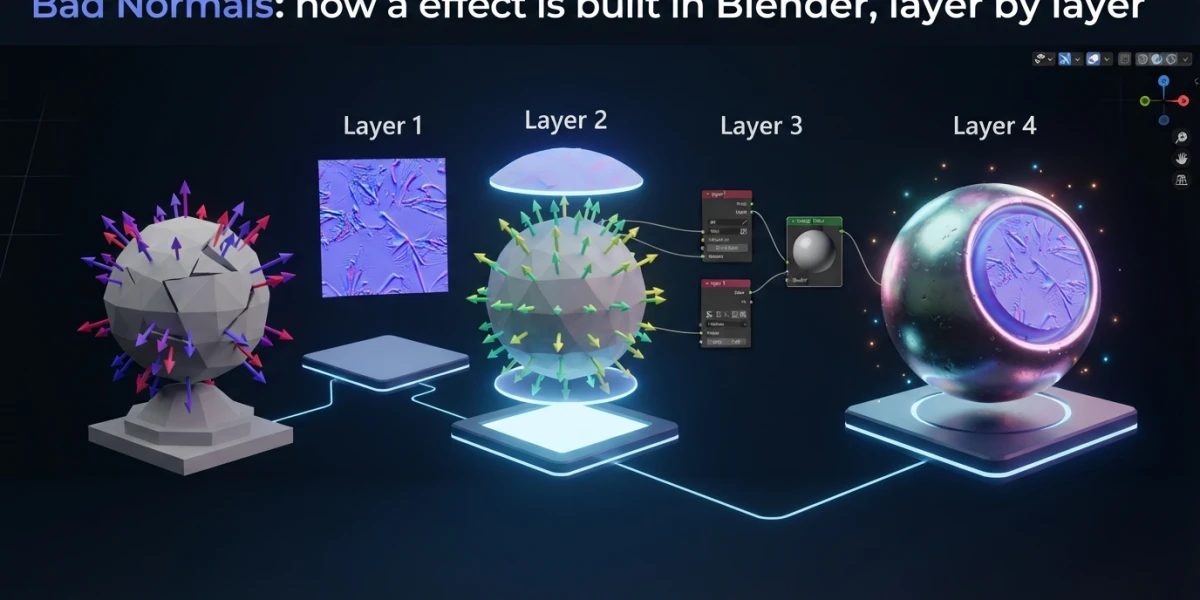
Image generated with AI
Bad Normals: Blender effects, layer by layer (guide)

Diego Cortés
Author
A tornado that drags a car, a trail that traces the hit, a title spinning in mid-air. Bad Normals solves one thing per video, and that narrow scope is exactly what makes these Blender effects studyable instead of merely impressive.
What Bad Normals Is and Why the Format Works for Blender Effects
This is a channel of short pieces, not a course library: roughly 167,000 subscribers, 71 videos and over 11 million views, publishing steadily since January 2021. The description is blunt about it: 3D-related content, music production and black humor.
That missing syllabus is the useful part. An effects channel fails when it blends the phenomenon, the engine and the finish into one block: you end up copying values without knowing what you are moving. This one separates, and separating is what lets you come back.
One Effect per Video, Not a Course per Topic
One variable per session has a concrete advantage: the result and the mistake both show up the same afternoon. When something goes wrong there is a single thing to change.
Study formats compare. A long course is right for walking through an entire system, as laid out in learning CGI from scratch. A short piece is for something else: keeping the mechanism of one effect.
The Three Layers of a Piece
When I watch these tutorials I read them in three layers. That is my way of ordering them, not a statement from the channel. First the effect, the phenomenon itself: smoke, trail, text in motion. Then the look: engine, sampling, light, exposure. Last the finish: lens, glare, vignette, grain. Without those layers kept apart, a tutorial gets copied but not understood; with them, each video becomes a single-session task.
Layer 1: The Effect (Smoke and Trails)
A Tornado Is a Domain, Some Voxels and Noise
In Blender a gas is not a shader trick: it is a simulation. The 5.2 LTS manual asks for a domain that defines the space, an emitter inside it, a material and a baked cache. The workflow is domain, flow, effector, material, bake.
The settings that actually change the result are few. Resolution divisions set the voxel size: more subdivisions mean more detail, and a large domain needs more divisions. The adaptive domain shrinks the box so empty air is not computed, using additional resolution, a margin measured in voxels and a threshold; the margin matters, because a fast gas gets clipped when the box does not reach far enough.
Noise adds fine detail without changing the overall motion: it is wavelet turbulence, with upres factor, strength, scale and time as a seed. Known trap: if noise is enabled and the cache holds no noise data, the domain renders empty. Vorticity controls the small swirls, and time scale gives you slow motion or a fast-forward useful for a still.
The whole system is covered in fluid simulation in Blender; if you want smoke without simulating, the other road is stylized smoke with Geometry Nodes. The tornado in this channel is real pyro, not a node shortcut.
Trails with Instance on Points
The trail does not simulate: it is data. Instance on Points adds a geometry reference to every point without duplicating the data, so one object repeats hundreds of times cheaply. Curve to Points turns a path into points, in evaluated, count or length mode, and returns a tangent and a normal to orient the copies. Realize Instances makes each copy independent, and that is where performance collapses when the geometry is complex.
The recipe is short: animated curve, points along that curve, instances of the same object, and per-attribute variation so it does not look mechanical.
Layer 2: The Look (EEVEE Closer to Cycles)
Ray Tracing and Sampling
The goal of EEVEE ray tracing is accurate indirect lighting. With it off, the engine falls back to prefiltered probes: more stable and cheaper, less faithful. Light probe requires placing probes by hand; screen trace works against the depth buffer and falls back to probes when the ray leaves the view.
Three controls explain most artifacts: ray tracing resolution (lower is faster and blurrier), precision (fewer artifacts but a shorter maximum distance) and thickness (fewer missed intersections at the cost of stretched reflections). On sampling, EEVEE uses TAA per sample and at render time adds shadow rays, steps, volumetric shadows and shadow resolution, each with its own cost. The engine comparison lives in EEVEE versus Cycles.
Light Power Is Not Electrical Watts
This is the piece almost nobody uses: a light's power is radiant flux, not electrical consumption. The manual ships equivalences. A candle is 0.05 W as a point light, an 800-lumen LED is 2.1 W, a 1000-lumen bulb is 2.9 W, a 1500-lumen PAR38 is 4 W as a disk, a 2500-lumen fluorescent tube is 4.5 W as a rectangle, and a 5000-lumen headlight is 22 W as a 125-degree spot. The sun: 1000 W per square meter under a clear sky, 500 when cloudy, 200 when overcast and 0.001 with the moon.
With that, typing 1000 into a light stops being a guess. Temperature goes in Kelvin, exposure multiplies by two to the power of the value, and normalizing keeps total power constant when you resize the light. If a render still looks fake, the deeper diagnosis is in why 3D renders look fake.
Exposure and View Transform
AgX applies a tone mapping with 16.5 stops and desaturates high exposures, which reads as photographic. Standard adds no extra conversion and suits non-photoreal work or footage that already carries a baked look. I go deeper in color management in Blender.
Layer 3: The Finish (Lens and Compositor)
Motion Blur: The Shutter Matters
EEVEE motion blur is only visible while the animation plays back, because it uses a simpler algorithm. Shutter position decides whether the blur is sampled at the start, center or end of the frame, and shutter is measured in frames. Bleeding bias stops the background from smearing over the foreground, max blur is an optimization, and steps trade accuracy for time. The theory is in depth of field and motion blur.
Glare, Vignette and Film Grain
Three nodes change how a shot feels in seconds. Glare boosts bright areas with bloom, ghosts, streaks, fog glow, simple star, sun beams and kernel modes, each with quality, threshold and smoothness. Vignette darkens the edges through factor, feather, corner roundness, scale and offset. Grain simulates emulsion with presets from 8 mm Caffenol to 70 mm Cinema and an animated checkbox you must enable on a sequence. The passes workflow is in compositing and AOVs, and the atmospheric side in volumetrics in Blender.
The Five Curated Tutorials, One by One
These are the videos curated on the platform, with the layer each one covers.
- Easy mograph text animation in Blender, beginner. Motion graphics text animation: layers 1 and 2, with the foundations of the text object in 3D text in Blender.
- EASY Way to Make a Tornado in Blender 3.0, beginner. Smoke and pyro as a simulation case: the most direct entry into domain, voxels and noise.
- How to Make Cinematic Renders with Blender?, intermediate. Composition, light and color working together.
- How to make REALISTIC renders in EEVEE?, beginner. Render settings and indirect light to bring EEVEE close to Cycles: layer 2 in full.
- Making motion trails in Blender, intermediate. Geometry Nodes trails you can attach to any animation.
The channel has its own page on the platform with all five together. The descriptions link to the author's Geometry Nodes bootcamp: a statement from the channel, not a recommendation from this site.
A Four-Session Practice Path
Four sessions, one layer at a time, viewport running. One: replicate the mograph text exactly as shown. Two: trails on your own animation, changing only the per-attribute variation. Three: a still with smoke using the power table as your light reference. Four: finish a shot with motion blur, glare and grain, then compare it side by side with the same shot unpolished.
Do not switch layers until the previous one is settled: if the smoke is not convincing, the compositor will not fix it. To keep the pieces from getting lost between sessions, organize the project with collections and the outliner.
Mistakes That Show Up When You Copy an Effect
- Raising resolution divisions without baking the cache and without an adaptive domain.
- Typing a number into a light without knowing the unit: power is radiant flux.
- Using grain without the animated option on a sequence, or finishing with no motion blur: the shot looks clean and floats.
Conclusion
What makes this channel useful is not how spectacular the result looks, but that each piece can be taken apart in layers and rebuilt one part at a time. That is the habit that stays. The five tutorials are in the platform's curated collection, free, and there are many other channels built on the same logic.