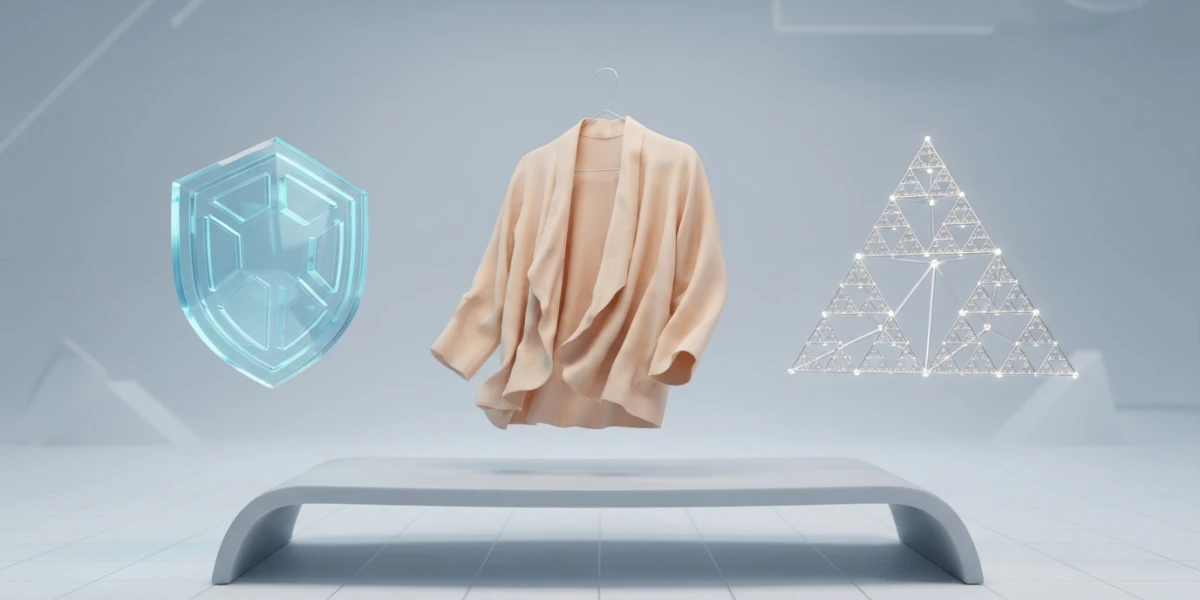
Image generated with AI
PIXXO 3D: Short Blender Tutorials That Teach by Doing

Diego Cortés
Author
More than 272,000 people follow PIXXO 3D for one very specific reason: every tutorial ends in something you can see. A sewn shirt, a puffy blanket, a fractal, a hexagon shield. No long preamble, no detours, one result per video.
Who Is Behind PIXXO 3D
The channel is run by an artist who spent over a decade in the visual effects industry and now teaches the basics of 3D art. He is based in Australia and has been publishing on YouTube since January 2016: more than 900 videos and roughly 50 million accumulated views.
The channel description holds the line that explains the whole format: he never goes too deep. Skim it and it sounds like a limitation, but it is the opposite, a design decision. Instead of building eight-hour series, he solves one idea per video and closes it out.
A Short-Form Channel by Design
Long channels and short ones answer different needs. For fundamentals, the Blender Guru track is hard to beat. To dive straight into Geometry Nodes, BlenderDude has a very tidy progression. Both extremes are already covered on this blog, and this article is the third one: the short-repetition end.
The advantage of short form is that it lowers the cost of starting. Opening Blender thinking "today I build a fractal" is far more doable than opening it thinking "today I get through three hours of a course". The practical consequence is that you finish more projects, and every finished project teaches something that theory alone does not lock in.
Blender Releases Covered the Month They Land
The calendar proves it. Blender 5.2 LTS shipped on 14 July 2026 and, within days, the channel already had videos on two of its new features: the cloth modifier with tearing and the new sound node.
It is worth spelling out what those two things are. On the physics side, Blender 5.2 added experimental systems for hair and cloth built on Geometry Nodes: the Cloth Dynamics node group and modifier can be added to any mesh and offers pinning, elasticity and bending control, and tearing. It is experimental because its design can still change, so try it on test scenes before putting it in a real project. The details live in the release notes.
In Geometry Nodes came Sample Sound Frequencies, along with a new sound socket type. It lets you drive animation with imported audio: amplitude or frequency ranges turned into values that move geometry. That is the fast route to an audio visualizer, and it also works to give an animation rhythm. The full reference is in the Geometry Nodes notes.
PIXXO 3D's Four Tracks (and the Order to Watch Them)
The channel sorts its material into topic playlists. These four cover the essentials and can be watched in any order, as long as you finish each track before jumping to the next.
1. Cloth Simulation: From the Curated Video to Your Own Garments
The cloth run starts with a guide to three simple projects and moves on to concrete garments: a sewn shirt and a puffy blanket. The platform has a curated video from that track, the shirt, rated beginner. It is a good entry point because the result is on screen within minutes.
If you want the layer underneath -sewing, pinning, stiffness, damping and baking- that ground is already covered in the platform's cloth simulation article.
2. Animation: Shape Keys, Disappearing Objects and Paths
The animation track runs from the simplest thing to the most useful: a quick shape key guide, making objects disappear during an animation, animating along a path, and switching cameras mid-animation. Four videos that, combined, are enough to solve simple animated shots.
Shape keys deserve a note because plenty of people use them without understanding them. They are stored mesh deformations applied in animation, heavily used in rigs and faces. The stack can run in Relative mode -shapes blend; 0.0 is the reference shape and 1.0 the key, with extrapolation to amplify or invert- or in Absolute mode, where each key maps to an evaluation frame.
When you want to see what happens underneath the keys, the platform's graph editor and NLA editor articles are the natural next step.
3. Geometry Nodes Without Fear: One Effect per Project
This is where the channel becomes especially useful. The series does not try to teach the whole system: it teaches you to finish one effect. A custom node you build yourself, a fractal, an animated hexagon shield, particles that stop on impact. Each video leaves a concrete result and, along the way, a handful of nodes you actually learned because you used them with a goal in mind.
That approach is the best doorway into a system that looks intimidating as a whole. When you want to push the effects further, the articles on scattering with Geometry Nodes and stylized smoke and fire continue the progression without repeating the same ground.
4. Simple Physics and Support Modelling
The fourth track is the most down to earth: rigid bodies with a dial and spheres, roof tiles, basic sculpting and modelling tricks. They are worth keeping close. If the harder simulation side interests you, the blog already has the rigid body destruction and soft body articles to go deeper.
How to Study a Short Tutorial (a Method, Not a Watchlist)
The most common mistake with a short-form tutorial channel is treating it as entertainment. Watching ten videos in a row leaves you feeling like you learned something and with very little in your fingers. The method that works is simpler and also slower.
One Session, One Finished Project
A practical rule: if the video is ten minutes, the session is forty. The video is twenty-five percent of the time; the rest is replicating, breaking and fixing.
Replicate, Change One Variable, Save Your Version
Once the video is done, do it again with one change: another object, another scale, another particle count. The second version is where the real learning happens, because you are no longer copying steps, you are deciding. And keep your scene in its own file, separate from the tutorial: when you reopen it, you will remember your decisions, not the video's.
Turn Your Projects into a Library
Every finished project leaves objects, materials and nodes that serve the next one. Sorting scenes with collections and the outliner, and reusing what already works from the Asset Browser, turns a pile of loose files into a working library.
Three Mistakes That Waste Short-Form Learning
The first is copying without understanding why each parameter is set the way it is: the fix is explaining out loud what every value you change actually does. The second is skipping the fundamentals because the video already works: when the result breaks outside the example there is nowhere to go back to, and the cure is one session a week on a fundamental instead of an effect. The third is piling videos up with no dates, because a list with no calendar is nothing. Put two videos a week on the calendar and keep to them.
Where to Watch PIXXO 3D Tutorials
On the platform the channel is curated in its own room, with the sewn shirt video as the entry point. The rest of the catalogue, playlists included, is on YouTube. If you would rather start from the basics before working through the tracks, the first steps in Blender walkthrough and the guide to learning CGI from scratch clear the ground for you.
Conclusion
Learning 3D from short videos works when every video ends in a project of your own. PIXXO 3D offers exactly that: short repetitions, visible results and a pulse on each new Blender release. The rest is on you: one session, one project, one variation. And if you want to keep going with curated videos, the platform's collection is open and free.