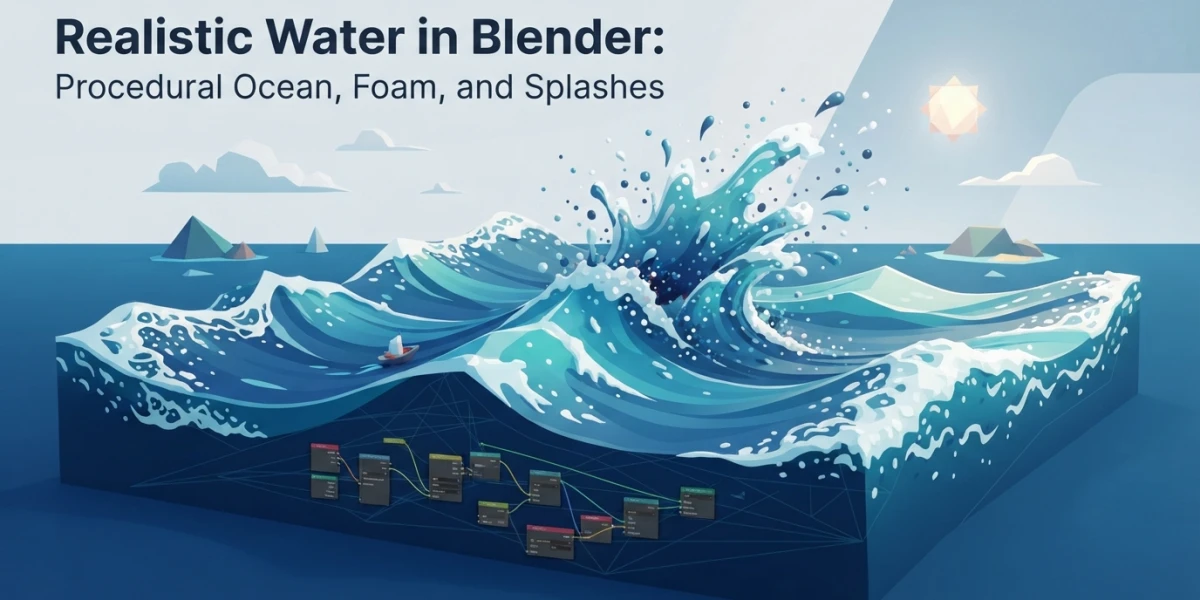
Image generated with AI
Realistic water in Blender: ocean and foam step by step

Diego Cortés
Author
Realistic water in Blender is the fastest way to give a render away: no other material exposes a fake scene so quickly. And the shader is almost never the problem, it is the wave silhouette, the scene scale and the missing foam.
Why fake water reads as fake
The tells show up in the same order: identical sine waves everywhere, no detail at mid distance because the mesh is poor, clean crests with no foam, and an IOR of 1.0 that turns water into plastic. Before touching the material I measure scale: a sea with a 2 meter Spatial Size and 40 centimeter waves reads as a bathtub. The biggest wave should measure between one tenth and one twentieth of the water width in frame.
Three ways to make water in Blender (and when each one wins)
There are three techniques and picking wrong costs hours. The question that decides: does the water interact with something, or does it just exist out to the horizon.
Flat shader: water that does not move but still sells
A subdivided plane with animated normals and a transmissive material handles distant sea, the horizon or water inside a glass with no interaction. It is cheap and, if the camera is far away, nobody notices the geometry is flat. Check your sampling in the Cycles guide.
Ocean Modifier: the procedural sea
The modifier builds the surface from a wave spectrum and is a port of the Houdini Ocean Toolkit inside Blender. It is the star of this article: open sea, wide shot and water that does not react to objects, defined with six or seven numbers instead of a multi hour simulation.
Fluid simulation: when water touches something
Mantaflow comes in when water has to respond: a splash against a rock, a pour, a wave breaking on a hull. If the water interacts, you simulate; if it has to exist out to the horizon, you use Ocean. The walkthrough is in fluid simulation with Mantaflow.
The Ocean Modifier step by step
I start with a plane, add the modifier and turn on Generate.
Generate vs Displace: two ways to get a mesh
With Generate the modifier creates a tiled grid that matches the data resolution and replaces the object mesh, including previous modifiers; it adds a UV channel that maps 0 to 1, and with Repeat X and Y the mesh tiles. With Displace it pushes the vertices of your existing geometry along the local Z axis: the option when the ocean has to fit a cove or a bordered pool.
Resolution, Spatial Size and Depth: what sets the detail
Resolution Viewport and Render are the quality versus speed control, and the internal grids are powers of two: 9 gives 512 x 512, 10 gives 1024 x 1024 and 16 produces 256 x 256. Watch that, higher is not always more resolution, so read the math before pushing the number up. Spatial Size is the width of the simulated area in meters and it does not change wave height but does change apparent size: it is the parameter that fixes a shot most often. Low Depth gives shallow water.
Time is the animation channel
The most expensive beginner mistake: the sea is not animated by moving the mesh, it is animated with Time. How fast Time changes defines how fast the waves move; if you keyframe vertices by hand, the waves breathe wrong and never loop. For a loop I animate Time on linear and make the clip a multiple of the period I want to repeat.
Waves: choppiness, wind and direction
Choppiness is the parameter that separates a cartoon sea from a sea: at 0 the surface only moves along Z and you get swell without peaks; as you raise it the waves push in X and Y and the crests sharpen. Wind Velocity is in meters per second and low values give only small surface waves. Alignment at 0 spreads the wind at random; high values concentrate it. Direction is in degrees from the local X axis, so rotating the plane means fixing it again. Damping at 0 lets waves reflect off each other; at 1 they only travel with the wind.
Spectrum: four different seas
Turbulent Ocean, based on Phillips, gives a turbulent sea with foam. Established Ocean, Pierson-Moskowitz, describes an ocean in equilibrium with days of wind. Sharp Peaks combines JONSWAP with Pierson-Moskowitz and its peaks keep growing over time. Shallow Water, JONSWAP with TMA, is for depths under about ten meters. The last two use Fetch; get it wrong and open sea comes out with waves that are far too short.
Foam: the data that sells the wave
Data Layer and Coverage
Foam is not a material: it is data the modifier writes onto the mesh and the shader reads back. I enable Foam and name the Data Layer, the color attribute that stores the foam map; naming it is mandatory for the renderer to reach the data. You read it with a Color Attribute node and use it as a mask. Coverage, from -1.0 to 1.0, decides how much it covers: negative keeps it on the peaks, positive spills it into the troughs.
Foam Fade and Spray
When you bake, foam accumulates from previous frames and stays on the surface while it dissipates: that is Foam Fade, the difference between real foam and sticker foam. Spray, with its Spray Map and Invert, generates a direction map as a color attribute: it does not create the drops, it creates the data so a particle system knows where they launch from and where they go.
The water shader: transmission, IOR and depth
Principled: the three values that matter
Transmission Weight at 1 so the material is transmissive. Low Roughness, between 0.01 and 0.05 for calm water and higher for rough sea. IOR near 1.33; at 1.0 water behaves like air and gives everything away.
Volume Absorption and normals
Water color does not come from base color but from absorption: Volume Absorption is described in the manual for water and colored glass, with Color and Density. At low density it tints thick volumes green and lets light through thin ones, so a wave reads as mass instead of a sheet. For micro detail I enable Generate Normals and use that map as bump: a generic noise floats because it is not attached to the wave motion, ocean normals follow every crest.
Baking the ocean: Bake, EXR and when it pays off
Bake saves the simulation to files and bypasses the simulator: when a frame is read the data is cached, rendering is faster and the data can go to external renderers. Formats are OpenEXR sequences per channel, disp_####.exr, normal_####.exr and foam_####.exr, in Cache Path, with Frame Start and End defining the range. I bake on long shots, when the team cannot re-simulate or when the viewport becomes unusable. To tune foam in post it pays to split the sea into collections and render by passes, as I explain in compositing and render passes.
Light and camera: what makes realistic water in Blender look wet
Water is an almost perfect mirror of its environment: no believable sky, no believable water, and an HDRI with the sun in the right place does more than any modifier parameter. The starting point is exterior lighting with HDRI. I work with the AgX view transform, which handles around 16.5 stops of dynamic range and desaturates bright areas, so crests do not clip to pure white; Filmic is deprecated. Caustics only earn their cost when the camera looks through the water (caustics in Blender), and motion blur turns the ocean into a smudge, so I dose it with depth of field. The color pipeline lives in color management in Blender.
Conclusion
Realistic water in Blender is built in layers and by decisions: technique based on camera distance, scale, wave spectrum, foam as data, a shader with transmission and absorption, and finally light and color. When something fails, the usual suspects are IOR at 1.0, choppiness at 0, Spatial Size in meters when scene units were meant, Foam with no Data Layer name, and animating the mesh instead of Time. No single step saves the shot, but each one ruins it if it is missing. My exercise: a ten second ocean shot with baked foam plus a close-up of a wave breaking.
Where to practice with video
The platform has curated tutorials on the topic: How To Create Realistic Water in Blender by ChuckCG, Photorealistic Water In Blender by Extra 3d and Blender Tutorial - Creating a Stormy Ocean by Blender Made Easy. There is more in search and in the Blender category.