Break time!
Your Pomodoro session has ended
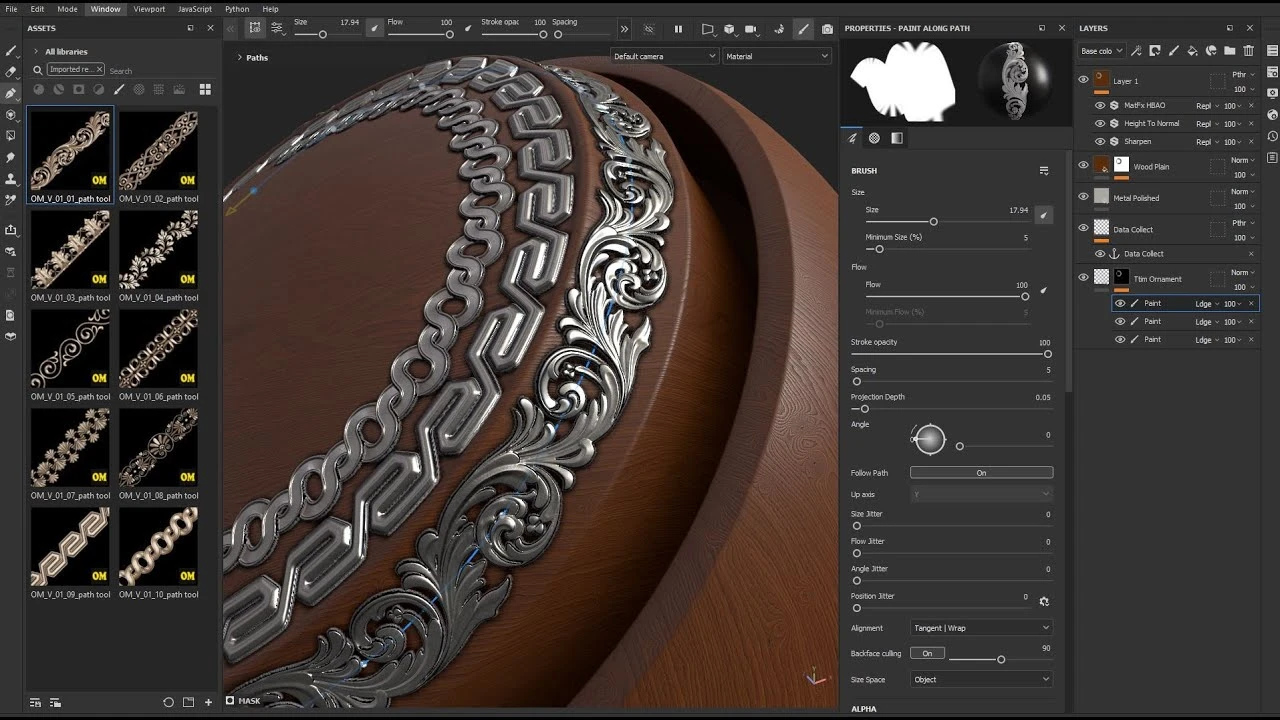
Dynamic Ornament Trim Brush for Substance painter & ZBrush V 01
Beginner🍅 Pomodoro Timer
Study for 25 min, then take a break. Improves focus!
Description
https://www.artstation.com/a/49484048
Dynamic Ornament Trim Brush for Substance painter & ZBrush Vlol.01
Learning to use trim ornament brushes in Adobe Substance 3D Painter and ZBrush
Refer to the following address, to purchase the complete set of these tutorials and brushes:
https://www.artstation.com/a/49484048
Dynamic Ornament Trim Brush for Substance painter & ZBrush Vlol.01
Learning to use trim ornament brushes in Adobe Substance 3D Painter and ZBrush
Refer to the following address, to purchase the complete set of these tutorials and brushes:
https://www.artstation.com/a/49484048
Up Next
How to Add Quick Base Color in Substance Painter
FlippedNormals Marketplace
Anchor Point Magic 01 - Double Layer Setup in Substance 3D Painter | Adobe Substance 3D
Adobe Substance 3D
How To Use Torn Fabric Alpha In #substancepainter
Bagher Bolouri
Hand Painted Workflow in Substance 3D Painter | Adobe Substance 3D
Adobe Substance 3D
Substance Painter 3D PATHS Tutorial
Abe Leal 3D
Modelling a Sci-Fi Apartment in Blender Substance and Unreal Engine
Nico Linde
Trim Sheets for Games - Modelling and Organization
Abe Leal 3D
How To : Add Normal Details with Anchor Points in Substance Painter
SARKAMARI
Achieve Stunning Stylized Textures in Substance 3D Painter | Adobe Substance 3D
Adobe Substance 3D
Texturing Gothic Architecture in Substance 3D Painter: Part 1 | Adobe
Adobe Substance 3D