Break time!
Your Pomodoro session has ended
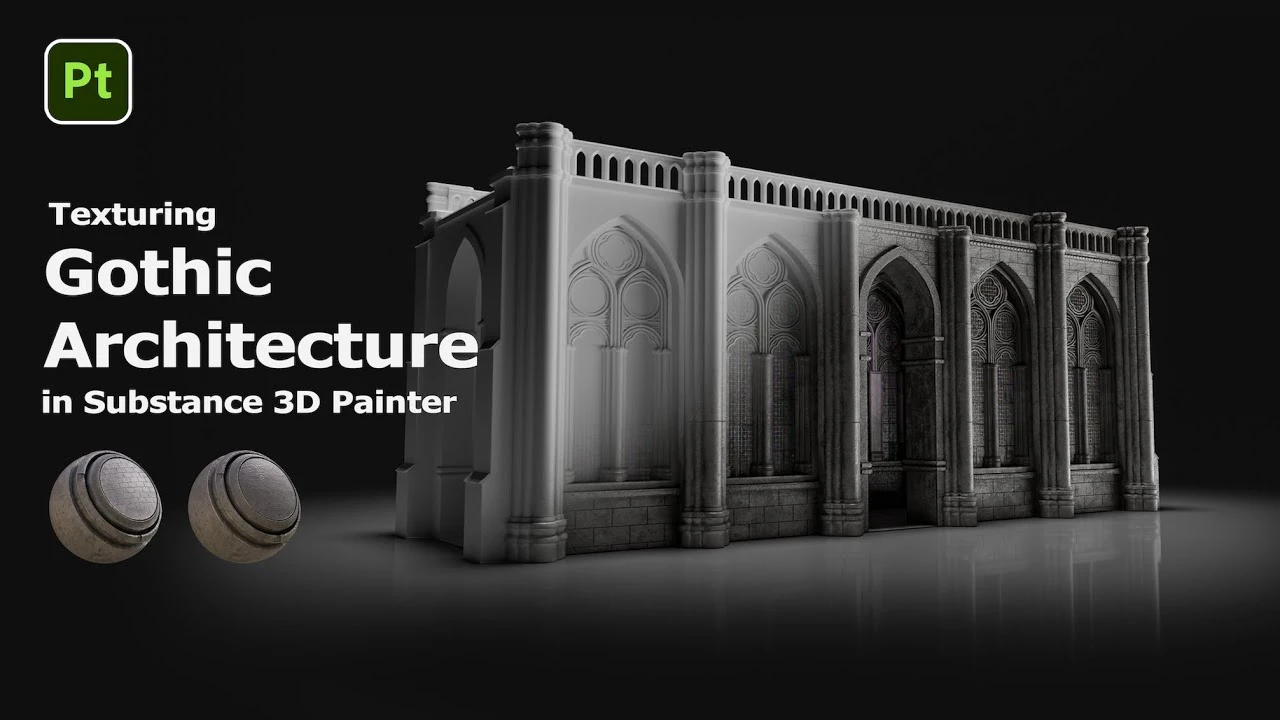
Texturing Gothic Architecture in Substance 3D Painter: Part 1 | Adobe
Beginner🍅 Pomodoro Timer
Study for 25 min, then take a break. Improves focus!
Description
In this video, Julia walks you through her full process of building worn stone, brick patterns, moss, grime, and decorative details — all using generators, masks, and custom materials in Adobe Substance 3D Painter.
Chapters:
00:00 Intro
00:22 Base material and edge highlights
00:52 Adding dirt, moss, and wear
02:04 Dripping details with Directional Distance Filter
02:36 Brick patterns
03:22 Decorative elements with Path Tool
04:41 Outro
Subscribe to Adobe Substance 3D: https://adobe.ly/3Um7q3t
Learn more about Adobe Substance 3D: https://adobe.ly/3NW3GSo
About Substance 3D:
Adobe Substance 3D is a complete suite of smart creative apps and high-end content that gives artists everything they need to create 3D digital content. With Substance 3D, set up the perfect shot, explore the high-end 3D asset library, give life to your 3D art, build complex models, and more. Get the Adobe Substance 3D Collection.
This channel will showcase what’s possible with Substance 3D, from inspiration to in-depth tutorials. Make sure to subscribe to the channel for videos on all things Substance 3D related, including content around Designer, Painter, Modeler, Stager, and Sampler.
Connect with Adobe Substance 3D:
Twitter: / substance3d
Facebook: / adobesubstance3d
Instagram: / substance3dart
LinkedIn: / substance3d
Discord: / discord
#Adobe #AdobeSubstance3D #AdobeYouTube
Chapters:
00:00 Intro
00:22 Base material and edge highlights
00:52 Adding dirt, moss, and wear
02:04 Dripping details with Directional Distance Filter
02:36 Brick patterns
03:22 Decorative elements with Path Tool
04:41 Outro
Subscribe to Adobe Substance 3D: https://adobe.ly/3Um7q3t
Learn more about Adobe Substance 3D: https://adobe.ly/3NW3GSo
About Substance 3D:
Adobe Substance 3D is a complete suite of smart creative apps and high-end content that gives artists everything they need to create 3D digital content. With Substance 3D, set up the perfect shot, explore the high-end 3D asset library, give life to your 3D art, build complex models, and more. Get the Adobe Substance 3D Collection.
This channel will showcase what’s possible with Substance 3D, from inspiration to in-depth tutorials. Make sure to subscribe to the channel for videos on all things Substance 3D related, including content around Designer, Painter, Modeler, Stager, and Sampler.
Connect with Adobe Substance 3D:
Twitter: / substance3d
Facebook: / adobesubstance3d
Instagram: / substance3dart
LinkedIn: / substance3d
Discord: / discord
#Adobe #AdobeSubstance3D #AdobeYouTube
Up Next
Substance Painter - NEW Hand Painted Filters
Abe Leal 3D
Substance Painter Secrets: 7 Tips To Make Texturing Easier
Abe Leal 3D
Painting Opacity Maps in Substance Painter
Abe Leal 3D
Anchor Point Magic 03 - Paint Peel Effect in Substance 3D Painter | Adobe Substance 3D
Adobe Substance 3D
Learn EVERYTHING About Substance Painter!
ProductionCrate
Dynamic Ornament Trim Brush for Substance painter & ZBrush V 01
Omid Mousakhani
Trim Sheets for Games - Modelling and Organization
Abe Leal 3D
HOW I texture STYLIZED GAME ASSETS in SUBSTANCE PAINTER
Stylized Schools
Stylized Textures Tutorial | Hand-Painted Style in Substance Painter
Abe Leal 3D
Creating 3D Paths in Substance 3D Painter | Adobe Substance 3D
Adobe Substance 3D