¡Tiempo de descanso!
Tu sesión Pomodoro ha terminado
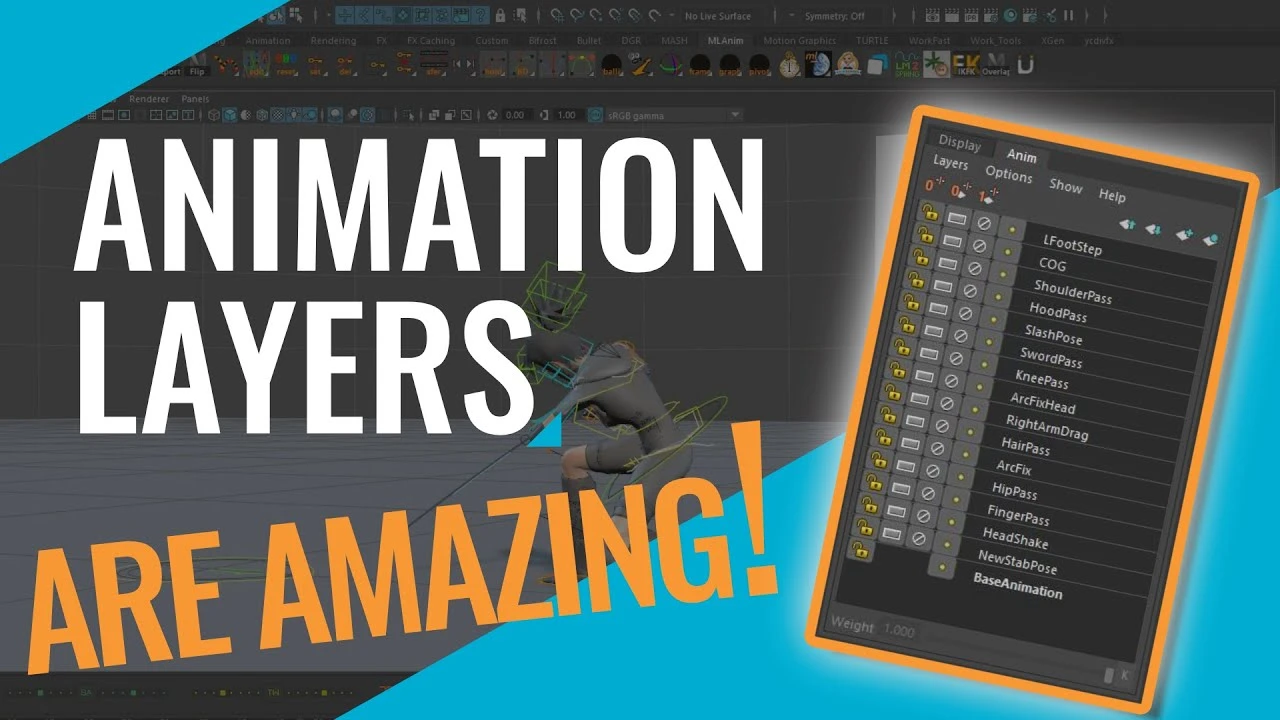
Maya Tutorial - How To Make BIG Changes FAST With Animation Layers
Principiante🍅 Timer Pomodoro
Estudia 25 min, luego toma un descanso. ¡Mejora la concentración!
Descripción
In this Maya tutorial, I teach how to use Maya's animation layers to very quickly and easily make big changes to an animation non-destructively. As animators, there will always be feedback and notes to address on a shot, preferably big shot altering notes come in early on, however, that's not always the case. Animation layers allow you to make BIG changes to a shot quickly, so you're able to address notes fast and efficiently.
Social Media 📰
Twitter: / markmasters92
Instagram: / markmasters92
LinkedIn: / mark-mast. .
Chapters 📘
0:00 Intro
1:08 Using an Animation Layer to Change the Stab Pose
10:02 Using an Override Animation Layer to Remove a Step
18:35 Outro
Related Videos 🎥
My Animation Workflow: • How To Animate Faster - Breaking Down My A...
How to Setup Maya Animation Constraints Using AnimBot: • How to Setup Maya Animation Constraints Us...
The Importance of Balance - Creating Believable Movement in Animation: • The Secret to Animating Realistic Movement...
Social Media 📰
Twitter: / markmasters92
Instagram: / markmasters92
LinkedIn: / mark-mast. .
Chapters 📘
0:00 Intro
1:08 Using an Animation Layer to Change the Stab Pose
10:02 Using an Override Animation Layer to Remove a Step
18:35 Outro
Related Videos 🎥
My Animation Workflow: • How To Animate Faster - Breaking Down My A...
How to Setup Maya Animation Constraints Using AnimBot: • How to Setup Maya Animation Constraints Us...
The Importance of Balance - Creating Believable Movement in Animation: • The Secret to Animating Realistic Movement...
A continuación

Animación de Parpadeo en Maya Parte 1 ⭐
Blender Deluxe Tutoriales
Arnold Tutorial: How to create a portal effect using the ray_switch shader (GPU)
Arnold renderer
Arnold tutorial - Toon hatching shading in MtoA
Arnold renderer
5 Topology Tips That Will Get You HIRED
JL Mussi
Hard Surface Modeling Essentials: Curved Surfaces
FlippedNormals
Tutorial Algas Ncloth Simulación en Maya
Blender Deluxe Tutoriales
Arnold + USD = Love
Arnold renderer
How to model a tire in 7 Minutes in Maya
MH Tutorials
¿Cómo animar la anticipación y el sobreimpulso en Maya? | Lección 5, Parte C | Animación en Maya ...
zinteractive
Arnold tutorial - Toon Shading and Lighting Sven in MtoA
Arnold renderer