Break time!
Your Pomodoro session has ended
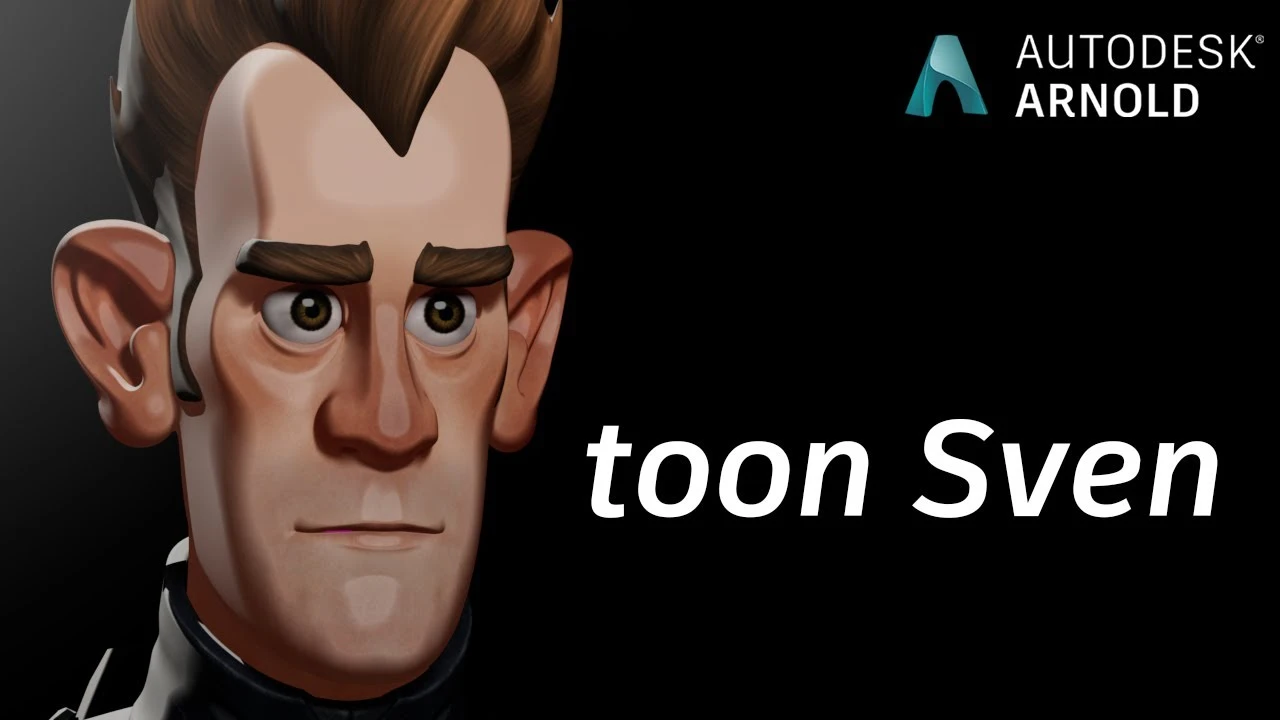
Arnold tutorial - Toon Shading and Lighting Sven in MtoA
Beginner🍅 Pomodoro Timer
Study for 25 min, then take a break. Improves focus!
Description
In this simple 'making of' tutorial, we will break down the steps used to render Sven using the toon shader. We will cover how to use the rim_lighting, base_tonemap, specular_tonemap, and stylized_highlight attributes of the toon shader to create a 'painterly' type portrait of our intergalactic hero Sven!
The original Maya scene files for this series of tutorials can be downloaded from Autodesk's Hyperspace Madness production:
https://area.autodesk.com/hyperspacem...
https://help.autodesk.com/view/ARNOL/...
https://help.autodesk.com/view/ARNOL/...
#maya #arnoldrenderer #shading
The original Maya scene files for this series of tutorials can be downloaded from Autodesk's Hyperspace Madness production:
https://area.autodesk.com/hyperspacem...
https://help.autodesk.com/view/ARNOL/...
https://help.autodesk.com/view/ARNOL/...
#maya #arnoldrenderer #shading
Up Next
Arnold tutorial - Using the curvature shader in MtoA
Arnold renderer
Arnold Tutorial - Rendering a diamond in Maya (Arnold 7.4.4.0)
Arnold renderer
Maya Basic Rigging Tutorial | Rigging a Robotic Arm with a Piston | Maya Rigging
Cryptic Visionary
¡Descubre los secretos de Render Settings en MAYA! Guía completa Parte 1 🚀
Blender Deluxe Tutoriales
Trim Sheets and Modular Assets | Maya and Unreal
Stefan
Arnold tutorial - Using the barndoor light filter in MtoA
Arnold renderer
Tutorial 3D en Autodesk Maya PRINCIPIANTES aprende desde cero!! - Parte 1
Kubika: 3D y Tecnología
Arnold Tutorial - Rendering a Toon vehicle in Maya
Arnold renderer
Introduction to Poly Modeling in Maya - 3D Tutorial
FlippedNormals
Maya Tutorial | Improve your Renders and Portfolio!
Abe Leal 3D