Break time!
Your Pomodoro session has ended
Tutorial: How to make a volumetric projector in Blender 4.5
Beginner🍅 Pomodoro Timer
Study for 25 min, then take a break. Improves focus!
Description
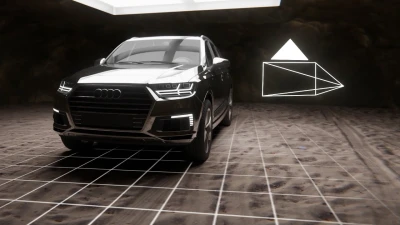
In this Blender tutorial, we'll explore a fun and powerful method for creating a volumetric projector effect! We'll use the world shader to generate a scene-wide volumetric fog, then project an animated video texture through it using a spotlight's emission material. It's a versatile and quite useful lighting setup, perfect for creating animated god rays or intricate patterns to light your scene in a unique way!
🛞 Animated Pattern Generator: https://tools.polyfjord.com/
💾 Download the tutorial files: / 141578101
⭐ Get the advanced project files: / 141573510
▶️ Deep dive 2nd channel video: • Making a Volumetric Projector in Blender 5...
Procedural lighting/texturing tutorial: • Discovering Fake Caustics in Blender (Note: This is an older video, so I don't know if this tutorial works 100% seamlessly with Blender 4.5 or later!)
00:00 Introduction to volumetric projection in Blender
00:32 Setting up the render engine and viewport
01:03 Adding and adjusting a spotlight
01:33 Creating a volumetric world
02:21 Enhancing the spotlight's effect
03:02 Adding a video texture to the spotlight
04:12 Animating the video texture
04:50 Correcting the color space for better visuals
05:15 Fixing the aspect ratio of the video texture
07:09 Adding the projector screen
08:47 Final result!
11:30 Thanks for watching!
🛞 Animated Pattern Generator: https://tools.polyfjord.com/
💾 Download the tutorial files: / 141578101
⭐ Get the advanced project files: / 141573510
▶️ Deep dive 2nd channel video: • Making a Volumetric Projector in Blender 5...
Procedural lighting/texturing tutorial: • Discovering Fake Caustics in Blender (Note: This is an older video, so I don't know if this tutorial works 100% seamlessly with Blender 4.5 or later!)
00:00 Introduction to volumetric projection in Blender
00:32 Setting up the render engine and viewport
01:03 Adding and adjusting a spotlight
01:33 Creating a volumetric world
02:21 Enhancing the spotlight's effect
03:02 Adding a video texture to the spotlight
04:12 Animating the video texture
04:50 Correcting the color space for better visuals
05:15 Fixing the aspect ratio of the video texture
07:09 Adding the projector screen
08:47 Final result!
11:30 Thanks for watching!
Up Next




La IA acaba de llegar a Blender… pero no como imaginaba
Aura Prods
Rigid Body Product Simulation Blender 4.0! (Tutorial)
Faebe Tutorials
1 Easy Way to Make Better Environments in Blender
ManjuRam
Sculpting a cliff in Blender (timelapse)
Blender Guru
Quick & Easy Megastructures in Blender
Nico Linde
Tutorial: Quick Smooth Camera Movements in Blender
Polyfjord
Easy Fog in Blender
Blender Guru
Blender Secrets - Texture Painting with Custom Brushes
Blender Secrets
Designing a Futuristic Street View in Blender
Markom3D
Realistic Materials Are Easy In Blender
DECODED