Break time!
Your Pomodoro session has ended
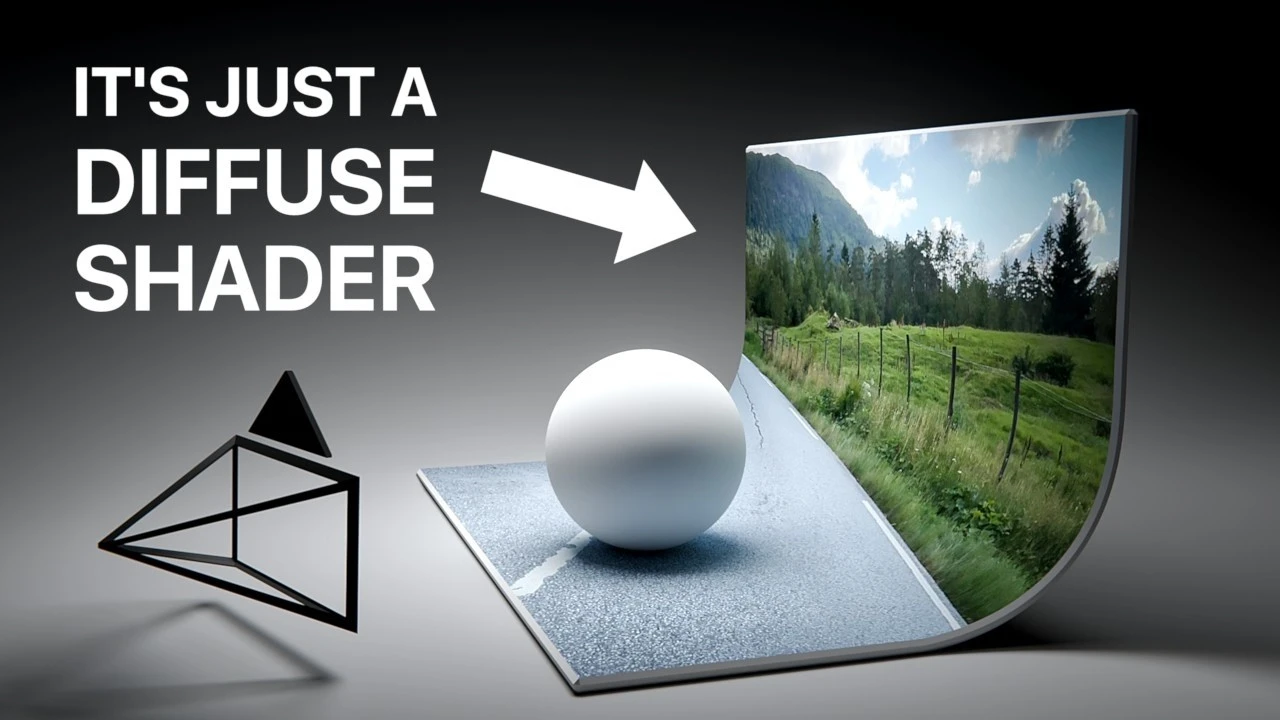
This Blender VFX compositing hack is surprisingly good! (Tutorial)
Beginner🍅 Pomodoro Timer
Study for 25 min, then take a break. Improves focus!
Description
In this tutorial we'll be taking a look at a surprisingly powerful VFX compositing workflow/hack in Blender 4.5! We'll be doing a projection based in-camera VFX technique that uses no geometry other than an infinite cyclorama backdrop to project the video texture on. It's a fun, quick and dirty compositing setup, which in many cases it can be fast, powerful and easy to experiment with!
💾 Download the video file here: / 138617536
🔓 Get the 3x 3D tracked 4K clips with .blend files here: / 138647098
This project is a direct follow-up from my previous tutorial: • 3D tracking will never be the same for me ...
For improved 3D tracking workflow, see my 2nd channel video here: • This 3D tracking workflow just got a lot f...
Timestamps:
00:00 Introduction to the compositing workflow
00:48 Reviewing the video footage
01:31 Cleaning up the 3D tracked scene in Blender
01:52 Aligning the scene to the world origin
04:26 Creating the Cyclorama (Infinite Backdrop)
09:08 Projecting the video onto the Cyclorama
12:54 Adding a key light to cast contact shadows
15:17 Adding ambient fill light
16:16 Testing different material types
17:32 Fixing reflection artifacts
19:21 Creating reflections with a fake environment texture
21:36 Combining lighting and reflections with the Light Path node
23:54 Final color grading in the compositor
28:05 Compositing with an animated 3D model
30:38 Final render
31:28 Outro & Patreon information
💾 Download the video file here: / 138617536
🔓 Get the 3x 3D tracked 4K clips with .blend files here: / 138647098
This project is a direct follow-up from my previous tutorial: • 3D tracking will never be the same for me ...
For improved 3D tracking workflow, see my 2nd channel video here: • This 3D tracking workflow just got a lot f...
Timestamps:
00:00 Introduction to the compositing workflow
00:48 Reviewing the video footage
01:31 Cleaning up the 3D tracked scene in Blender
01:52 Aligning the scene to the world origin
04:26 Creating the Cyclorama (Infinite Backdrop)
09:08 Projecting the video onto the Cyclorama
12:54 Adding a key light to cast contact shadows
15:17 Adding ambient fill light
16:16 Testing different material types
17:32 Fixing reflection artifacts
19:21 Creating reflections with a fake environment texture
21:36 Combining lighting and reflections with the Light Path node
23:54 Final color grading in the compositor
28:05 Compositing with an animated 3D model
30:38 Final render
31:28 Outro & Patreon information
Tags
Up Next





La IA acaba de llegar a Blender… pero no como imaginaba
Aura Prods
1 Easy Way to Make Better Environments in Blender
ManjuRam
Procedural Dark Leather Material (Blender Tutorial)
Ryan King Art
Easy Realistic Architecture And Environments In Blender - Beginner tutorial
AlternaVision Studio
Sculpting a cliff in Blender (timelapse)
Blender Guru
Easy Fog in Blender
Blender Guru
Mastering Sub-D and Low Poly 3D Modeling
On Mars 3D
How to make an abandoned house in Blender - Tutorial
Blender Guru
Create Realistic Mountains with Blender 5.0 and Gaea 2
Maarten Nauta
Blender 3.0 Beginner Tutorial Part 12: Floating Particles
Blender Guru