CGI ACADEMY HUB
/
Sponsors
ES EN
Log in

Focus Mode

Home Saved History Blog
Subjects
Blender 735 Maya 188 Unreal Engine 150 Substance Painter 34 Short Films 33 Making of 22 After Effects 21 3ds Max 15 Godot 15 Fundamentals 12 Cinema 4D 10 Houdini 7 ZBrush 6 DaVinci Resolve 4 Color 2
About
Privacy Policy Terms and Conditions Legal Notice Editorial Policy
Donate
Diego Cortés by Diego Cortés

Break time!

Your Pomodoro session has ended
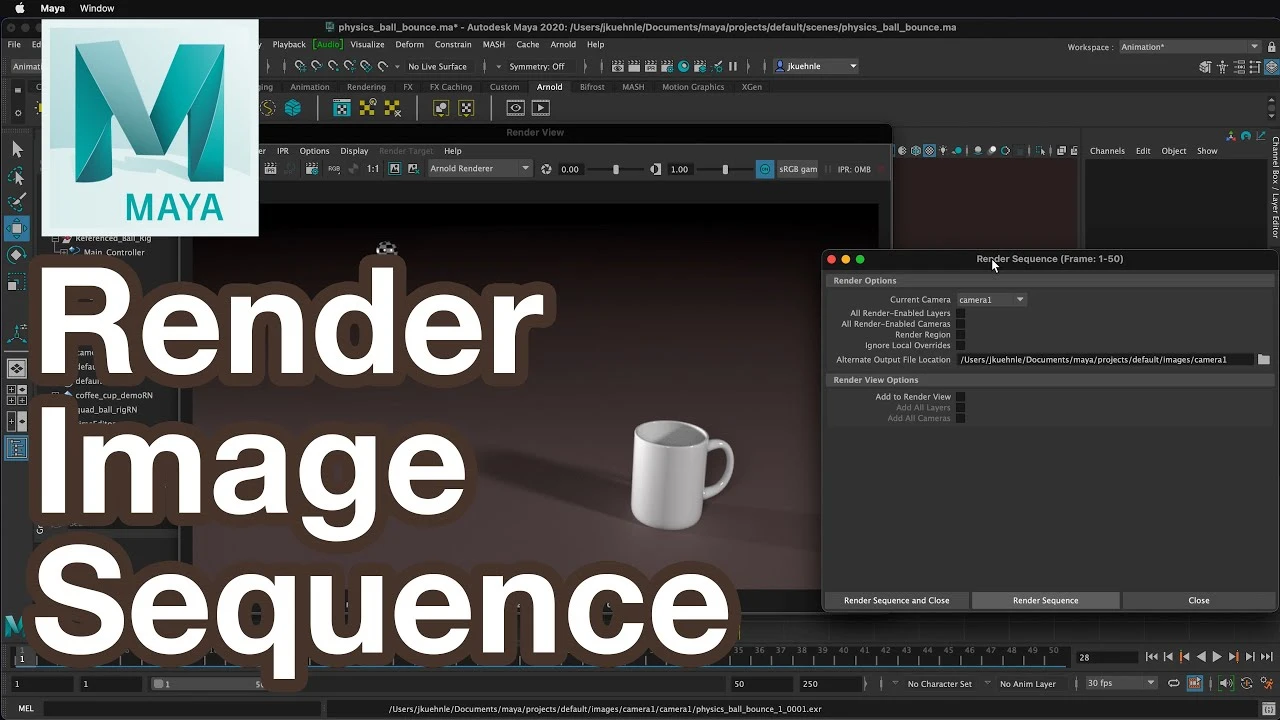
Render Image Sequence Maya Tutorial

Render Image Sequence Maya Tutorial

Beginner

🍅 Pomodoro Timer

Study for 25 min, then take a break. Improves focus!

W
What Make Art
Like Save Playlist
Notes

Log in to save notes for this video

Description

Learn how to export a rendered image sequence from the Arnold Renderer in Maya for your 3D Animations.
Tags
maya render 3d tutorial guide autodesk rendering renderizado guía learning
Up Next
Introduction to XGen - Quick Start Guide

Introduction to XGen - Quick Start Guide

FlippedNormals

Transfer ALL Texture Maps - 3D Workflow and Optimization

Transfer ALL Texture Maps - 3D Workflow and Optimization

Abe Leal 3D

Arnold Tutorial - How to use the distance shader to create a paint mixture effect in MtoA

Arnold Tutorial - How to use the distance shader to create a paint mixture effect in MtoA

Arnold renderer

Herramienta de Bevel Maya #maya #maya3d #mayatutorial #3dtutorial #bevel

Herramienta de Bevel Maya #maya #maya3d #mayatutorial #3dtutorial #bevel

Blender Deluxe Tutoriales

Optimizing 3D Assets for Games: Uvs and Bakes

Optimizing 3D Assets for Games: Uvs and Bakes

Abe Leal 3D

Configurar Shader PBR Arnold Render

Configurar Shader PBR Arnold Render

Blender Deluxe Tutoriales

Arnold tutorial - Using the flakes shader in MtoA

Arnold tutorial - Using the flakes shader in MtoA

Arnold renderer

Arnold tutorial - Using the barndoor light filter in MtoA

Arnold tutorial - Using the barndoor light filter in MtoA

Arnold renderer

How to Model a Stylized Character in Maya? | Lesson 8 Part B | Maya Animation for Beginners | Live

How to Model a Stylized Character in Maya? | Lesson 8 Part B | Maya Animation for Beginners | Live

zinteractive

Arnold tutorial - Using the gobo light filter in MtoA

Arnold tutorial - Using the gobo light filter in MtoA

Arnold renderer

We use cookies

We use essential cookies to make our site work. We'd also like to set analytics cookies to help us improve our website. For more details, see our Privacy Policy.

Learn more