Break time!
Your Pomodoro session has ended
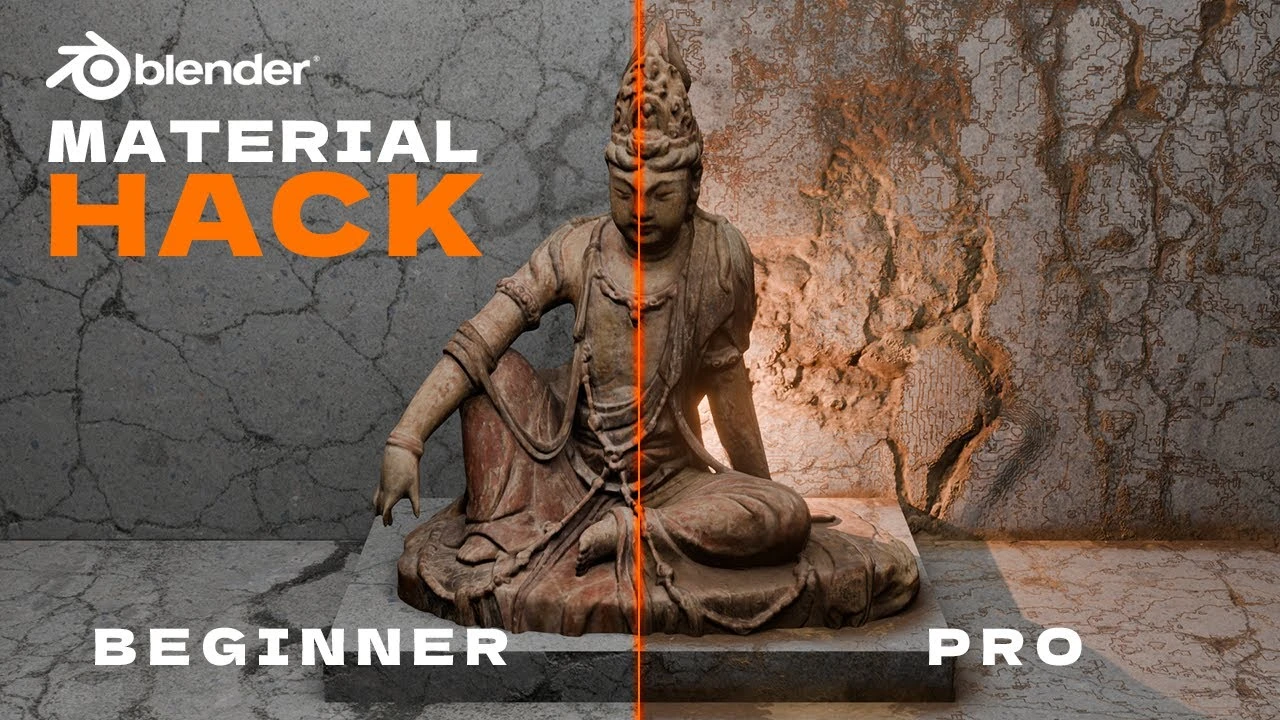
Realistic Details in Blender with One Powerful Node
Beginner🍅 Pomodoro Timer
Study for 25 min, then take a break. Improves focus!
Description
PolySuite: https://polysuite.app
Link to BlenderKit: https://www.blenderkit.com/
Affiliate Links & Socials: https://linktr.ee/polyplayground
Ready to take your Blender scenes to the next level? In this exciting tutorial, we reveal the secrets of the Ambient Occlusion node—a powerful tool that adds incredible depth and detail to your 3D projects. Whether you’re aiming to create realistic edge wear, grime, or intricate textures, this step-by-step guide will show you how to achieve stunning results with ease.
Watch as we transform a basic scene into a detailed masterpiece, and learn how to apply these techniques to any material. Perfect for beginners and seasoned Blender users alike, this tutorial covers everything from basic setups to advanced adjustments, ensuring your scenes never look flat again.
What you’ll learn:
• Setting up and using the Ambient Occlusion node
• Creating dynamic dirt and grime effects
• Adding texture and depth to your materials
• Applying these techniques to real-world materials
Join us and unlock the full potential of Blender’s Ambient Occlusion node. Don’t forget to like, comment, and subscribe for more Blender tips and tricks. Got questions or ideas? Drop them in the comments!
Keywords
Blender tutorial, ambient occlusion, Blender ambient occlusion node, Blender 3D, Blender depth, Blender edge wear, realistic Blender scenes, Blender tips, Blender tricks, 3D modeling, Blender 2024
Link to BlenderKit: https://www.blenderkit.com/
Affiliate Links & Socials: https://linktr.ee/polyplayground
Ready to take your Blender scenes to the next level? In this exciting tutorial, we reveal the secrets of the Ambient Occlusion node—a powerful tool that adds incredible depth and detail to your 3D projects. Whether you’re aiming to create realistic edge wear, grime, or intricate textures, this step-by-step guide will show you how to achieve stunning results with ease.
Watch as we transform a basic scene into a detailed masterpiece, and learn how to apply these techniques to any material. Perfect for beginners and seasoned Blender users alike, this tutorial covers everything from basic setups to advanced adjustments, ensuring your scenes never look flat again.
What you’ll learn:
• Setting up and using the Ambient Occlusion node
• Creating dynamic dirt and grime effects
• Adding texture and depth to your materials
• Applying these techniques to real-world materials
Join us and unlock the full potential of Blender’s Ambient Occlusion node. Don’t forget to like, comment, and subscribe for more Blender tips and tricks. Got questions or ideas? Drop them in the comments!
Keywords
Blender tutorial, ambient occlusion, Blender ambient occlusion node, Blender 3D, Blender depth, Blender edge wear, realistic Blender scenes, Blender tips, Blender tricks, 3D modeling, Blender 2024
Up Next




La IA acaba de llegar a Blender… pero no como imaginaba
Aura Prods
Stylized Anime Scene | Blender Timelapse
Tawan Sunflower
1 Easy Way to Make Better Environments in Blender
ManjuRam
Realistic Product Lighting In Blender
Extra 3d
Blender Beginner Modeling Chair Tutorial - Part 8: Texture Mapping
Blender Guru
Blender addons for hair and Fur
InspirationTuts
Sculpting a cliff in Blender (timelapse)
Blender Guru
Easy Fog in Blender
Blender Guru
Blender Tutorial - Best Outdoor Lighting In One Click!
Architecture Topics
Animate the Smart Way in Blender (Procedural Animation Tutorial) #b3d
CG Boost