Break time!
Your Pomodoro session has ended
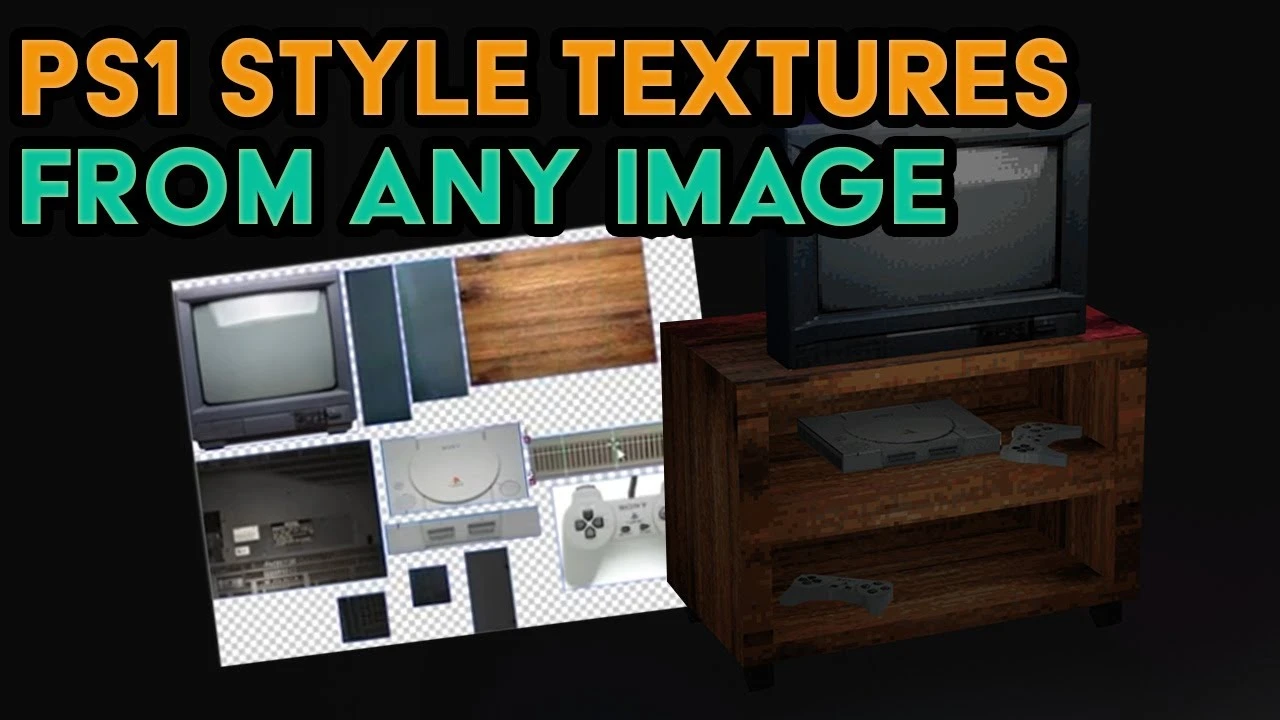
PS1 Style Texturing & 3D Modelling Tutorial | Blender & Texture Ripper Walkthrough
Beginner🍅 Pomodoro Timer
Study for 25 min, then take a break. Improves focus!
Description
In this tutorial, learn how to create PlayStation 1 style textures and models using Blender and Texture Ripper. We’ll walk you through extracting image parts to use as texture maps, downscaling them for a pixelated, retro look, and adding color dithering to mimic the classic PS1 aesthetic. Then, we dive into Blender 3D modeling, where we recreate a vintage CRT TV with a PlayStation 1 console, showing how to model low-poly assets with retro textures.
What you'll learn:
How to use Texture Ripper for texture extraction.
Downscaling textures for pixelation and applying color dithering.
How to model and texture retro assets in Blender, including a CRT TV and PlayStation 1 console.
Achieving a low-poly, PS1-style aesthetic for your 3D models.
Links to software used:
Texture Ripper (Shoebox): For texture extraction.
https://renderhjs.net/shoebox/
Paint.NET: For texture editing and downscaling.
https://www.getpaint.net/
AdobeAir:
https://airsdk.harman.com/runtime
Chapters:
00:00 – Intro
01:00 – Texture Ripper Overview
02:22 – Paint.NET Pixelation & Dithering
03:21 – Blender Material Setup
04:00 – Blender Modeling Tutorial
Make sure to like, comment, and subscribe for more tutorials on retro-style modeling and texturing in Blender! Click the bell icon to get notified about future content.
#ps1 #blendertutorial #textureripper #retrogamedev #lowpolymodeling
What you'll learn:
How to use Texture Ripper for texture extraction.
Downscaling textures for pixelation and applying color dithering.
How to model and texture retro assets in Blender, including a CRT TV and PlayStation 1 console.
Achieving a low-poly, PS1-style aesthetic for your 3D models.
Links to software used:
Texture Ripper (Shoebox): For texture extraction.
https://renderhjs.net/shoebox/
Paint.NET: For texture editing and downscaling.
https://www.getpaint.net/
AdobeAir:
https://airsdk.harman.com/runtime
Chapters:
00:00 – Intro
01:00 – Texture Ripper Overview
02:22 – Paint.NET Pixelation & Dithering
03:21 – Blender Material Setup
04:00 – Blender Modeling Tutorial
Make sure to like, comment, and subscribe for more tutorials on retro-style modeling and texturing in Blender! Click the bell icon to get notified about future content.
#ps1 #blendertutorial #textureripper #retrogamedev #lowpolymodeling
Up Next




La IA acaba de llegar a Blender… pero no como imaginaba
Aura Prods
Stylized Anime Scene | Blender Timelapse
Tawan Sunflower
1 Easy Way to Make Better Environments in Blender
ManjuRam
Realistic Product Lighting In Blender
Extra 3d
Blender Beginner Modeling Chair Tutorial - Part 8: Texture Mapping
Blender Guru
Blender addons for hair and Fur
InspirationTuts
Sculpting a cliff in Blender (timelapse)
Blender Guru
Easy Fog in Blender
Blender Guru
Blender Tutorial - Best Outdoor Lighting In One Click!
Architecture Topics
Animate the Smart Way in Blender (Procedural Animation Tutorial) #b3d
CG Boost