Break time!
Your Pomodoro session has ended
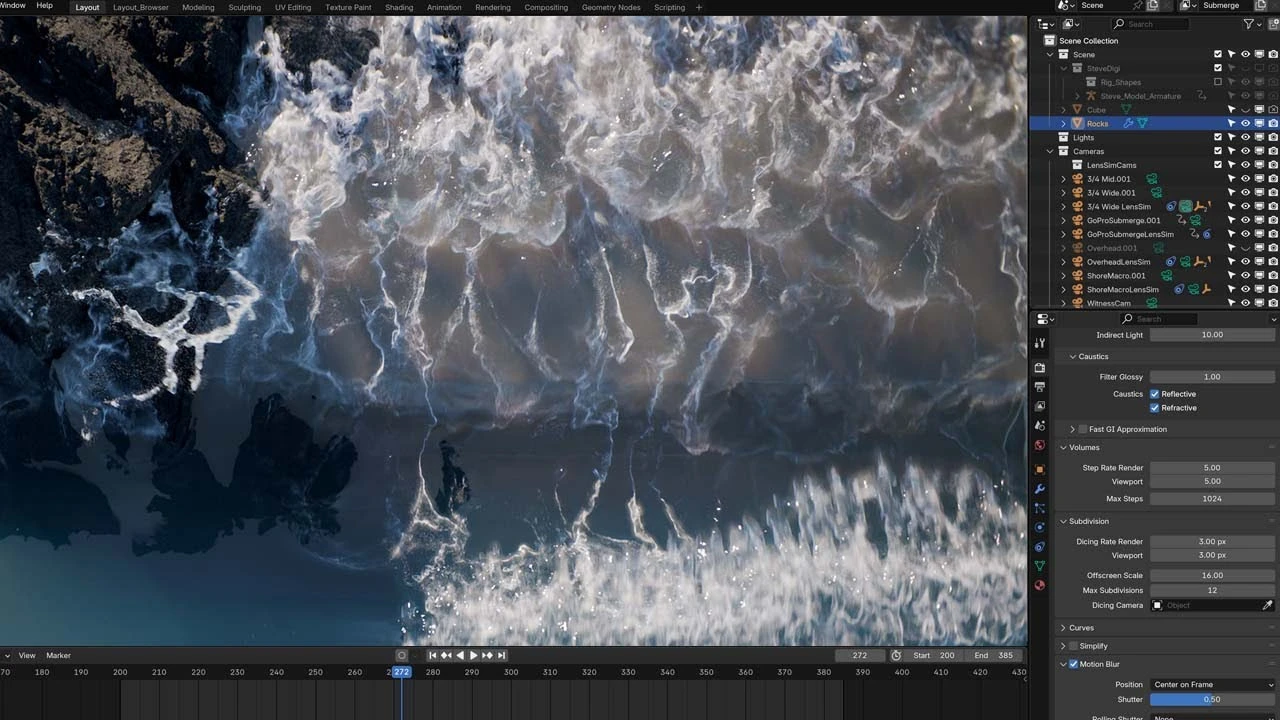
Photoreal Ocean Simulation in Blender
Beginner🍅 Pomodoro Timer
Study for 25 min, then take a break. Improves focus!
Description
Learn all the tips and tricks you need to create photoreal ocean simulations in Blender 4.3 using Flip Fluids addon. Enhance your simulation using geometry nodes, create realistic ocean and foam shaders, and choose the right lighting and camera angles to show off the simulation in the best way possible.
Scene file download: https://www.patreon.com/posts/photore...
Flip Fluids Addon: https://superhivemarket.com/products/...
Curling waves tutorial: • Creating Curling Waves in Blender | FLIP F...
Lens sim addon: https://superhivemarket.com/products/...
Scene file download: https://www.patreon.com/posts/photore...
Flip Fluids Addon: https://superhivemarket.com/products/...
Curling waves tutorial: • Creating Curling Waves in Blender | FLIP F...
Lens sim addon: https://superhivemarket.com/products/...
Up Next






La IA acaba de llegar a Blender… pero no como imaginaba
Aura Prods
1 Easy Way to Make Better Environments in Blender
ManjuRam
Procedural Dark Leather Material (Blender Tutorial)
Ryan King Art
Easy Realistic Architecture And Environments In Blender - Beginner tutorial
AlternaVision Studio
Sculpting a cliff in Blender (timelapse)
Blender Guru
Easy Fog in Blender
Blender Guru
Mastering Sub-D and Low Poly 3D Modeling
On Mars 3D
How to make an abandoned house in Blender - Tutorial
Blender Guru
Create Realistic Mountains with Blender 5.0 and Gaea 2
Maarten Nauta
Blender 3.0 Beginner Tutorial Part 12: Floating Particles
Blender Guru