¡Tiempo de descanso!
Tu sesión Pomodoro ha terminado
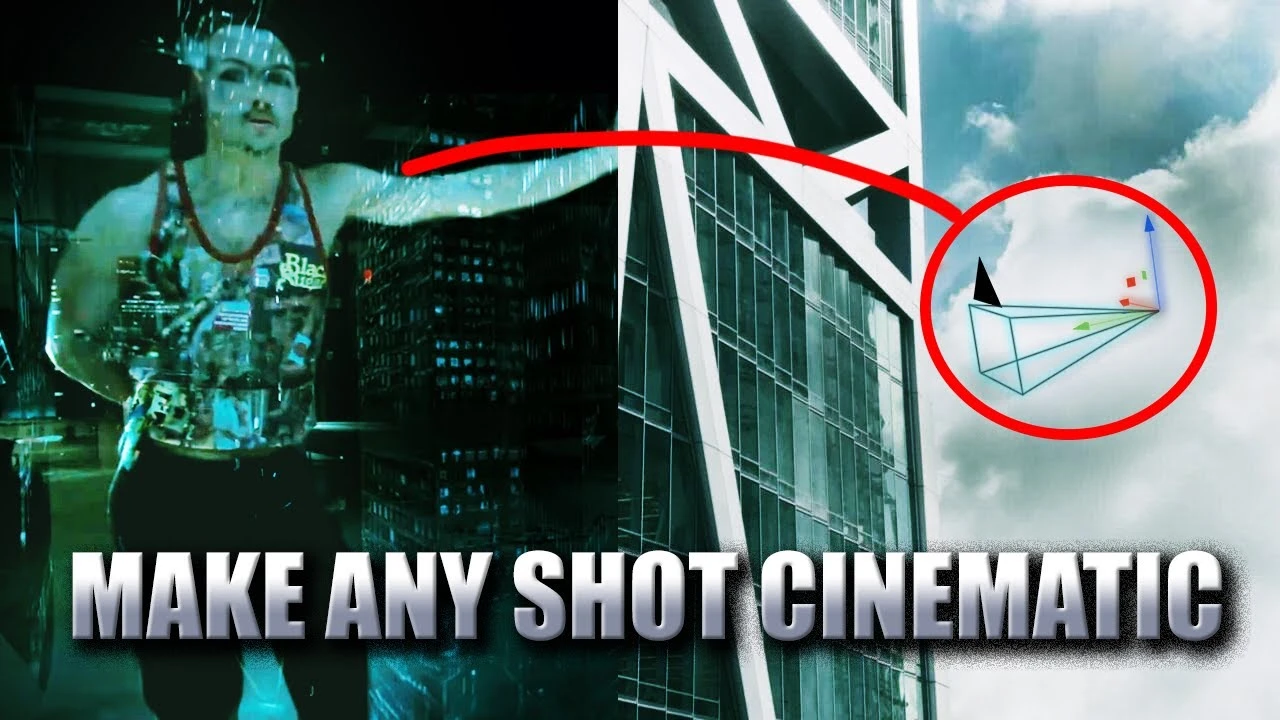
Mastering Cinematic Camera Movements in Blender | Beginner Tutorial
Principiante🍅 Timer Pomodoro
Estudia 25 min, luego toma un descanso. ¡Mejora la concentración!
Descripción
Ever wondered how to recreate those jaw-dropping cinematic shots from your favorite films using Blender? 🎥 Dive in as we break down 16 epic shots and show you how to master them! 🚀
In this video, I’ll take you through mind-blowing shots from blockbuster films and demonstrate how to implement them into your Blender animations. From static to handheld shots, we’ll cover a range of techniques that will transform your projects!
What can I help you with? Email me @ blendershenanigans@gmail.com
Follow my Instagram :)
/ blender_shenanigans_
Resources:
Blender - https://www.blender.org
DaVinci Resolve - https://www.blackmagicdesign.com/ca/p...
Blend Files (Google Drive link) - https://drive.google.com/drive/folder...
Here's what you'll learn:
Static Shot
Panning Shot
Whip Pan
Push In and Pull Out Method
Truck Shot
Pedestal Shot
Tilting Shot
Zoom
Dolly Zoom
POV Shot
Handheld Shot
Tracking Shot
Steadicam/Gimbal Shot
Arc Shot
Crane/Jib Shot
Camera Shake
Final Challenge:
At the end, I’ll use all the skills we've learned to create a cinematic shot of my own and see if it blends seamlessly with the opening scene of Fight Club.
Timestamps:
00:00 - Intro
00:20 - Static Shot
00:47 - Panning Shot
01:01 - Whip Pan
01:25 - Push In and Pull Out
01:32 - Truck Shot
02:30 - Pedestal Shot
02:37 - Tilting Shot
02:50 - Zoom
03:11 - Dolly Zoom
03:27 - POV Shot
04:05 - Handheld Shot
04:13 - Tracking Shot
04:33 - Steadicam/Gimbal Shot
05:20 - Arc Shot
05:44 - Crane/Jib Shot
06:14 - Camera Shake
07:00 - Fight Club Animation
07:43 - Outro
Which cinematic shot are you excited to try first? Let me know in the comments below! 👍
Don't forget to like and subscribe for more Blender tutorials! Hit that bell icon to stay updated on my latest content!
My System Specs:
Pre built Nitro N50-610 Desktop:
Processor - Intel(R) Core(TM) i5-10400 CPU @ 2.90GHz
Installed RAM - 44 GB (pc came with 12 GB)
Graphics Card: GTX 1650
#Blender #Cinematography #BlenderTutorial #FightClub #FilmMaking #Animation #3DModeling #VFX #CameraTechniques #BlenderTips
In this video, I’ll take you through mind-blowing shots from blockbuster films and demonstrate how to implement them into your Blender animations. From static to handheld shots, we’ll cover a range of techniques that will transform your projects!
What can I help you with? Email me @ blendershenanigans@gmail.com
Follow my Instagram :)
/ blender_shenanigans_
Resources:
Blender - https://www.blender.org
DaVinci Resolve - https://www.blackmagicdesign.com/ca/p...
Blend Files (Google Drive link) - https://drive.google.com/drive/folder...
Here's what you'll learn:
Static Shot
Panning Shot
Whip Pan
Push In and Pull Out Method
Truck Shot
Pedestal Shot
Tilting Shot
Zoom
Dolly Zoom
POV Shot
Handheld Shot
Tracking Shot
Steadicam/Gimbal Shot
Arc Shot
Crane/Jib Shot
Camera Shake
Final Challenge:
At the end, I’ll use all the skills we've learned to create a cinematic shot of my own and see if it blends seamlessly with the opening scene of Fight Club.
Timestamps:
00:00 - Intro
00:20 - Static Shot
00:47 - Panning Shot
01:01 - Whip Pan
01:25 - Push In and Pull Out
01:32 - Truck Shot
02:30 - Pedestal Shot
02:37 - Tilting Shot
02:50 - Zoom
03:11 - Dolly Zoom
03:27 - POV Shot
04:05 - Handheld Shot
04:13 - Tracking Shot
04:33 - Steadicam/Gimbal Shot
05:20 - Arc Shot
05:44 - Crane/Jib Shot
06:14 - Camera Shake
07:00 - Fight Club Animation
07:43 - Outro
Which cinematic shot are you excited to try first? Let me know in the comments below! 👍
Don't forget to like and subscribe for more Blender tutorials! Hit that bell icon to stay updated on my latest content!
My System Specs:
Pre built Nitro N50-610 Desktop:
Processor - Intel(R) Core(TM) i5-10400 CPU @ 2.90GHz
Installed RAM - 44 GB (pc came with 12 GB)
Graphics Card: GTX 1650
#Blender #Cinematography #BlenderTutorial #FightClub #FilmMaking #Animation #3DModeling #VFX #CameraTechniques #BlenderTips
A continuación





La IA acaba de llegar a Blender… pero no como imaginaba
Aura Prods
Blender 5.0! Modelling and Sculpting Armor - 3D Workshop Full Pipeline
Abe Leal 3D
Blender Tutorial - Creating an Exploding Missiles Simulation
Blender Made Easy
How to Render Passes - Blender Tutorial
Architecture Topics
1 Easy Way to Make Better Environments in Blender
ManjuRam
How to Use Adaptive Subdivision in Blender 5.0
Ryan King Art
Sculpting a cliff in Blender (timelapse)
Blender Guru
Vray 7.2 For Blender Has Been Released
CG Vortex
Easy Fog in Blender
Blender Guru
Blender 4.3 Make A Shirt Tutorial | Cloth Sewing EASY
PIXXO 3D