Break time!
Your Pomodoro session has ended
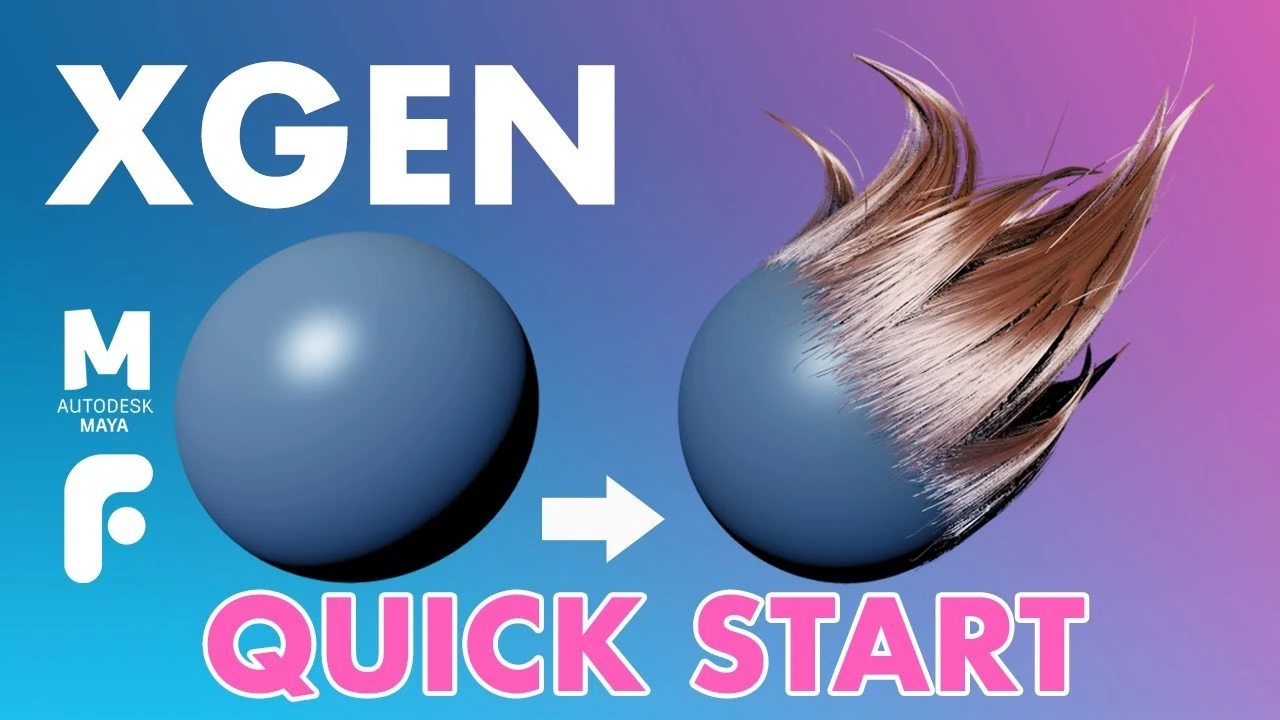
Introduction to XGen - Quick Start Guide
Beginner🍅 Pomodoro Timer
Study for 25 min, then take a break. Improves focus!
Description
In this FlippedNormals Quick Start to Xgen video, you'll get familiar with all the tools you need to know in order to get started with XGen for Maya.
Learn Maya with this 12 hour Introduction to Maya series!
https://flippednormals.com/downloads/...
We cover setting up collections, creating guides, sculpting guides, using modifiers, using XGen grooms in Arnold for Maya and how to assign shaders (aiStandardHair) to our groom in XGen.
Xgen Quirks - 01:00
Set Project - 02:34
Clean Model and Scene - 03:55
Setting up Descriptions - 04:41
Creating Guides - 06:43
Deletiong Guide - 08:22
Hide Show Groom - 09:22
Longer and shorter guides - 10:15
Sculpt Guides Tool - 11:16
Density - 13:07
Hair Width - 14:30
Tapering - 14:47
Curve Segments - 15:26
Density Mask - 17:14
Region/Parting Maps - 23:26
Modifiers - 25:59
Clumping Modifier - 26:05
Noise Modifier - 32:04
Connecting Arnold and Xgen - 34:45
Assigning shaders (aiStandardHair) - 36:23
Support us by checking out our merch!
https://teespring.com/stores/flippedn...
Subscribe now!
https://www.youtube.com/c/FlippedNorm...
Website - https://flippednormals.com/
Instagram - / flippednormals
Twitter - / flippednormals
Facebook - / flippednormals
Our episodes are also available on all major podcast services!
Learn Maya with this 12 hour Introduction to Maya series!
https://flippednormals.com/downloads/...
We cover setting up collections, creating guides, sculpting guides, using modifiers, using XGen grooms in Arnold for Maya and how to assign shaders (aiStandardHair) to our groom in XGen.
Xgen Quirks - 01:00
Set Project - 02:34
Clean Model and Scene - 03:55
Setting up Descriptions - 04:41
Creating Guides - 06:43
Deletiong Guide - 08:22
Hide Show Groom - 09:22
Longer and shorter guides - 10:15
Sculpt Guides Tool - 11:16
Density - 13:07
Hair Width - 14:30
Tapering - 14:47
Curve Segments - 15:26
Density Mask - 17:14
Region/Parting Maps - 23:26
Modifiers - 25:59
Clumping Modifier - 26:05
Noise Modifier - 32:04
Connecting Arnold and Xgen - 34:45
Assigning shaders (aiStandardHair) - 36:23
Support us by checking out our merch!
https://teespring.com/stores/flippedn...
Subscribe now!
https://www.youtube.com/c/FlippedNorm...
Website - https://flippednormals.com/
Instagram - / flippednormals
Twitter - / flippednormals
Facebook - / flippednormals
Our episodes are also available on all major podcast services!
Up Next


Top 5 3D Modeling Tips for Beginners in Maya
FlippedNormals
An Introduction to OpenPBR Surface in Arnold
Arnold renderer
Arnold tutorial - Rendering glass with liquids in MtoA
Arnold renderer
CÓMO USAR CAPAS DE ANIMACIÓN - Tutorial de animación 3D
Skitty Animates
Maya Basic Rigging Tutorial | Rigging a Robotic Arm with a Piston | Maya Rigging
Cryptic Visionary
Maya Tutorial: Model a Coffee Cup
What Make Art
Arnold for Maya | How to create Silk, Cotton, Velvet and other fabric shaders | Tutorial #115
MographPlus
Rigging brazo IKFK Parte 3
Blender Deluxe Tutoriales
Maya 2019 tutorial : Playing with nCloth, Wind, Constraints, Gravity and more
MH Tutorials
Arnold tutorial - Using the curvature shader in MtoA
Arnold renderer