Break time!
Your Pomodoro session has ended
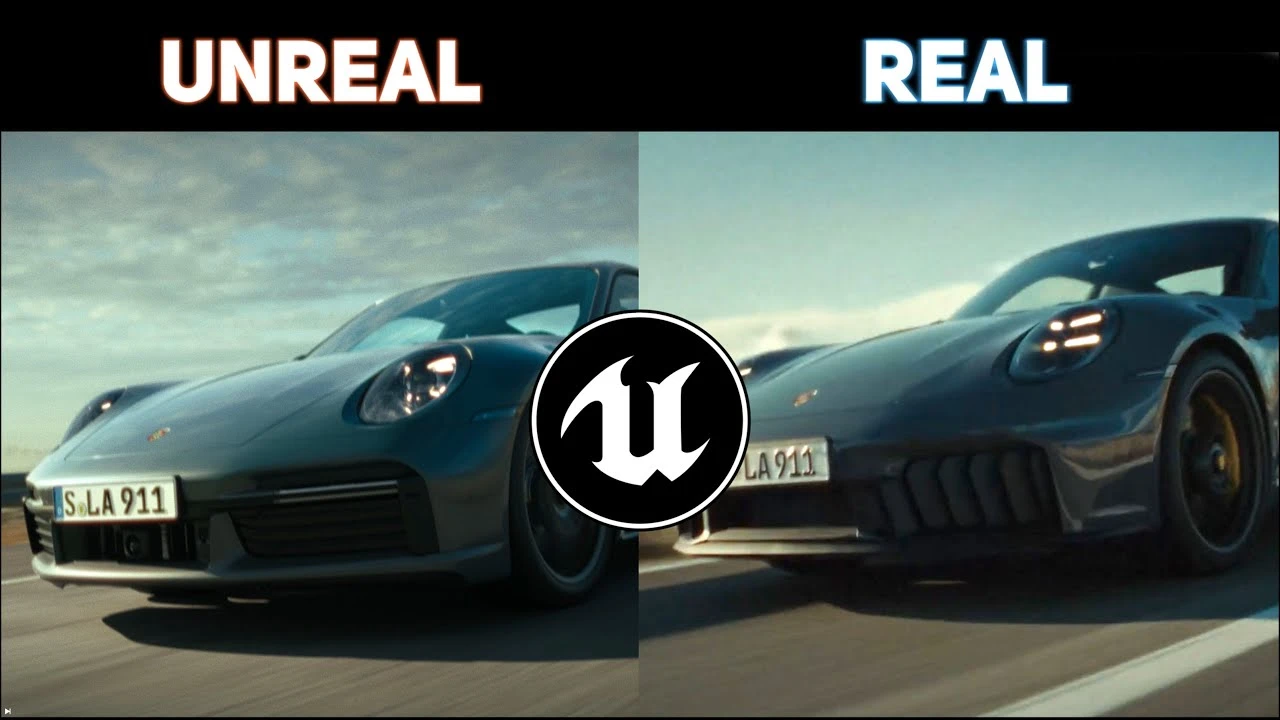
HOW I REMADE PORSCHE COMMERCIAL | UNREAL ENGINE 5 BREAKDOWN
Beginner🍅 Pomodoro Timer
Study for 25 min, then take a break. Improves focus!
Description
Hello everyone, in this video I am sharing production pipeline on how to create a car commercial cinematic in Unreal Engine 5 just by yourself! Hope you enjoy it!
I will guide you through my lighting setup so you can achieve similar results!
UE Automotive Masterclass: https://www.doublejumpacademy.com/wor...
Join Discord Server: / discord
My instagram: / postprocessed
Easy One Click Rig [Free Plugin]: • Easy Car Animation in Unreal [Free Download]
Color Grading UE renders: • Make Your Unreal Renders More CINEMATIC
Cinematic Car Rig Plugin: https://www.unrealengine.com/marketpl...
Tunnel Environment Scene: https://www.unrealengine.com/marketpl...
Model and data prep: / _andrii_cgi_
Compositing: https://www.behance.net/Growing_Gray
Environment: https://www.thedigitalbunch.com
Edit: / alclark
My Current PC setup:
Case: https://amzn.to/3QfKbEr
GPU: https://amzn.to/3SkhJnD
CPU: https://amzn.to/46RTbXs
RAM: https://amzn.to/3FAoIRZ
Motherboard: https://amzn.to/40dBmQl
PSU: https://amzn.to/3Mo7ivr
#unrealengine #automotive #cgi
Timecodes:
0:00 Intro
1:07 Gathering References
1:25 Setting Limits of shots
1:51 Car Models
2:49 Texturing and Shading
3:31 Car Rigging
3:58 Environments Creation
5:52 Lighting Exterior Scenes
6:48 Lighting Interiors in Artistic way
11:24 Renders
11:53 Color Grading
12:58 Compositing
13:53 Final Result
15:02 Direct Comparison
I will guide you through my lighting setup so you can achieve similar results!
UE Automotive Masterclass: https://www.doublejumpacademy.com/wor...
Join Discord Server: / discord
My instagram: / postprocessed
Easy One Click Rig [Free Plugin]: • Easy Car Animation in Unreal [Free Download]
Color Grading UE renders: • Make Your Unreal Renders More CINEMATIC
Cinematic Car Rig Plugin: https://www.unrealengine.com/marketpl...
Tunnel Environment Scene: https://www.unrealengine.com/marketpl...
Model and data prep: / _andrii_cgi_
Compositing: https://www.behance.net/Growing_Gray
Environment: https://www.thedigitalbunch.com
Edit: / alclark
My Current PC setup:
Case: https://amzn.to/3QfKbEr
GPU: https://amzn.to/3SkhJnD
CPU: https://amzn.to/46RTbXs
RAM: https://amzn.to/3FAoIRZ
Motherboard: https://amzn.to/40dBmQl
PSU: https://amzn.to/3Mo7ivr
#unrealengine #automotive #cgi
Timecodes:
0:00 Intro
1:07 Gathering References
1:25 Setting Limits of shots
1:51 Car Models
2:49 Texturing and Shading
3:31 Car Rigging
3:58 Environments Creation
5:52 Lighting Exterior Scenes
6:48 Lighting Interiors in Artistic way
11:24 Renders
11:53 Color Grading
12:58 Compositing
13:53 Final Result
15:02 Direct Comparison
Up Next




Lighting in Unreal Engine 5 for Beginners
William Faucher
Beyond the Configurator: Digital Twins for Heavy-Duty Vehicles | Unreal Fest Stockholm 2025
Unreal Engine
Beginner's Guide to Creating Stylized Environments in UE4
Stylized Station
Create An Open World In UE5 & CityBLD | Full Beginner Tutorial
WorldBLD
Binding UMG Interface Elements to Blueprints
Unreal Engine
Unpacking High-Performance Telemetry with TraceLog | Unreal Fest Stockholm 2025
Unreal Engine
Create Entire Cities Automatically With PCG Splines! Procedural Content Generation in Unreal Engine
Aziel Arts
Applying Custom UI Graphics in UMG
Unreal Engine
Unreal Engine 5 Beginner Tutorial Part 16 : Cameras, Rig Rail, and Crane
Bad Decisions Studio
Modular assets: a simple time-saving technique for game developers
Boars In Rome