Break time!
Your Pomodoro session has ended
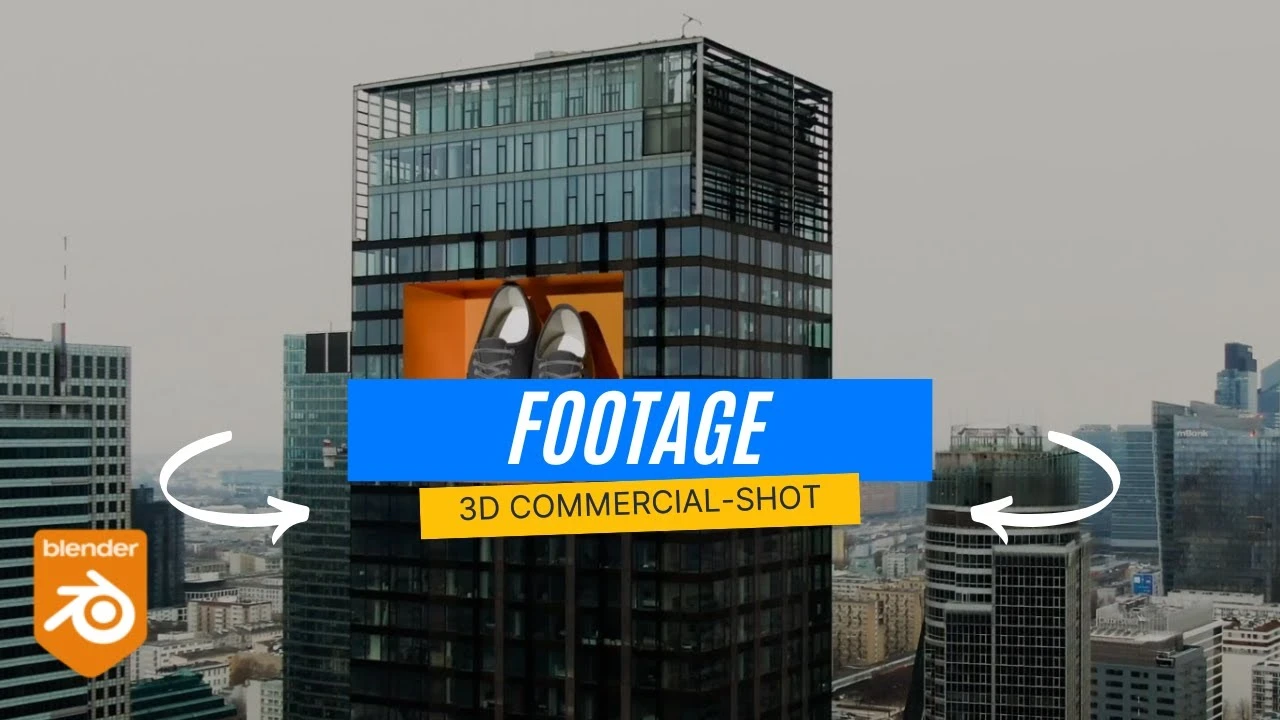
Cinematic 3D Marketing Shot from Simple Footage (CGI Workflow)
Beginner🍅 Pomodoro Timer
Study for 25 min, then take a break. Improves focus!
Description
In this video, I’ll show you how to turn simple stock footage into a 3D product marketing shot using Adobe After Effects and Blender. We’ll track the camera in After Effects, export the tracking data to Blender, and then add CGI shoes from the BlenderKit library. Finally, we’ll render everything together to create a realistic 3D commercial-style shot.
Up Next







La IA acaba de llegar a Blender… pero no como imaginaba
Aura Prods
MAKE THIS: Realistic Dense Forest Scene in Blender
Meshful Works
1 Easy Way to Make Better Environments in Blender
ManjuRam
Sculpting a cliff in Blender (timelapse)
Blender Guru
Easy Fog in Blender
Blender Guru
Making motion trails in Blender
Bad Normals
Optimize interior Renderings in Blender Cycles
rileyb3d
Rigging chains and Scoprion's hook in Blender
Pierrick Picaut
How to Create Photorealistic Interior Lighting in Blender
coral lab
Blender 3.0 Beginner Tutorial Part 12: Floating Particles
Blender Guru