Break time!
Your Pomodoro session has ended
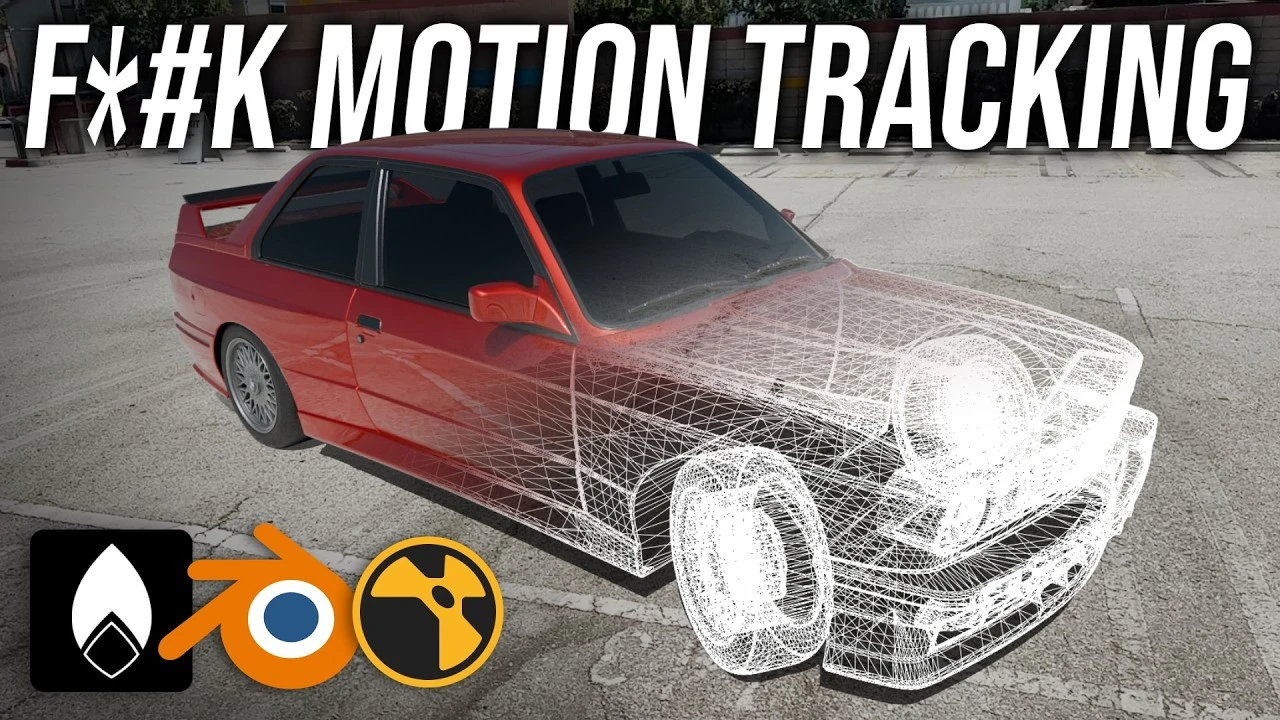
CGI Car Effect for Beginners | Blender & Nuke
Beginner🍅 Pomodoro Timer
Study for 25 min, then take a break. Improves focus!
Description
How to add a CGI car to your footage without motion tracking and 100% for FREE! Using programs like Blender, Nuke, and Omniscient. This is the easiest, fastest, and funnest possible workflow to make sure that you get hooked on CGI :)
Really excited to launch this little tutorial series I've been thinking about for a while now. Hope you enjoy, thank you so much for watching :)
#Blender #Nuke #VFX
LINKS:
Blender
https://www.blender.org/download/
Omniscient Importer
https://extensions.blender.org/add-on...
Sketchfab
https://sketchfab.com/feed
Polyhaven
https://polyhaven.com/
Nuke Non-commercial
https://www.foundry.com/products/nuke...
Alfie Vaughan tutorial (for more info)
• Basics Of CG Compositing (Part 1) | NUKE F...
Timecode:
0:00 - Intro
0:19 - Getting footage
3:20 - Blender basics
8:05 - Importing Omniscient
9:51 - Bringing in your car
13:34 - Raytracing prep
14:34 - Lighting and HDRIs
19:09 - Accurate reflections
24:20 - Render prep
30:47 - Nuke basics
34:46 - Converting footage to images
36:01 - More Nuke basics
39:08 - Setting up your comp
41:20 - COMPOSITING FUN
45:58 - Adding the shadow
48:50 - Final touches
49:59 - Exporting
50:49 - Outro
Really excited to launch this little tutorial series I've been thinking about for a while now. Hope you enjoy, thank you so much for watching :)
#Blender #Nuke #VFX
LINKS:
Blender
https://www.blender.org/download/
Omniscient Importer
https://extensions.blender.org/add-on...
Sketchfab
https://sketchfab.com/feed
Polyhaven
https://polyhaven.com/
Nuke Non-commercial
https://www.foundry.com/products/nuke...
Alfie Vaughan tutorial (for more info)
• Basics Of CG Compositing (Part 1) | NUKE F...
Timecode:
0:00 - Intro
0:19 - Getting footage
3:20 - Blender basics
8:05 - Importing Omniscient
9:51 - Bringing in your car
13:34 - Raytracing prep
14:34 - Lighting and HDRIs
19:09 - Accurate reflections
24:20 - Render prep
30:47 - Nuke basics
34:46 - Converting footage to images
36:01 - More Nuke basics
39:08 - Setting up your comp
41:20 - COMPOSITING FUN
45:58 - Adding the shadow
48:50 - Final touches
49:59 - Exporting
50:49 - Outro
Up Next






La IA acaba de llegar a Blender… pero no como imaginaba
Aura Prods
1 Easy Way to Make Better Environments in Blender
ManjuRam
Procedural Dark Leather Material (Blender Tutorial)
Ryan King Art
Easy Realistic Architecture And Environments In Blender - Beginner tutorial
AlternaVision Studio
Sculpting a cliff in Blender (timelapse)
Blender Guru
Easy Fog in Blender
Blender Guru
Mastering Sub-D and Low Poly 3D Modeling
On Mars 3D
How to make an abandoned house in Blender - Tutorial
Blender Guru
Create Realistic Mountains with Blender 5.0 and Gaea 2
Maarten Nauta
Blender 3.0 Beginner Tutorial Part 12: Floating Particles
Blender Guru