Break time!
Your Pomodoro session has ended
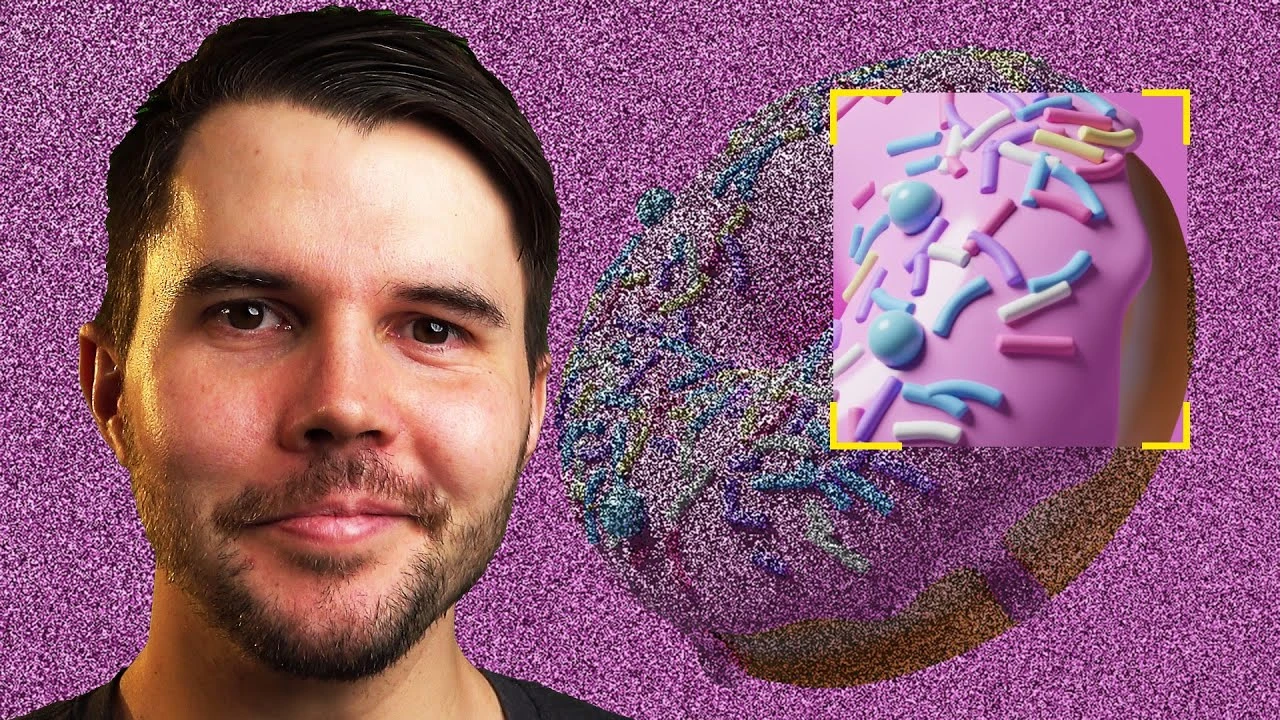
Blender 3.0 Beginner Tutorial Part 15: Rendering
Beginner🍅 Pomodoro Timer
Study for 25 min, then take a break. Improves focus!
Description
UPDATE 2023: There's a new version of this tutorial remade for Blender 4.0: https://www.youtube.com/watch?v=B0J27sf9N1Y&list=PLjEaoINr3zgEPv5y--4MKpciLaoQYZB1Z&index=1
Blender tutorial on understanding all the render settings of Cycles and Eevee. We'll discuss samples, noise thresholds, the biggest time speed up (SSS OFF!), motion blur, DoF (depth of field), and Eevee render settings.
Join Poliigon: Poliigon: http://www.poliigon.com/?utm_campaign=donut3&utm_source=youtube&utm_medium=video
Chapters:
0:00 Intro
0:49 Cycles Rendering: Samples
05:25 Noise Threshold
10:31 Subsurface Scattering: OFF
12:46 Motion blur
13:38 Depth of field
15:28 Persistent Data
16:18 Hardware Device
17:10 Light Paths
19:53 Eevee Rendering Setup
22:25 Contact shadows
25:00 Screenspace reflections
25:30 Ambient Occlusion
26:54 Eevee samples
27:53 Final render settings
Join my free email newsletter: https://www.blenderguru.com/thisweekin3D
-----------------------------------------------
Follow me:
Twitter: https://twitter.com/andrewpprice
Instagram: http://instagram.com/andrewpprice
Facebook: http://facebook.com/blenderguru
ArtStation: http://artstation.com/artist/andrewprice
Blender Guru: http://www.blenderguru.com
Blender tutorial on understanding all the render settings of Cycles and Eevee. We'll discuss samples, noise thresholds, the biggest time speed up (SSS OFF!), motion blur, DoF (depth of field), and Eevee render settings.
Join Poliigon: Poliigon: http://www.poliigon.com/?utm_campaign=donut3&utm_source=youtube&utm_medium=video
Chapters:
0:00 Intro
0:49 Cycles Rendering: Samples
05:25 Noise Threshold
10:31 Subsurface Scattering: OFF
12:46 Motion blur
13:38 Depth of field
15:28 Persistent Data
16:18 Hardware Device
17:10 Light Paths
19:53 Eevee Rendering Setup
22:25 Contact shadows
25:00 Screenspace reflections
25:30 Ambient Occlusion
26:54 Eevee samples
27:53 Final render settings
Join my free email newsletter: https://www.blenderguru.com/thisweekin3D
-----------------------------------------------
Follow me:
Twitter: https://twitter.com/andrewpprice
Instagram: http://instagram.com/andrewpprice
Facebook: http://facebook.com/blenderguru
ArtStation: http://artstation.com/artist/andrewprice
Blender Guru: http://www.blenderguru.com
Up Next




La IA acaba de llegar a Blender… pero no como imaginaba
Aura Prods
Become a Topology PRO with these Five Tips
DECODED
1 Easy Way to Make Better Environments in Blender
ManjuRam
Como hacer el efecto de VENOM en ¡BLENDER!
Aura Prods
8 Tips to improve your animation fast
Pierrick Picaut
Photoreal Ocean Simulation in Blender
Graphical Ninja
Rim Lighting Made Simple – Change Your Renders Forever
Deepblendart
Sculpting a cliff in Blender (timelapse)
Blender Guru
Easy Fog in Blender
Blender Guru
Interior Lights in Blender
coral lab