Break time!
Your Pomodoro session has ended
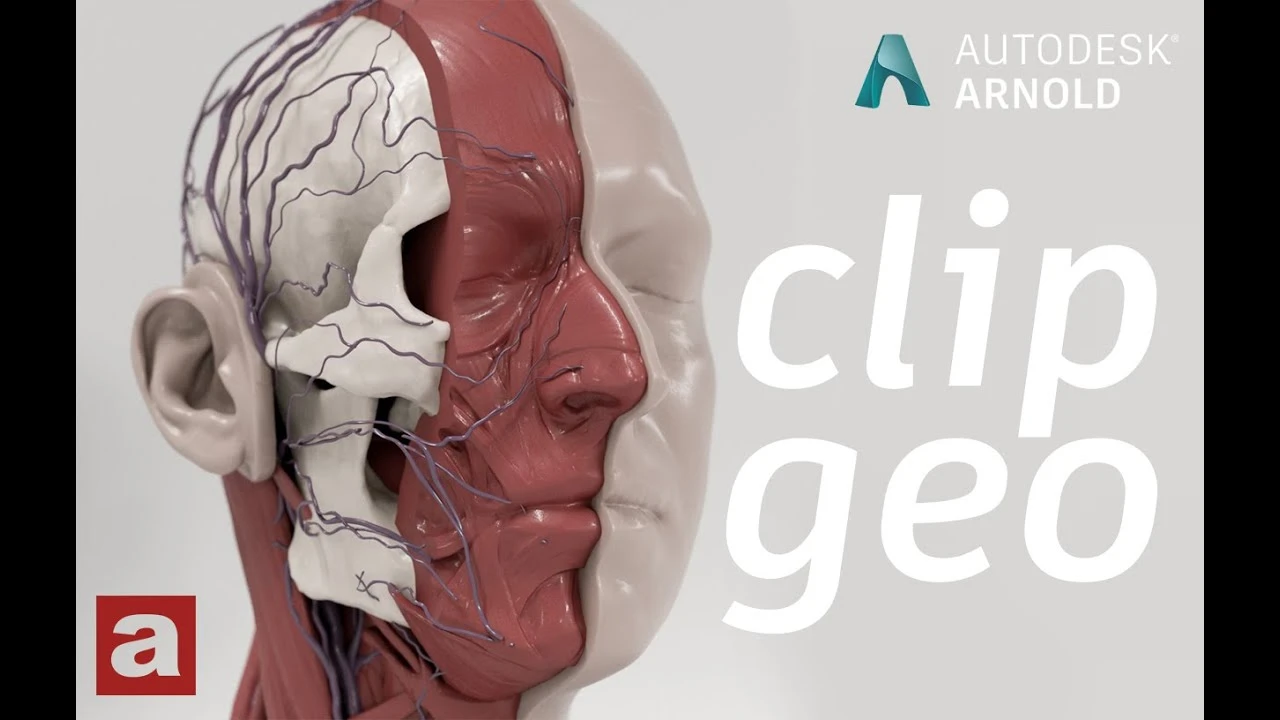
Arnold tutorial - Using the clip_geo shader in MtoA
Beginner🍅 Pomodoro Timer
Study for 25 min, then take a break. Improves focus!
Description
This video shows you how to use the clip_geo shader in Arnold for Maya (MtoA).
https://help.autodesk.com/view/ARNOL/...
#maya #arnoldrenderer #shading
https://help.autodesk.com/view/ARNOL/...
#maya #arnoldrenderer #shading
Up Next




How to Model a Stylized Character in Maya? | Lesson 8 Part C | Maya Animation for Beginners | Live
zinteractive
Create a Flag using nCloth in Maya 2019
Academic Phoenix Plus
Tutorial de efectos visuales de Blender Monster
FxForge
3D Game Asset Creation (Full Process) - Zap Gun
Stu Lloyd (CG Stu)
How to Connect PBR Textures in Maya
Abe Leal 3D
Top 5 3D Modeling Tips for Beginners in Maya
FlippedNormals
Arnold Tutorial - Cell Noise to Volume Displacement
Arnold renderer
Animation Masterclass: How to Create Walk Cycles in Maya
Mark Masters
Hidden Maya Features: Align Tools
FlippedNormals
Cinematic Lighting Techniques Using Arnold / Maya
Arvid Schneider