Break time!
Your Pomodoro session has ended
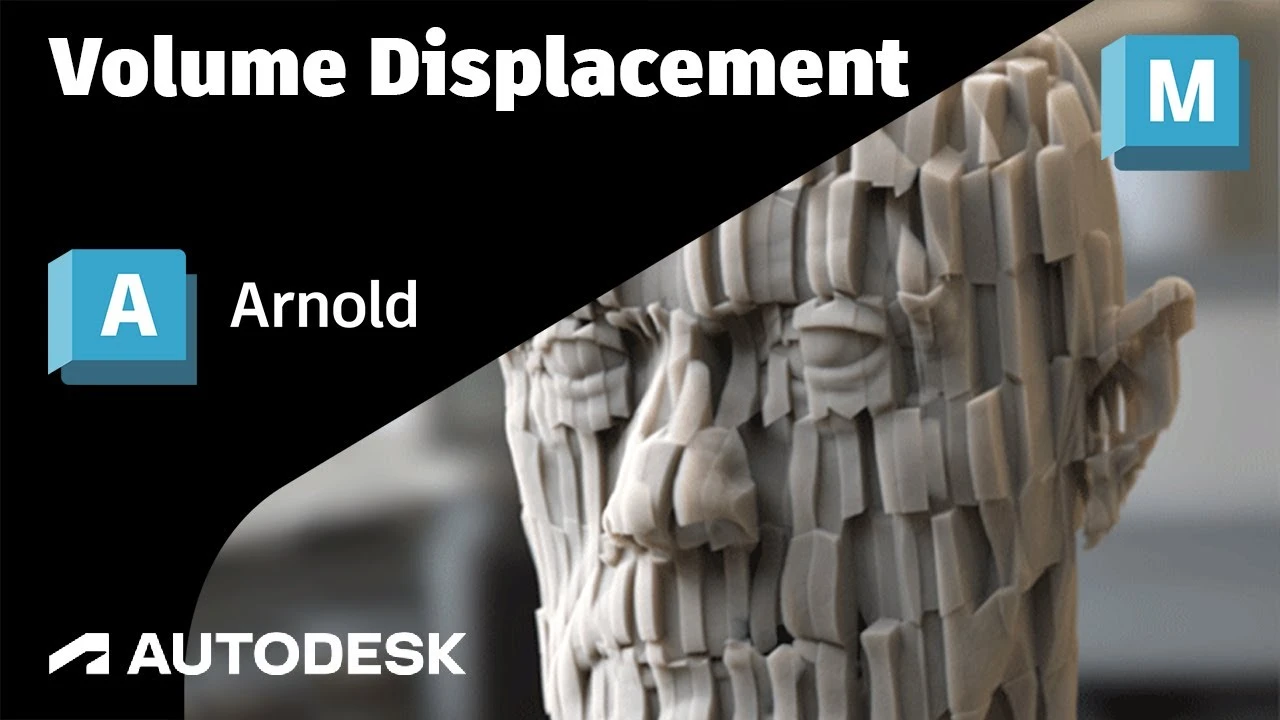
Arnold Tutorial - Cell Noise to Volume Displacement
Beginner🍅 Pomodoro Timer
Study for 25 min, then take a break. Improves focus!
Description
This short tutorial shows how to displace a volume head model using a Range, Ramp RGB, UV Projection and Cell Noise shaders.
https://help.autodesk.com/view/ARNOL/...
https://help.autodesk.com/view/ARNOL/...
https://help.autodesk.com/view/ARNOL/...
https://help.autodesk.com/view/ARNOL/...
https://help.autodesk.com/view/ARNOL/...
https://help.autodesk.com/view/ARNOL/...
#arnoldrenderer #shading #rendering
https://help.autodesk.com/view/ARNOL/...
https://help.autodesk.com/view/ARNOL/...
https://help.autodesk.com/view/ARNOL/...
https://help.autodesk.com/view/ARNOL/...
https://help.autodesk.com/view/ARNOL/...
https://help.autodesk.com/view/ARNOL/...
#arnoldrenderer #shading #rendering
Up Next
Arnold tutorial - Using the curvature shader in MtoA
Arnold renderer
Arnold Tutorial - Rendering a diamond in Maya (Arnold 7.4.4.0)
Arnold renderer
Maya Basic Rigging Tutorial | Rigging a Robotic Arm with a Piston | Maya Rigging
Cryptic Visionary
¡Descubre los secretos de Render Settings en MAYA! Guía completa Parte 1 🚀
Blender Deluxe Tutoriales
Trim Sheets and Modular Assets | Maya and Unreal
Stefan
Arnold tutorial - Using the barndoor light filter in MtoA
Arnold renderer
Tutorial 3D en Autodesk Maya PRINCIPIANTES aprende desde cero!! - Parte 1
Kubika: 3D y Tecnología
Arnold Tutorial - Rendering a Toon vehicle in Maya
Arnold renderer
Introduction to Poly Modeling in Maya - 3D Tutorial
FlippedNormals
Maya Tutorial | Improve your Renders and Portfolio!
Abe Leal 3D