¡Tiempo de descanso!
Tu sesión Pomodoro ha terminado
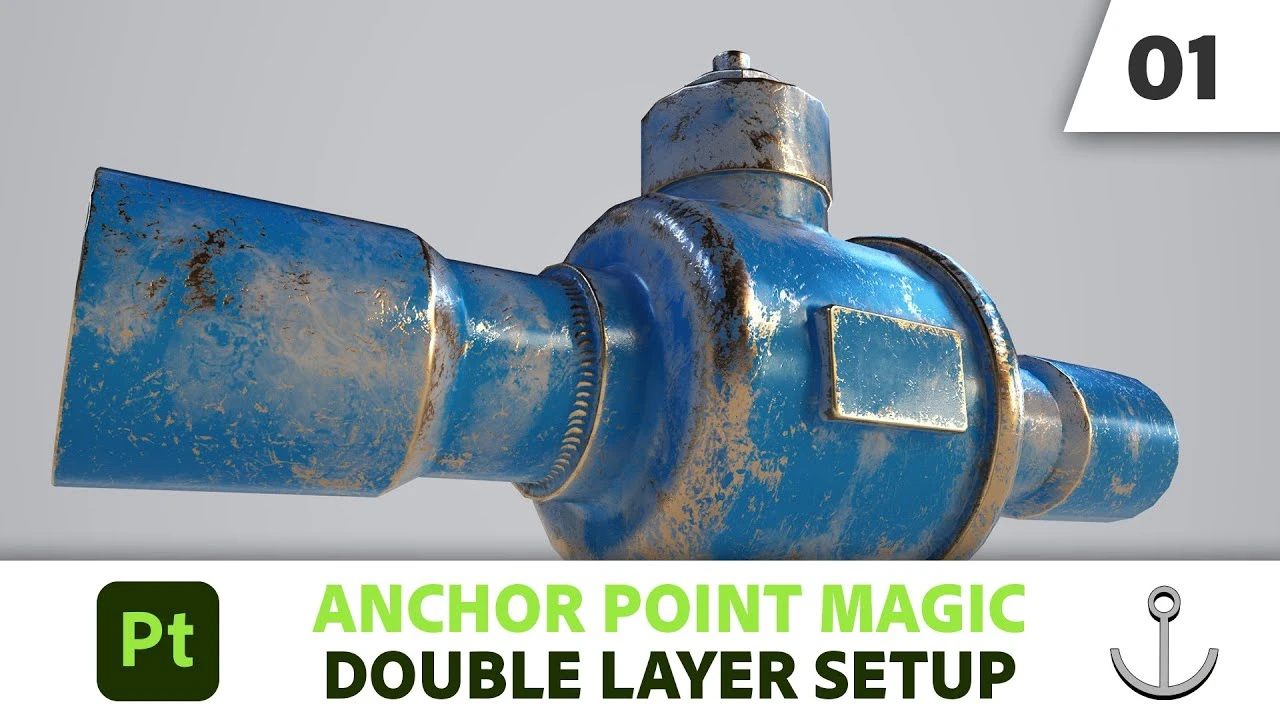
Anchor Point Magic 01 - Double Layer Setup in Substance 3D Painter | Adobe Substance 3D
Principiante🍅 Timer Pomodoro
Estudia 25 min, luego toma un descanso. ¡Mejora la concentración!
Descripción
Anchor Points are one of the most powerful features in Substance 3D Painter. In this video series we show you a few scenarios that make use of them.
The first video shows the most basic setup, linking two layer through an Anchor Point.
Download the model from the video here: https://substance3d.adobe.com/tutoria...
Subscribe to Adobe Substance 3D: https://adobe.ly/3Um7q3t
Learn more about Adobe Substance 3D: https://adobe.ly/3NW3GSo
About Substance 3D
Adobe Substance 3D is a complete suite of smart creative apps and high-end content that gives artists everything they need to create 3D digital content. With Substance 3D, set up the perfect shot, explore the high-end 3D asset library, give life to your 3D art, build complex models, and more. Get the Adobe Substance 3D Collection.
This channel will showcase what’s possible with Substance 3D, from inspiration to in-depth tutorials. Make sure to subscribe to the channel for videos on all things Substance 3D related, including content around Designer, Painter, Modeler, Stager, and Sampler.
Connect with Adobe Substance 3D:
Twitter: / substance3d
Facebook: / adobesubstance3d
Instagram: / substance3dart
LinkedIn: / substance3d
Discord: / discord
#Adobe #AdobeSubstance3D #AdobeYouTube
Anchor Point Magic 01 - Double Layer Setup in Substance 3D Painter | Adobe Substance 3D
• Anchor Point Magic 01 - Double Layer Setup...
The first video shows the most basic setup, linking two layer through an Anchor Point.
Download the model from the video here: https://substance3d.adobe.com/tutoria...
Subscribe to Adobe Substance 3D: https://adobe.ly/3Um7q3t
Learn more about Adobe Substance 3D: https://adobe.ly/3NW3GSo
About Substance 3D
Adobe Substance 3D is a complete suite of smart creative apps and high-end content that gives artists everything they need to create 3D digital content. With Substance 3D, set up the perfect shot, explore the high-end 3D asset library, give life to your 3D art, build complex models, and more. Get the Adobe Substance 3D Collection.
This channel will showcase what’s possible with Substance 3D, from inspiration to in-depth tutorials. Make sure to subscribe to the channel for videos on all things Substance 3D related, including content around Designer, Painter, Modeler, Stager, and Sampler.
Connect with Adobe Substance 3D:
Twitter: / substance3d
Facebook: / adobesubstance3d
Instagram: / substance3dart
LinkedIn: / substance3d
Discord: / discord
#Adobe #AdobeSubstance3D #AdobeYouTube
Anchor Point Magic 01 - Double Layer Setup in Substance 3D Painter | Adobe Substance 3D
• Anchor Point Magic 01 - Double Layer Setup...
A continuación
6 Powerful New Filters in Substance 3D Painter | Adobe Substance 3D
Adobe Substance 3D
Stylized hand-painted texturing | Game character - New stylised filter substance painter
VOIDART SCHOOL
Creating Fabric stitches for Footwear with Anchor Points in Substance 3D Painter | Substance 3D
Adobe Substance 3D
Hand Painted Workflow in Substance 3D Painter | Adobe Substance 3D
Adobe Substance 3D
Substance Painter Tutorial: Texture Your 3D Models Like a Pro with Anchor Points
Abe Leal 3D
New Path Tool Features & Improvements in Substance 3D Painter | Adobe Substance 3D
Adobe Substance 3D
Creating Sole Patterns for Footwear with Anchor Points in Substance 3D Painter | Adobe Substance 3D
Adobe Substance 3D
How To : Add Normal Details with Anchor Points in Substance Painter
SARKAMARI
Get Better at SUBSTANCE PAINTER!
ProductionCrate
¡Crea este Diorama Realista! Tutorial de UVs en Maya y Texturizado en Substance Painter
Blender Deluxe Tutoriales