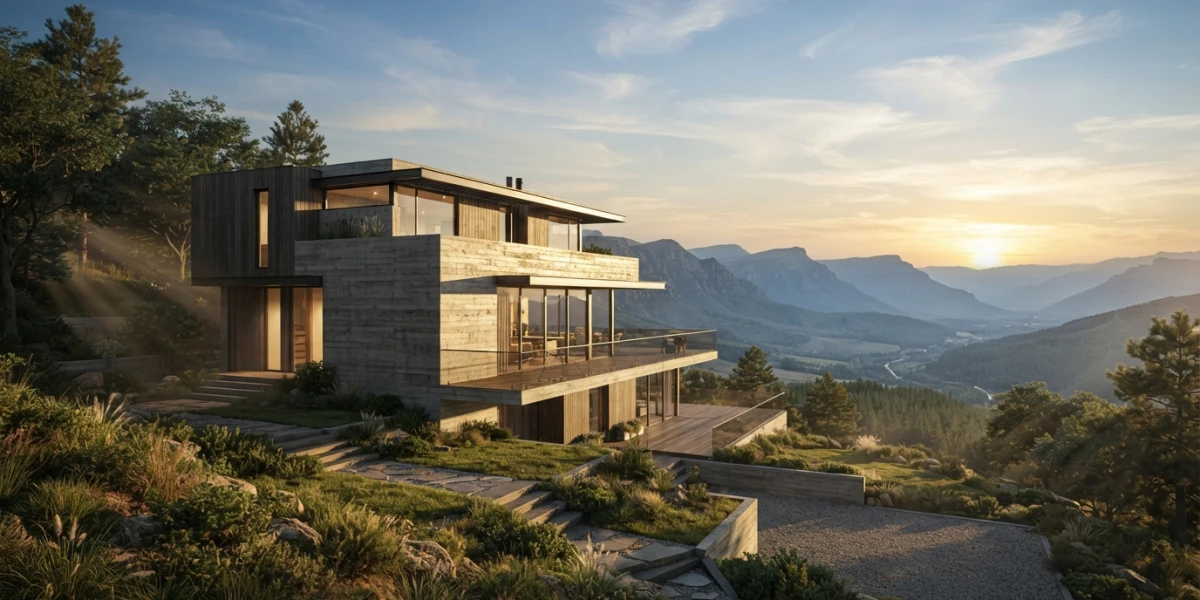
Image generated with AI
Blender 5 Sky Texture: multiple scattering in practice

Diego Cortés
Author
The Sky Texture in Blender stopped being scenery the moment version 5.0 shipped: it now computes multiple light bounces inside the atmosphere. That changes how you light an exterior, and most people still treat it as a flat backdrop.
For years I lit outdoors with an HDRI and a Sun lamp tweaked by feel, until a client asked for a different time of day and I started over. The Sky Texture node fixes that because it is not an image: it is a physical model of the atmosphere.
Why Blender's Sky No Longer Acts Like a Backdrop
The difference is one word: bounces. The 1993 Nishita model traced light with a single scattering event and lacked the diffuse contribution that in reality arrives after bouncing off the ground. In 5.0 the node supports multiple scattering: a window lit by the sky returns a reflection consistent with its real orientation, with no invented fill.
The Four Sky Models and When to Use Each
Multiple Scattering is the current model, based on Fernando García Liñán's work, and the most accurate because it accounts for repeated bounces: your default for realism. Single Scattering is Nishita renamed, legacy and flagged as possibly removed. Preetham and Hosek/Wilkie are legacy too: weak near the horizon. Blender 3.x and 4.x tutorials show Nishita without a separate sun disc.
Inside the Sky Texture Node
The node plugs into the Color input of the World's Background shader. Its output is colour, not intensity: strength comes from Exposure.
The Sun: Elevation, Rotation and the Direction Vector
Sun Elevation is the sun's height in degrees: at 0 you get golden hour with enormous shadows, at 90 a noon with near-vertical ones. Sun Rotation decides which side the light comes from, meaning which facade gets lit. Sun Direction exposes the same as a vector, and an unconnected Vector input falls back to Generated.
The Atmosphere: Turbidity, Air, Aerosols, Ozone and Altitude
Turbidity is haziness: 2 arctic sky, 3 clear day, 6 warm day, 10 haze that washes out the horizon. If the render looks shot on Mars, it is sitting at 10 by accident. Air is molecule density: drop it too far and Rayleigh scattering dies and the sky turns black. Aerosols are water droplets and they dirty the horizon. Ozone does one job, making the sky look bluer. Altitude is camera height: beach 0, airliner around 10 km.
Sun Disc, Sun Size and Ground Albedo
Sun Disc toggles the visible disc and the manual marks it Cycles Only: in EEVEE you will not see it however often you enable it. Sun Size is its angular diameter in degrees. The one almost everyone skips is Ground Albedo, the light the surface bounces back into the atmosphere: it explains why an exterior over sand differs from one over asphalt.
Sky as a Light Source: Sky Texture vs. a Sun Lamp
The usual misunderstanding is assuming the node already includes the sun. It provides sky colour and diffuse light; hard shadows still come from a Sun lamp.
Real-World Sunlight Values (1000 / 500 / 200 / 0.001 W/m²)
With Normalize enabled, power is measured in watts per square metre: clear 1000 W/m², cloudy 500, overcast 200, moonlight 0.001. And the lamp's position does not affect the render: light comes from infinity, so you rotate it.
When the Sky's Own Sun Is Enough (and When It Isn't)
My rule: if the sun is out of frame or behind clouds, the sky alone can carry it. If it enters frame or you want readable shadows, add the lamp and drop the node's Sun Intensity to 0: with both active you light twice and the render washes out. The video Blender 5.0 Changed Sky & Atmosphere Rendering from CG Vortex shows it clearly.
Exposure: Why a Physical Sky Blows Out Your Render
A physical sky is bright because it is accurate, and the manual warns that Single and Multiple Scattering skies are very bright by default. The fix is not blindly dropping Strength but adjusting Exposure, which the node page places under Color Management > Exposure and the lights page under Render > Film. Shortcut: keep detail in the clouds instead of pure white. The rest of the look lives in colour management in Blender.
Haze and Atmosphere: The World Has No Distance
In the World the only accepted surface shader is Background, and it renders as if infinitely far away: light only enters, with no back-and-forth with objects. Put a volume shader there and it fills all of space while disabling the World surface and the Sun lamps. The manual is clear: useful at night, but a poor approximation of fog.
Rule of Thumb: a Volume Object Around the Scene
A cube wrapping the scene with a Volume Scatter material. Its size determines how much light is scattered, and since it has real dimensions the haze has distance: far objects wash out more than near ones. The useful inputs are Color, Density and Anisotropy.
Rayleigh vs. Mie: Choosing the Phase
Henyey-Greenstein is the simple phase. Cycles only adds Fournier-Forand (underwater), Draine (dust), Rayleigh for particles smaller than the wavelength, which is Earth's atmospheric scattering, and Mie for larger ones such as clouds and fog. The manual suggests mixing phases with a Mix Shader: half Rayleigh and half Mie gives air with some particulate.
Blender 5's New Volume Sampling (No Step Size)
The unbiased null-scattering algorithm removes the blocky look when volumes overlap and no longer asks for step size, max steps or a homogeneous checkbox. For god rays I keep volumetrics in Blender, and Easy Fog in Blender from Blender Guru is the fastest way to see it.
Aerial Perspective: The Depth Cue That Sells Scale
With distance, contrast drops along with the contrast of internal details, and colours lose saturation toward the background colour, blue or reddish at sunset. That is why a distant mountain reads grey-blue. The mechanism is Rayleigh scattering, inversely proportional to the fourth power of wavelength.
The Mist Pass and a Compositor Finish
The practical equivalent is the Mist pass, in Cycles and EEVEE, and the manual recommends it over the Depth pass when depth of field or motion blur are involved, because Depth gets noisy there (covered in depth of field and motion blur). Flow: enable Mist, render, blend with blue using Mist as the factor, then raise contrast.
Recipe: a Daylight Exterior in 8 Steps
- World with Background and Sky Texture into Color, set to Multiple Scattering.
- Sun Elevation between 30 and 45 degrees; Sun Rotation aimed at the facade you want lit.
- Turbidity 3 or 6; Air, Aerosols and Ozone at 1; Altitude at 0.
- Lower Exposure until the sky holds detail.
- Sun lamp with a 0.5 degree Angle and 1000 W/m²; if the disc is on, drop Sun Intensity.
- Volume cube wrapping the scene with Volume Scatter: Density 0.01, slightly blue, Mie phase.
- Enable the Mist pass and blend with blue in the Compositor.
- Check that shadows point where Sky Rotation says and the horizon is not blown out.
The Mistakes That Give a Fake Sky Away
- Shadows pointing away from the sky's sun. You rotated the lamp and forgot Sky Rotation.
- Pure white horizon with no clouds. Exposure too high, or Turbidity at 10.
- Uniform haze washing everything equally. You are using the World volume: swap it for an object.
- Double sun. Node Sun and Sun lamp both active: two shadow directions.
- Invisible disc in EEVEE. Not a bug: Sun Disc is Cycles Only.
Conclusion
The Sky Texture stops being intimidating once you see it as three decisions: which sky model you use, how much atmosphere sits between you and the sun, and how much distance the haze has.
What changed my workflow most was quitting lighting by feel. If you would rather watch it first, the platform has Realistic Outdoor Lighting In Blender by Extra 3d, and for the artistic counterpoint Stylised Sky shader by Pierrick Picaut.