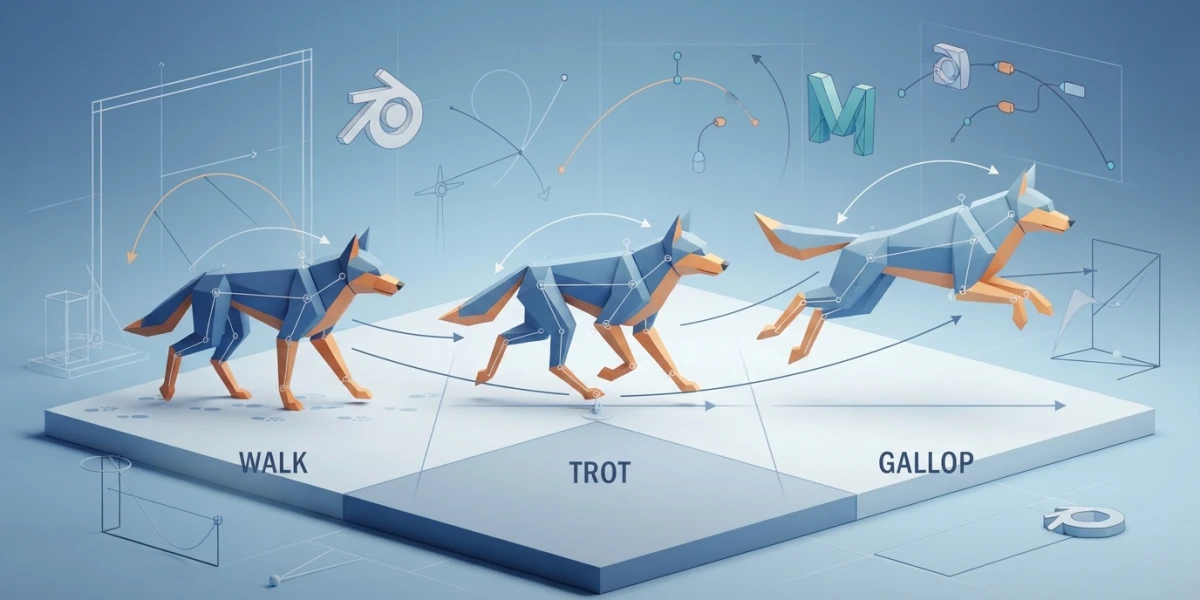
Image generated with AI
Quadruped animation: walk, trot and gallop cycles

Diego Cortés
Author
Quadruped animation is not a biped with two extra legs: it is two offset walks running inside the same body. Lose that offset and the animal skates across the floor, no matter how clean each leg looks on its own.
What changes in quadruped animation when the walk has four legs
The key poses do not change. Contact, down, passing and up remain the same ladder you already solved on a two-legged character: nothing to reinvent, only something to distribute.
What changes is when each set of legs hits those poses. The mental shortcut that works best is to picture two bipeds inside the same body, one in front and one behind, walking with a delay between them: when the right front leg is in contact, the right hind leg is around the passing position, halfway through its own step.
That delay is the phase, and it is most of the result. Without phase the animal looks like furniture with wheels; with phase, even a rough blocking pass reads as a dog walking.
Keep walk cycles in Blender fresh before this one: from here on it is assumed you know what a contact is and why a down pose exists.
The three gaits worth understanding
Each gait orders the legs differently, and three of them cover almost everything you will animate.
Walk: four beats and almost always three feet down
The walk is a four-beat gait: in a lateral-sequence walk the footfall order is left hind, left fore, right hind, right fore. It alternates three feet on the ground with two and never leaves the floor. A horse at the walk covers roughly seven kilometres per hour.
Trot: two beats and diagonal pairs together
In the trot the diagonal legs strike at the same time: left fore with right hind, then the other pair. Two beats, not four, with a reference of about thirteen kilometres per hour. The bounce feels more vertical than in a walk.
Gallop: four beats and a moment with no foot on the ground
It starts with the non-leading hind leg, continues with the leading hind, then the opposite foreleg, and closes with the leading foreleg. At the end comes the suspension, that instant with all four feet in the air. Quoted references for a horse run from forty to forty-eight kilometres per hour; the canter, a three-beat gait, sits between sixteen and twenty-seven.
One detail separates animators who studied reference from those who drew from memory: in the suspension the legs are tucked, not stretched. Classic paintings showed them extended, and they were wrong.
Summary table
| Gait | Beats | Feet on the ground |
|---|---|---|
| Walk | Four | Three, alternating with two |
| Trot | Two | Two diagonals |
| Canter | Three | One or two |
| Gallop | Four | Down to one, plus suspension |
The spine leads: chest, hips and the bounce
The biggest shift from a biped: the legs do not come first, they come after the torso. The spine is the engine and the legs are the consequence.
The chest curve decides where the feet land
The rise and fall of the chest, which is vertical translation, drives the footfalls: it only starts easing down once a leg takes weight. Get that curve wrong and the feet float or punch through the floor no matter how correct the poses are, and you end up staring at legs while the problem sits in the torso.
Hips: the same bounce, offset
The hips repeat the chest curve with an offset that depends on the shot: measure it in the reference, do not guess it. Daniel Fotheringham, on a gallop of about ten frames at twenty-four frames per second, offset the hips by five frames; three in the jump and two on the stretch over the hill.
Asymmetric bounce and torso twist
The hips bounce more than the chest because the hindquarter musculature is more elastic while the ribcage stays contained. On top of that, the chest twists toward the leading paw and the hips counter-rotate: the same principle as overlapping action and drag, applied to the spine.
A five-step layered method
Step 1: centre of mass and head, legs hidden
Block the path of travel and the acting with no legs and no tail. Hiding them forces you to resolve rhythm without distraction and lets you review from above.
Step 2: chest and reference analysis
Move the blocking to the chest. Count how many frames a full cycle lasts in the reference and distribute them across the beats of the gait: four for a walk, two for a trot.
Step 3: front legs
Only now do the front legs come back on. Adjust the amplitude of the chest curve until the legs neither over-stretch nor over-compress: when the leg's reach and the chest's travel match, contacts land on their own.
Step 4: hips and hind legs by copying curves with a time offset
Instead of animating the hind legs from scratch, copy the chest curves onto the hips and the translation curves of each front leg onto the hind leg on the same side, then push them back in time. The rule: the hind foot lands just after the matching front foot takes off, half a cycle apart. Fotheringham reports two hours on the front legs and thirty minutes on the hind legs.
Step 5: polish
It arrives once the body already works: scapulae, toe splay on contacts, wrist and ankle compression, clean arcs on every control. Tail and ears last.
The tools that do the heavy lifting
Blender: closing the loop with the Cycles modifier
In the Graph Editor it repeats the curve and saves duplicating keys by hand, with modes for repeating the motion, repeating with offset and repeating mirrored; a count of zero means infinite. Two conditions get forgotten: it must be the first modifier in the stack and it does not combine with Gaussian smoothing. With both curve ends cycling, Blender enables cycle-aware handles and the Cycle-Aware Keying option, which removes the pop between the last and the first frame.
Blender: Motion Paths and flipped poses
Calculate Path draws each bone's real trajectory and shows the keyframes on top of it, which exposes legs that fail to describe a clean arc; recalculate if the animation changes. With bones named using .L and .R suffixes, Paste Pose Flipped saves rebuilding the opposite side.
Maya: ghosting, motion trails and variation
Ghosting shows the character at earlier and later frames, the quickest way to read timing: Visualize > Ghost Selected. It does not work on expressions or simulations such as nCloth. Motion trails, under Visualize > Create Editable Motion Trail, draw the path and are only editable with keyframed animation. A Noise modifier on the curves, with its time offset and phase, adds irregularity at the end: clean loop first, noise afterwards.
The six beginner giveaways
- Synchronising front and hind legs: the animal gallops like a rabbit in every gait.
- Placing footfalls before the chest curve exists: feet float or sink.
- Forgetting the hip offset: rigid torso, no wave.
- Never checking from above: chest rotation and the line of the spine get lost.
- Copying one cycle onto every animal: a German shepherd and a chihuahua do not walk the same way.
- Animating the tail and ears too early.
Exercise: a dog walk in a closed cycle
- Find a side-view reference of a walking dog and count the frames of a full cycle.
- Block the centre of mass and the head with the legs hidden, and review from above.
- Build the chest curve and distribute the four beats of the walk.
- Animate the front legs only, adjusting chest amplitude.
- Copy the curves onto the hips and hind legs and offset them by half a cycle.
- Close the loop with Cycles and Cycle-Aware Keying, then check arcs with Motion Paths.
- Polish the detail and deliver one three-quarter render and one from above.
Final checklist
- The loop closes with no pop between the last and the first frame.
- The four beats read clearly, even at speed.
- The hind foot lands after the matching front foot takes off.
- The chest drops when a leg takes weight, not before.
- Chest rotation and hip counter-rotation are both present.
- Every arc is clean from the side and from above.
- The hips bounce more than the chest, without overdoing it.
- The tail and ears arrive late to the movement.
Conclusion
Quadruped animation comes down to one idea: it is two walks inside one body and the whole craft lives in the offset. Once that clicks you can animate a dog, a horse or an invented creature with the same judgement.
If you would rather see it move before opening the Graph Editor, the platform has curated videos: Skitty Animates' quadruped walk cycle tutorial, Mark Masters on the secret to quadruped walk cycles and the gallery in 16 walk cycles. More material is in the platform search.
The technical references come from AnimSchool, the method published by Daniel Fotheringham and Blender's documentation on F-curve modifiers.