Break time!
Your Pomodoro session has ended
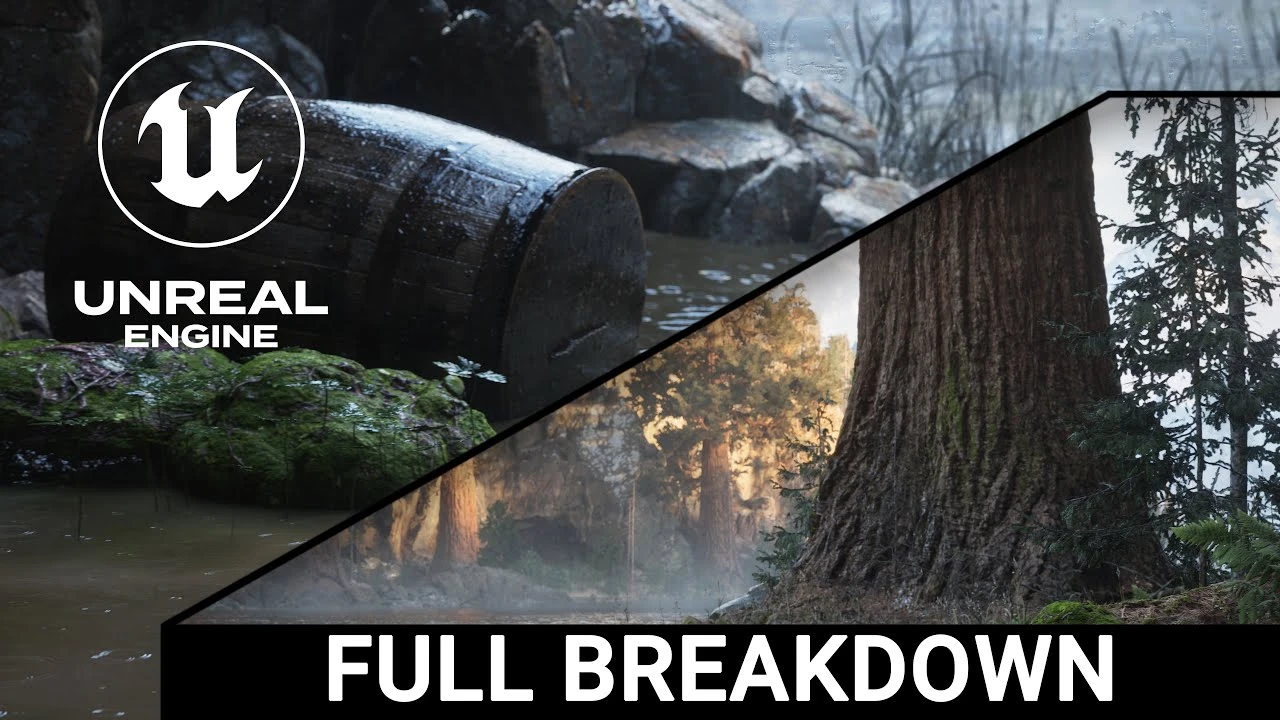
Unreal Engine 5 Project Full Breakdown, landscape, lighting, camera, render queue tips
Beginner🍅 Pomodoro Timer
Study for 25 min, then take a break. Improves focus!
Description
Hidden Pathway & Beach Unreal Engine 5 projects full breakdown.
Many of you asked me questions about my last two videos and I am answering through this video. This video has several chapters:
1. Intro - I reveal all major 3rd party products used in the video
2. Landscape - briefly describe a landscape process, using layers and Procedural Foliage Spawners, 3. Lighting - reveal my Ultra Dynamic Sky and Post Process Volume settings
4. Sequencer - I describe a process of creating your own sequence and how to setup basic cameras and explain their settings
5. Movie Render Queue - reveal my MRG config settings and DefaultEngine.ini file
Resources:
Special thanks to William Faucher for his brilliant tutorials that taught me a lot about lighting, rendering and cameras in UE5. Thank you.
Lighting in Unreal Engine 5 for Beginners tutorial: • Lighting in Unreal Engine 5 for Beginners
The 2025 Guide to Rendering in Unreal Engine 5 tutorial: • The 2025 Guide to Rendering in Unreal Engi...
How To Make Unreal Look More Cinematic tutorial: • How To Make Unreal Look More Cinematic
Thank you so much for watching and supporting the channel. If you want more content like this, please like this video and subscribe.
I am using a mix of 3rd party assets and some objects I modelled in Blender.
Other software used:
EasyFog
EasyRain
Ultra Dynamic Sky
DaVinci Resolve
Blender
Gaea
Fluid Flux
Screen Space Fog Scattering
Ultra Volumetrics
Mawi tree packs
Quixel Megascans
Music by Epidemic Sound
Many of you asked me questions about my last two videos and I am answering through this video. This video has several chapters:
1. Intro - I reveal all major 3rd party products used in the video
2. Landscape - briefly describe a landscape process, using layers and Procedural Foliage Spawners, 3. Lighting - reveal my Ultra Dynamic Sky and Post Process Volume settings
4. Sequencer - I describe a process of creating your own sequence and how to setup basic cameras and explain their settings
5. Movie Render Queue - reveal my MRG config settings and DefaultEngine.ini file
Resources:
Special thanks to William Faucher for his brilliant tutorials that taught me a lot about lighting, rendering and cameras in UE5. Thank you.
Lighting in Unreal Engine 5 for Beginners tutorial: • Lighting in Unreal Engine 5 for Beginners
The 2025 Guide to Rendering in Unreal Engine 5 tutorial: • The 2025 Guide to Rendering in Unreal Engi...
How To Make Unreal Look More Cinematic tutorial: • How To Make Unreal Look More Cinematic
Thank you so much for watching and supporting the channel. If you want more content like this, please like this video and subscribe.
I am using a mix of 3rd party assets and some objects I modelled in Blender.
Other software used:
EasyFog
EasyRain
Ultra Dynamic Sky
DaVinci Resolve
Blender
Gaea
Fluid Flux
Screen Space Fog Scattering
Ultra Volumetrics
Mawi tree packs
Quixel Megascans
Music by Epidemic Sound
Up Next

Unreal Engine 5 Beginner Tutorial Part 10: Post Process Volume
Bad Decisions Studio
Compiling Your Project in Unreal Engine
Unreal Engine
Packaging Your Project in Unreal Engine
Unreal Engine
A First Look at the New Animation Features in Unreal Engine 5.6
Unreal Engine
Introduction to Unreal Motion Graphics (UMG)
Unreal Engine
Speed Level Design UE5 - The Heart of Stone | Timelapse
Actoo'sLive
Modelling a Sci-Fi Apartment in Blender Substance and Unreal Engine
Nico Linde
Navigating the Viewport in Unreal Engine
Unreal Engine
Creating a Coin Pickup with Blueprints in Unreal Engine
Unreal Engine
Creating Debug Tools with SlateIM | Unreal Fest Stockholm 2025
Unreal Engine