¡Tiempo de descanso!
Tu sesión Pomodoro ha terminado
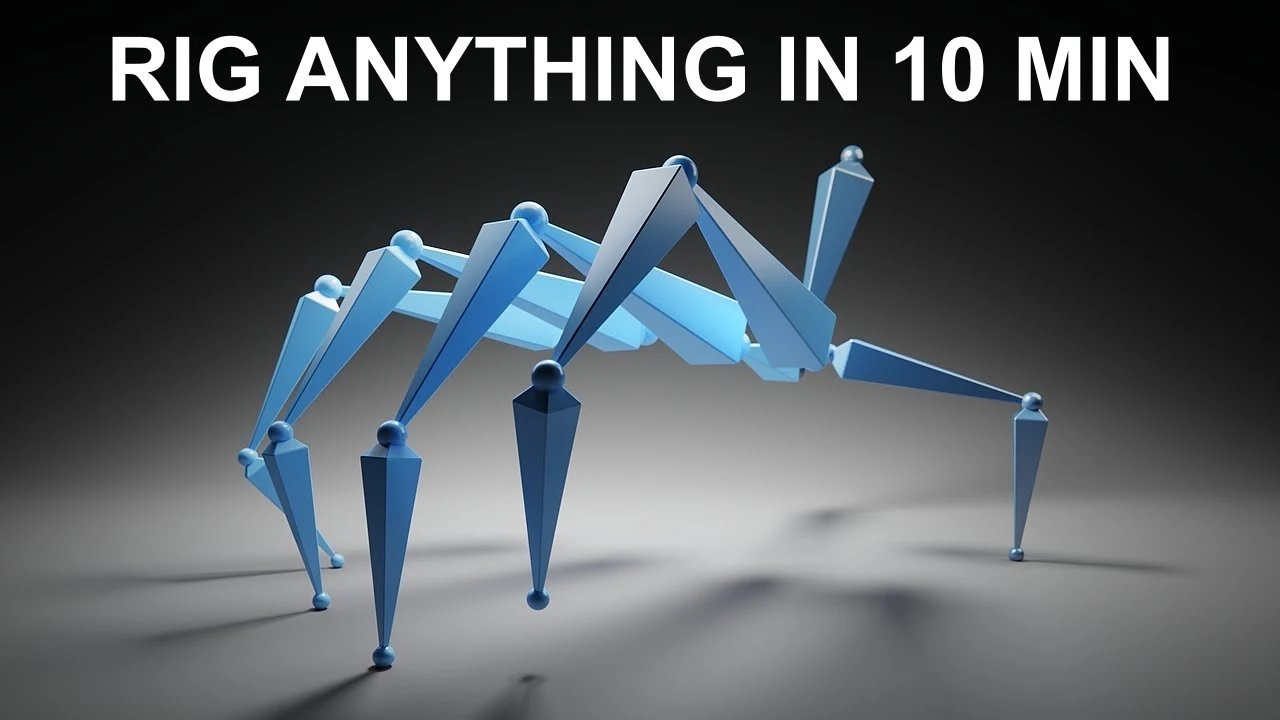
Tutorial: My New Rigging Workflow in Blender
Principiante🍅 Timer Pomodoro
Estudia 25 min, luego toma un descanso. ¡Mejora la concentración!
Descripción
In this tutorial we'll be rigging two different things! One is a six legged creature, and the other is a hand. We'll be using Inverse Kinematics and a workflow where we make the rig first, and then add the parts later!
Get the Mechanical Creature Kit here:
Blender Market: https://www.blendermarket.com/product...
Gumroad: https://polyfjord.gumroad.com/l/mecha...
How to install the Mechanical Creature Kit: • How to install Mechanical Creature Kit
#b3d #rigging
00:00 My previous workflow
00:28 Adding bones to the rig
02:34 Setting up the IK constraints
03:55 Locking bone axes
05:37 Making more legs
06:28 The benefits of this workflow
06:57 My current workflow
07:57 Cinematic: A six legged creature!
08:15 Rigging a walking hand
10:21 Cinematic: A walking hand!
10:49 The Mechanical Creature Kit
11:21 How to make your own rig for this kit
11:48 Help! Does any one know how to batch parent bones?
12:21 Thanks for watching!
Get the Mechanical Creature Kit here:
Blender Market: https://www.blendermarket.com/product...
Gumroad: https://polyfjord.gumroad.com/l/mecha...
How to install the Mechanical Creature Kit: • How to install Mechanical Creature Kit
#b3d #rigging
00:00 My previous workflow
00:28 Adding bones to the rig
02:34 Setting up the IK constraints
03:55 Locking bone axes
05:37 Making more legs
06:28 The benefits of this workflow
06:57 My current workflow
07:57 Cinematic: A six legged creature!
08:15 Rigging a walking hand
10:21 Cinematic: A walking hand!
10:49 The Mechanical Creature Kit
11:21 How to make your own rig for this kit
11:48 Help! Does any one know how to batch parent bones?
12:21 Thanks for watching!
A continuación






La IA acaba de llegar a Blender… pero no como imaginaba
Aura Prods
8 Tips to improve your animation fast
Pierrick Picaut
1 Easy Way to Make Better Environments in Blender
ManjuRam
Rigging switchable parents and equipment slots in Blender
Pierrick Picaut
Introduction to UDIMs in Blender
CG Boost
Sculpting a cliff in Blender (timelapse)
Blender Guru
This Blender Trick Makes Weight Painting EASY
Pierrick Picaut
Easy Fog in Blender
Blender Guru
The Key to Realism in Blender (or 3D)
Kaizen
Real-time Energy Beam in EEVEE!
CG Flare