¡Tiempo de descanso!
Tu sesión Pomodoro ha terminado
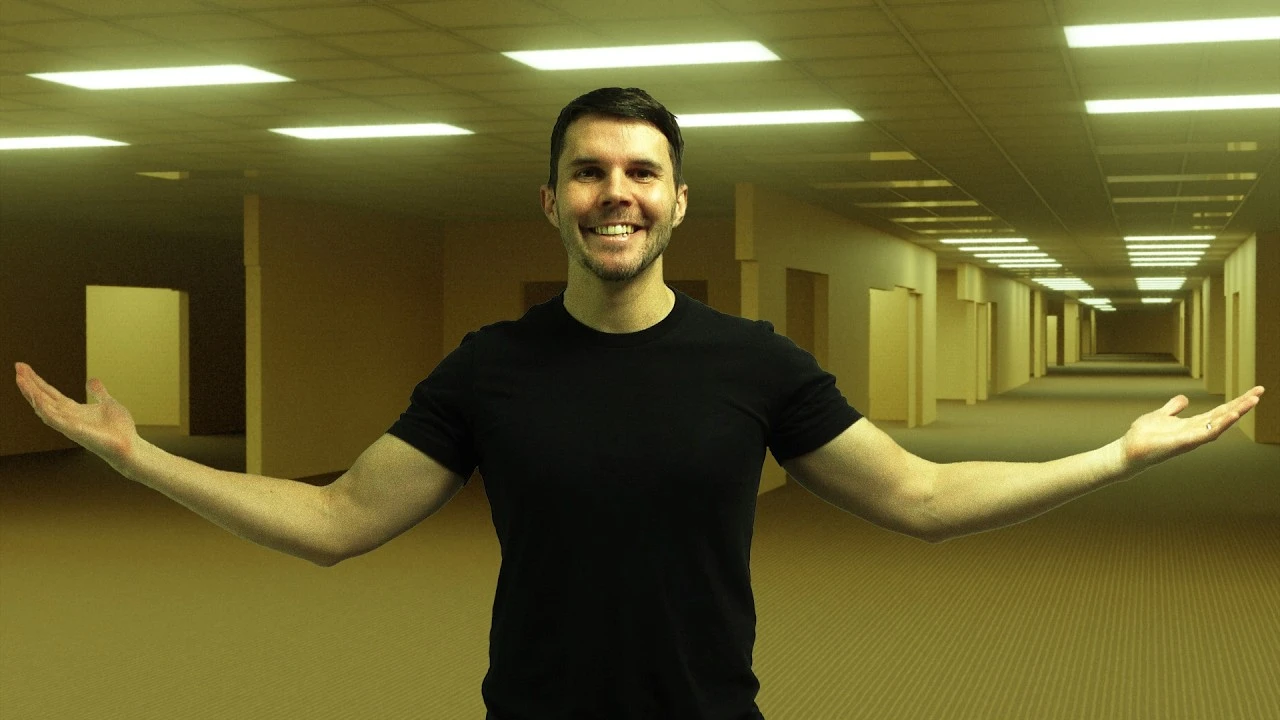
How To Make The Backrooms In Blender
🍅 Timer Pomodoro
Estudia 25 min, luego toma un descanso. ¡Mejora la concentración!
Descripción
In this video you'll learn how to use geometry nodes to make a procedural Backrooms level in Blender.
Download textures and finished .blend file: https://www.poliigon.com/backrooms
Blender Guru Academy: http://www.blenderguru.com/academy
My PC is a #DellProMaxDell (T2 Pro Max) with a #Nvidia 6000 RTX Blackwell Workstation Edition.
=== Chapter Marks ✂️===
00:00 Intro
01:40 Tutorial Start
05:58 Creating paths with textures
10:29 Exposing fields for ease of use
11:44 Making adaptive wall segments
15:54 Creating the outer shell
18:29 Labelling your nodes
20:32 The wallpaper isn't yellow!
21:56 Downloading the textures
23:44 Assigning materials in Geometry Nodes
24:49 Texturing with box projection
28:16 Importing Emission maps
29:10 Segmenting materials in Geometry Nodes
33:37 First renders with Cycles
36:01 Creating Long Corridors
41:21 Creating random wall cutouts
52:14 Creating light panel randomness
59:22 Linking a shader value to Geometry Nodes
01:05:09 Challenge to take it further
01:06:10 Color grading
01:11:15 Compositing
01:13:34 Adding light glare
01:15:43 Adding film grain
===Follow me🫰===
X: https://x.com/andrewpprice
Instagram: http://instagram.com/andrewpprice
ArtStation: http://artstation.com/artist/andrewprice
LinkedIn: www.linkedin.com/in/andrew-price-17678911
Credits:
Motion tracking and composition - Owen Brewster
Animation - Brian Kouhi
Donut character and rig -Juan Carlos (https://thedonutrig.com)
Download textures and finished .blend file: https://www.poliigon.com/backrooms
Blender Guru Academy: http://www.blenderguru.com/academy
My PC is a #DellProMaxDell (T2 Pro Max) with a #Nvidia 6000 RTX Blackwell Workstation Edition.
=== Chapter Marks ✂️===
00:00 Intro
01:40 Tutorial Start
05:58 Creating paths with textures
10:29 Exposing fields for ease of use
11:44 Making adaptive wall segments
15:54 Creating the outer shell
18:29 Labelling your nodes
20:32 The wallpaper isn't yellow!
21:56 Downloading the textures
23:44 Assigning materials in Geometry Nodes
24:49 Texturing with box projection
28:16 Importing Emission maps
29:10 Segmenting materials in Geometry Nodes
33:37 First renders with Cycles
36:01 Creating Long Corridors
41:21 Creating random wall cutouts
52:14 Creating light panel randomness
59:22 Linking a shader value to Geometry Nodes
01:05:09 Challenge to take it further
01:06:10 Color grading
01:11:15 Compositing
01:13:34 Adding light glare
01:15:43 Adding film grain
===Follow me🫰===
X: https://x.com/andrewpprice
Instagram: http://instagram.com/andrewpprice
ArtStation: http://artstation.com/artist/andrewprice
LinkedIn: www.linkedin.com/in/andrew-price-17678911
Credits:
Motion tracking and composition - Owen Brewster
Animation - Brian Kouhi
Donut character and rig -Juan Carlos (https://thedonutrig.com)
A continuación




La IA acaba de llegar a Blender… pero no como imaginaba
Aura Prods
1 Easy Way to Make Better Environments in Blender
ManjuRam
For Beginners: Easiest Modeling Technique (long version)
Blender Secrets
Sculpting a cliff in Blender (timelapse)
Blender Guru
Easy Fog in Blender
Blender Guru
My secret Blender weights painting & skinning trick you will love!
Pierrick Picaut
You have to know this secret HDRI technique in Blender!
Cinematic Cookie
Blender 3.0 Beginner Tutorial Part 12: Floating Particles
Blender Guru
My secret animation trick you should always use, Retiming!
Pierrick Picaut
Rim Lighting Made Simple – Change Your Renders Forever
Deepblendart