Break time!
Your Pomodoro session has ended
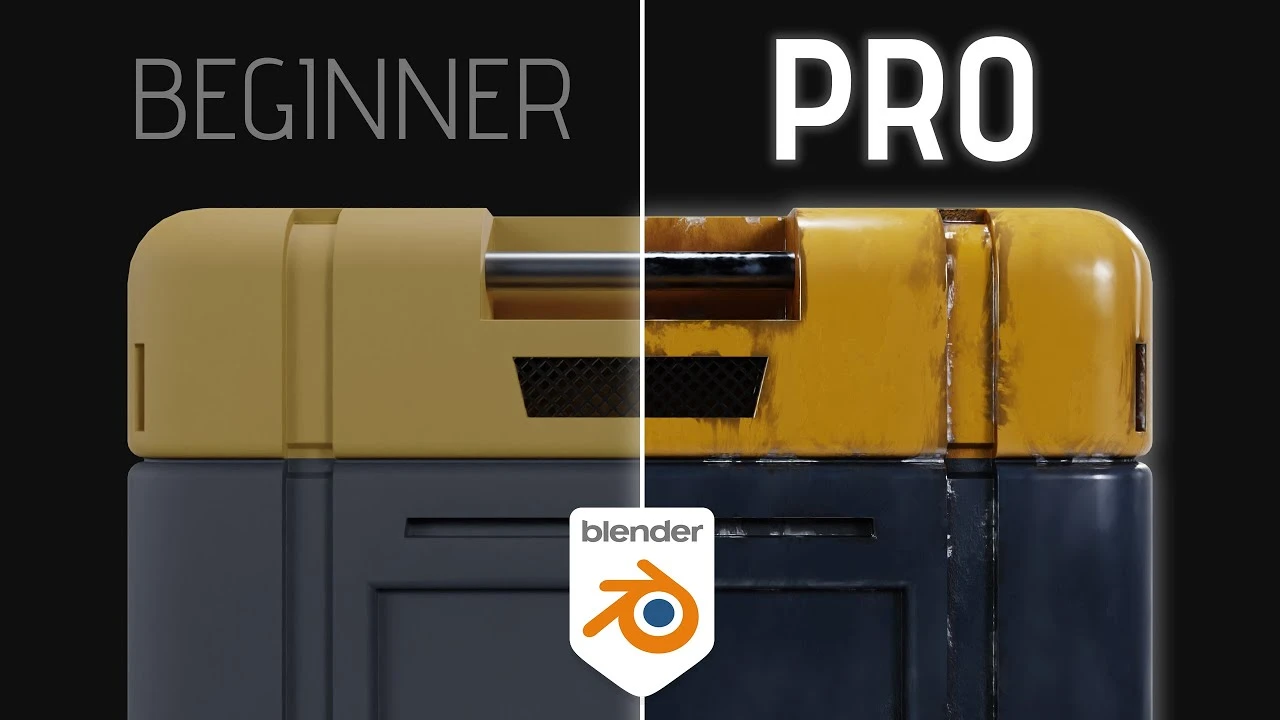
How to Create Professional Materials
Beginner🍅 Pomodoro Timer
Study for 25 min, then take a break. Improves focus!
Description
In this video I'll show you how to create smart materials in Blender! This will help you take your shading skills to the next level.
🆓 FREE Sci-Fi Crate model; https://bit.ly/3z7Keuj 🆓
#b3d #blender3d #kaizentutorials
-----------------------------------------------------------------------------------------
⛩️ Join the Patreon to support the channel; / kaizentutorials ⛩️
-----------------------------------------------------------------------------------------
My FREE 3D models: https://than.gs/u/1157780
Join the Kaizen Discord: / discord
-----------------------------------------------------------------------------------------
➕ Addons You Need:
Fractal Machine - https://bit.ly/bnfractal
Sanctus Material Library - https://bit.ly/3TWhKMe
Botaniq Foliage Library - https://bit.ly/BotaniqKaizen
Physical Celestial Objects - https://bit.ly/PCOkaizen
Physical Starlight Atmosphere - https://bit.ly/PSAkaizen
Gobos Light Textures - https://bit.ly/Gobos
-----------------------------------------------------------------------------------------
📚 My Favorite Blender Courses:
Blender Launch Pad - https://bit.ly/BlenderLaunchPad
Hard Surface Game Asset Course - https://bit.ly/HardsurfaceBlenderBros
Cubic Worlds - https://bit.ly/cubicworlds
Master 3D Sculpting in Blender - https://bit.ly/3VLxwtW
Intro to Motion Graphics - https://bit.ly/MotionGraphicsDucky
The Art of Effective Rigging - https://bit.ly/3XbwfxE
Alive! Animation Course in Blender - https://bit.ly/3XbwfxE
Master 3D Sculpting in Blender - https://bit.ly/3VLxwtW
Master 3D Environments in Blender - https://bit.ly/MasterEnvironments
-----------------------------------------------------------------------------------------
Chapters:
00:00 Intro
00:22 Starting the Basecolor
02:20 Creating a Curvature Map
03:24 Setting up an Edge Mask
04:37 Creating an Ambient Occlusion mask
05:31 Setting up our Smart Material Basecolor
07:25 The finished Basecolor setup
07:41 Adding our Metalness map
08:03 Setting up the Roughness map
09:55 The final value - Normal map
10:31 Why is this a 'Smart Material'?
11:00 Outro
-----------------------------------------------------------------------------------------
🗣️ Socials:
Insta - @Kaizentutorials
Twitter - @kaizentutorials
-----------------------------------------------------------------------------------------
🎶 Music:
Epidemic Sound
https://share.epidemicsound.com/73h5ua
-----------------------------------------------------------------------------------------
Some links are affiliate links on which I receive a kickback
🆓 FREE Sci-Fi Crate model; https://bit.ly/3z7Keuj 🆓
#b3d #blender3d #kaizentutorials
-----------------------------------------------------------------------------------------
⛩️ Join the Patreon to support the channel; / kaizentutorials ⛩️
-----------------------------------------------------------------------------------------
My FREE 3D models: https://than.gs/u/1157780
Join the Kaizen Discord: / discord
-----------------------------------------------------------------------------------------
➕ Addons You Need:
Fractal Machine - https://bit.ly/bnfractal
Sanctus Material Library - https://bit.ly/3TWhKMe
Botaniq Foliage Library - https://bit.ly/BotaniqKaizen
Physical Celestial Objects - https://bit.ly/PCOkaizen
Physical Starlight Atmosphere - https://bit.ly/PSAkaizen
Gobos Light Textures - https://bit.ly/Gobos
-----------------------------------------------------------------------------------------
📚 My Favorite Blender Courses:
Blender Launch Pad - https://bit.ly/BlenderLaunchPad
Hard Surface Game Asset Course - https://bit.ly/HardsurfaceBlenderBros
Cubic Worlds - https://bit.ly/cubicworlds
Master 3D Sculpting in Blender - https://bit.ly/3VLxwtW
Intro to Motion Graphics - https://bit.ly/MotionGraphicsDucky
The Art of Effective Rigging - https://bit.ly/3XbwfxE
Alive! Animation Course in Blender - https://bit.ly/3XbwfxE
Master 3D Sculpting in Blender - https://bit.ly/3VLxwtW
Master 3D Environments in Blender - https://bit.ly/MasterEnvironments
-----------------------------------------------------------------------------------------
Chapters:
00:00 Intro
00:22 Starting the Basecolor
02:20 Creating a Curvature Map
03:24 Setting up an Edge Mask
04:37 Creating an Ambient Occlusion mask
05:31 Setting up our Smart Material Basecolor
07:25 The finished Basecolor setup
07:41 Adding our Metalness map
08:03 Setting up the Roughness map
09:55 The final value - Normal map
10:31 Why is this a 'Smart Material'?
11:00 Outro
-----------------------------------------------------------------------------------------
🗣️ Socials:
Insta - @Kaizentutorials
Twitter - @kaizentutorials
-----------------------------------------------------------------------------------------
🎶 Music:
Epidemic Sound
https://share.epidemicsound.com/73h5ua
-----------------------------------------------------------------------------------------
Some links are affiliate links on which I receive a kickback
Up Next






La IA acaba de llegar a Blender… pero no como imaginaba
Aura Prods
1 Easy Way to Make Better Environments in Blender
ManjuRam
Sculpting a cliff in Blender (timelapse)
Blender Guru
Stop Using The Default Lamp in Blender - IES Lights
Architecture Topics
Easy Fog in Blender
Blender Guru
Every Shader Node You NEED to Know in Blender
SouthernShotty
4 random bevel / topology tips - Blender Secrets
Blender Secrets
How to make an abandoned house in Blender - Tutorial
Blender Guru
Creating a Scene for my 3D Pixel Art Game
t3ssel8r
Blender 3.0 Beginner Tutorial Part 12: Floating Particles
Blender Guru