Break time!
Your Pomodoro session has ended
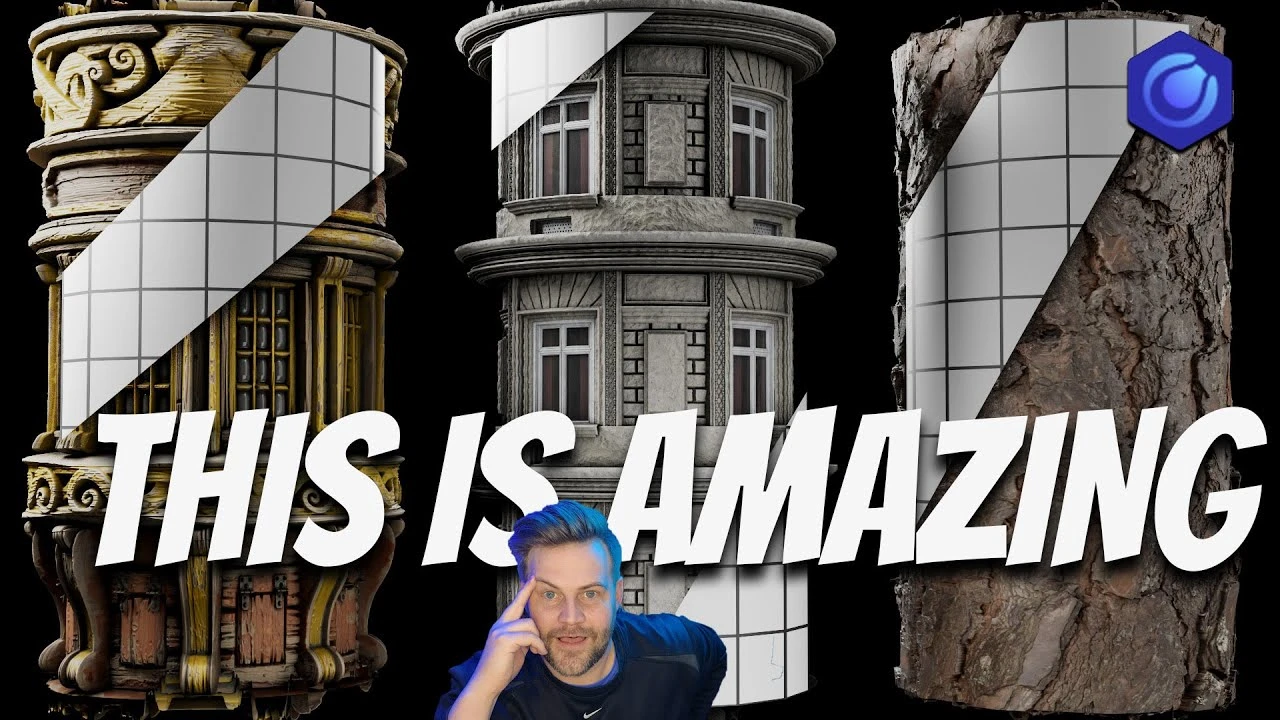
Don't Miss Out on this Game Changing 3D Texture Technique
Intermediate🍅 Pomodoro Timer
Study for 25 min, then take a break. Improves focus!
Description
Sponsored by XYZmodels - https://xyzmodels.com/
Chapters
0:00 - Procedural Texture Based Displacement
1:00 -XYZmodels
2:58 - Texture based Displacement -
5:25 - Tip for instant Geometry
6:45 - Adjust Displacement Option 1
8:44 - Fix Broken Edges
10:30 - Fix Displacement when Tiling UV
11:50 - Free greeble Displacement maker
14:50 - Kitbash3D
15:50 - Fix Jagged Displacement with PNG
17:10 - Substance3D ftw
🎬 Master 3D & Unreal Cinematics with Me! 👉 https://shorturl.at/VEU0q
Get free weekly tips, AI tools, and industry news → Join the Newsletter
💡 Support the channel on Patreon
/ effectatron
🔥 Save 20% at Kitbash3D
with code Effectatron20
💡 Support the Channel
If you’ve learned something or just want to keep the tutorials coming, you can:
❤️ Join as a Channel Member or on Patreon / effectatron
🌐 Explore more at https://derekkirk.net/
🎁 Grab assets and tools on https://effectatron.gumroad.com/
🎨 Tools & Resources I Recommend
AeJuice “I Want It All” Lifetime Bundle → https://aejuice.com/product/i-want-it...
Film VFX Bundle → https://aejuice.com/product/film-vfx-...
Triune Digital VFX Bundle→ https://aejuice.com/product/triune-di...
💥 Save 20% at Kitbash3D → https://kitbash3d.com/EFFECTATRON
Use code Effectatron20 at checkout!
*📢 Let’s Connect:*
Instagram → @Effectatron
Website → https://derekkirk.net
Chapters
0:00 - Procedural Texture Based Displacement
1:00 -XYZmodels
2:58 - Texture based Displacement -
5:25 - Tip for instant Geometry
6:45 - Adjust Displacement Option 1
8:44 - Fix Broken Edges
10:30 - Fix Displacement when Tiling UV
11:50 - Free greeble Displacement maker
14:50 - Kitbash3D
15:50 - Fix Jagged Displacement with PNG
17:10 - Substance3D ftw
🎬 Master 3D & Unreal Cinematics with Me! 👉 https://shorturl.at/VEU0q
Get free weekly tips, AI tools, and industry news → Join the Newsletter
💡 Support the channel on Patreon
/ effectatron
🔥 Save 20% at Kitbash3D
with code Effectatron20
💡 Support the Channel
If you’ve learned something or just want to keep the tutorials coming, you can:
❤️ Join as a Channel Member or on Patreon / effectatron
🌐 Explore more at https://derekkirk.net/
🎁 Grab assets and tools on https://effectatron.gumroad.com/
🎨 Tools & Resources I Recommend
AeJuice “I Want It All” Lifetime Bundle → https://aejuice.com/product/i-want-it...
Film VFX Bundle → https://aejuice.com/product/film-vfx-...
Triune Digital VFX Bundle→ https://aejuice.com/product/triune-di...
💥 Save 20% at Kitbash3D → https://kitbash3d.com/EFFECTATRON
Use code Effectatron20 at checkout!
*📢 Let’s Connect:*
Instagram → @Effectatron
Website → https://derekkirk.net
Up Next



How to Use Layer Shader and Layer RGBA in Cinema 4D and Arnold (2021)
MPHILLIPS PHOTOGRAPHY
Arnold Tutorial - Shader Effector with Arnold Scatter in Cinema 4D (GPU)
Arnold renderer
🔥Efecto "F EN EL CHAT" en solo 1 MINUTO! (Tutorial Cinema 4D)
Aura Prods
🔥CREA TU DOBLE DIGITAL como hizo WILL SMITH! (+ CONCURSO🎉) C4D
Aura Prods
Why Your 3D Renders Look Fake and How to Fix Them
Tranyx
Arnold Tutorial - Lego landscapes with Arnold Scatter in Cinema 4D (GPU)
Arnold renderer
Arnold Tutorial - Camera UV Remap in Cinema 4D
Arnold renderer
Cinema 4D Arnold render for beginners / How to render in Cinema 4D
Kuratif CGI - computer graphics
Arnold Tutorial - How to use the Distance shader in C4DtoA
Arnold renderer
Arregla tus texturas en apenas 2 pasos (MUY FÁCIL)
Aura Prods