Break time!
Your Pomodoro session has ended
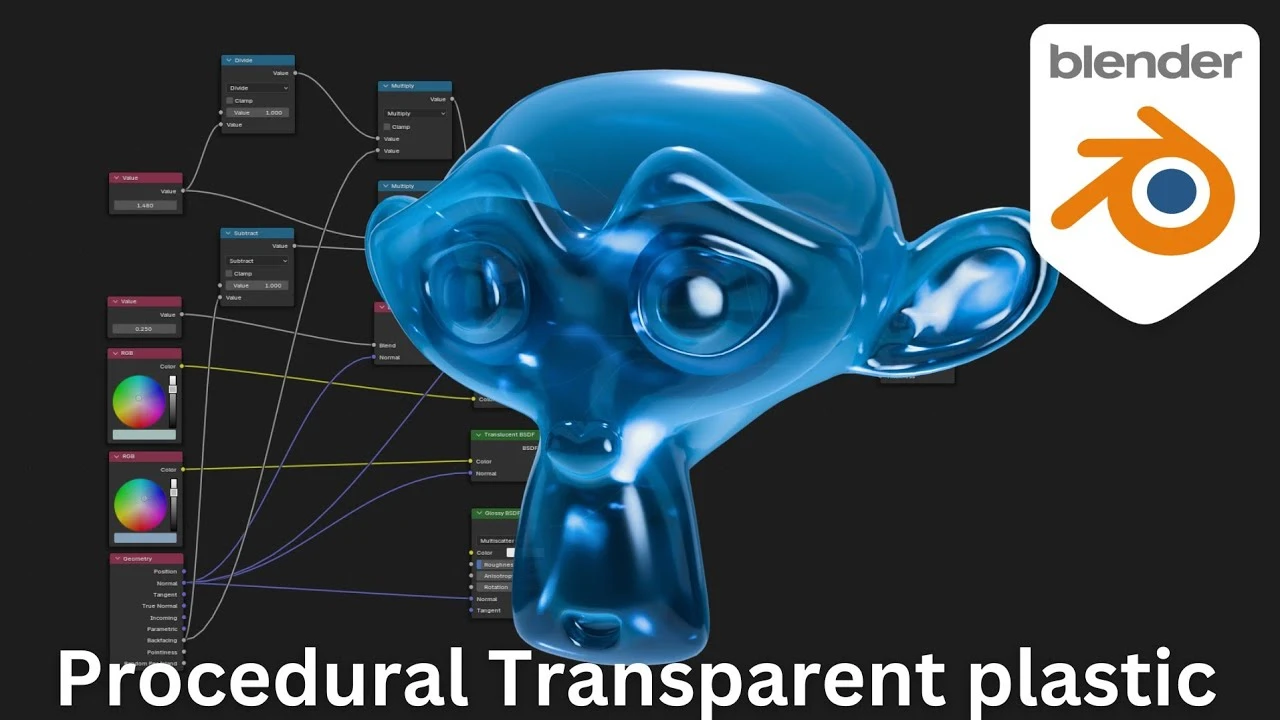
Creating Realistic Transparent Plastic in Blender – 100% Procedural Node Setup!
Beginner🍅 Pomodoro Timer
Study for 25 min, then take a break. Improves focus!
Description
In this Blender tutorial, I’ll show you how to create a stunning, realistic transparent plastic material using a fully procedural node setup—no textures required! Whether you’re a beginner or an experienced artist, this step-by-step guide will help you achieve professional-quality results that are easy to customize. Perfect for anyone working on product renders, animations, or even game assets, this setup is both flexible and efficient. Tune in to learn how to bring your Blender projects to life with this versatile transparent plastic material!
Up Next






La IA acaba de llegar a Blender… pero no como imaginaba
Aura Prods
Blender 5.0! Modelling and Sculpting Armor - 3D Workshop Full Pipeline
Abe Leal 3D
Blender Tutorial - Creating an Exploding Missiles Simulation
Blender Made Easy
How to Render Passes - Blender Tutorial
Architecture Topics
1 Easy Way to Make Better Environments in Blender
ManjuRam
How to Use Adaptive Subdivision in Blender 5.0
Ryan King Art
Sculpting a cliff in Blender (timelapse)
Blender Guru
Vray 7.2 For Blender Has Been Released
CG Vortex
Easy Fog in Blender
Blender Guru
Blender 4.3 Make A Shirt Tutorial | Cloth Sewing EASY
PIXXO 3D