¡Tiempo de descanso!
Tu sesión Pomodoro ha terminado
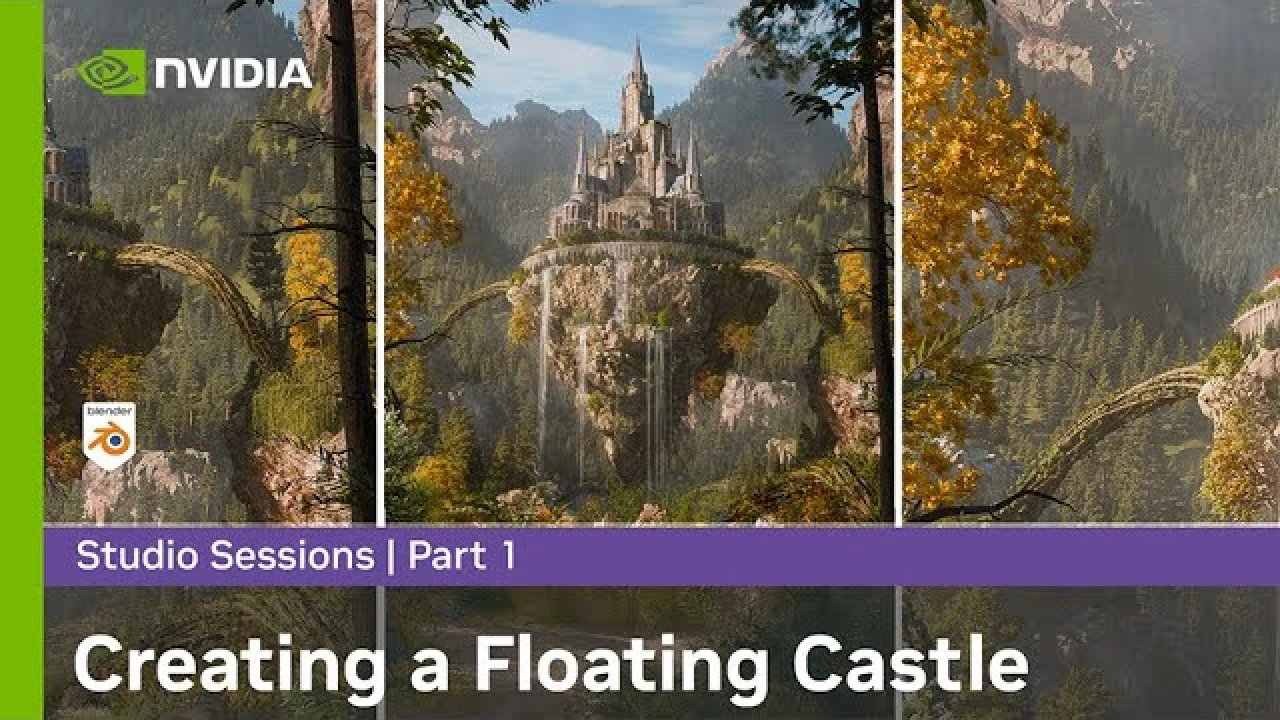
Creating a Floating Castle in Blender & Photoshop w/ Sweeper3D Part 1: Setting up the Castle
Intermedio🍅 Timer Pomodoro
Estudia 25 min, luego toma un descanso. ¡Mejora la concentración!
Descripción
Step into the world of stylized 3D photorealism in this Studio Sessions series featuring artist Sweeper3D and his GeForce RTX GPU. Watch as a floating castle is brought to life using Blender and Adobe Photoshop, with techniques that blend epic fantasy design and realistic rendering. Whether you’re crafting your first 3D scene or building out your portfolio, you’ll pick up new workflows, composition tricks, and worldbuilding strategies along the way.
🏰 In Part 1, Sweeper3D begins the process by laying the foundation for the scene—blocking out the castle, establishing structure, and setting up key visual elements that will define the environment.
🎨 App used: Blender
📲 Follow Sweeper3D: / sweeper3d
🎬 Watch the full tutorial series playlist: • Creating a Floating Castle in Blender & Ph...
NVIDIA GPUs accelerate your work with incredible boosts in performance. Less time staring at pinwheels of death means bigger workloads, more features, and creating your work faster than ever. Welcome to NVIDIA Studio—and your new, more creative, process. RTX Studio laptops and desktops are purpose-built for creators, providing the best performance for video editing, 3D animation, graphic design, and photography.
For more information about NVIDIA Studio, visit: https://www.nvidia.com/studio
CONNECT WITH US ON SOCIAL
Instagram: / nvidiastudio
Twitter: / nvidiastudio
Facebook: / nvidiastudio
🏰 In Part 1, Sweeper3D begins the process by laying the foundation for the scene—blocking out the castle, establishing structure, and setting up key visual elements that will define the environment.
🎨 App used: Blender
📲 Follow Sweeper3D: / sweeper3d
🎬 Watch the full tutorial series playlist: • Creating a Floating Castle in Blender & Ph...
NVIDIA GPUs accelerate your work with incredible boosts in performance. Less time staring at pinwheels of death means bigger workloads, more features, and creating your work faster than ever. Welcome to NVIDIA Studio—and your new, more creative, process. RTX Studio laptops and desktops are purpose-built for creators, providing the best performance for video editing, 3D animation, graphic design, and photography.
For more information about NVIDIA Studio, visit: https://www.nvidia.com/studio
CONNECT WITH US ON SOCIAL
Instagram: / nvidiastudio
Twitter: / nvidiastudio
Facebook: / nvidiastudio
Etiquetas
A continuación






La IA acaba de llegar a Blender… pero no como imaginaba
Aura Prods
How to Render Best High Quality Images in Blender
Architecture Topics
1 Easy Way to Make Better Environments in Blender
ManjuRam
How to Rig Any Car in 10 Minutes without Addons | Blender 3D
SouthernShotty
Making Couch Cushion Seats (Part 4)
Blender Guru
Create a CUTE Stylized Alien Character in Blender (Beginner Tutorial)
Ham on Ray Games
Easy Vintage Style Christmas Lights💡Geometry Nodes (Blender Tutorial)
Ryan King Art
Sculpting a cliff in Blender (timelapse)
Blender Guru
How to make Blender Eevee Look Realistic - Indirect Lighting
Void Visuals
Easy Fog in Blender
Blender Guru