Break time!
Your Pomodoro session has ended
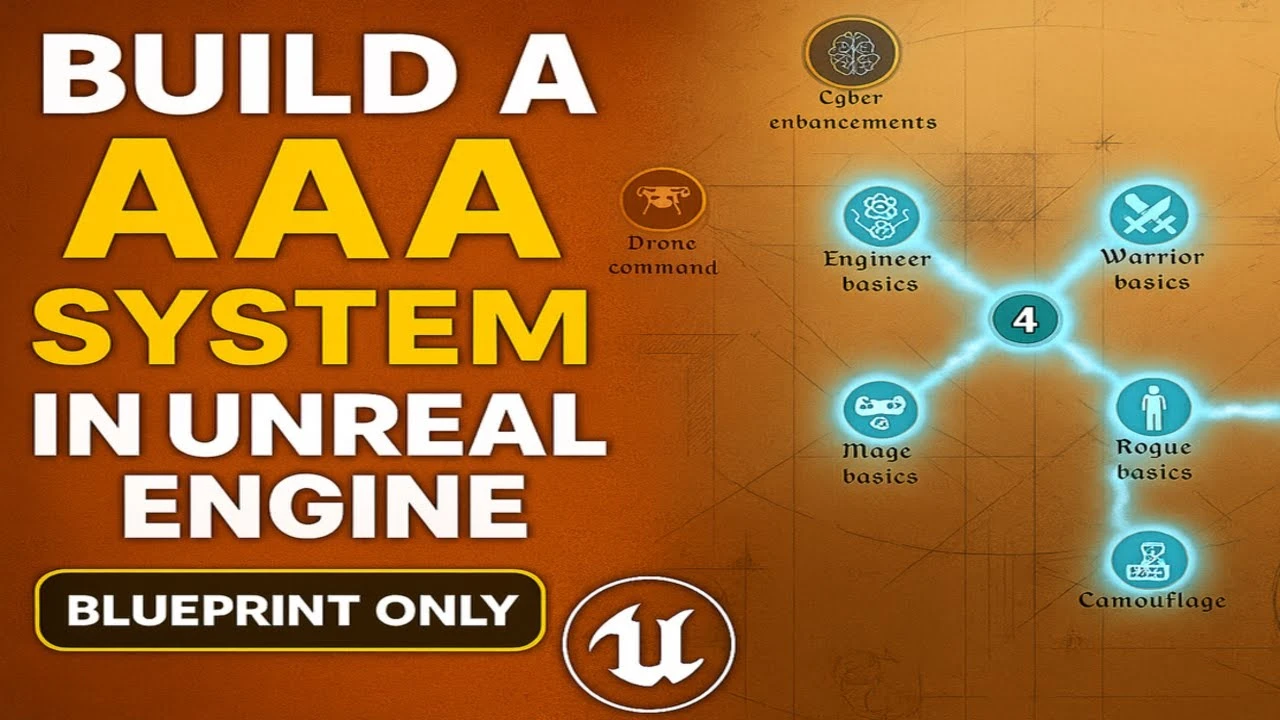
Build a AAA Skill Tree in Unreal Engine — Details UI
Beginner🍅 Pomodoro Timer
Study for 25 min, then take a break. Improves focus!
Description
In this masterclass, we rebuild the single-player foundation of a 5-star $200 system from Fab — 100% Blueprint, fully modular, production-ready - for free.
What we're building: https://www.fab.com/listings/8f05e164...
In this video, we add a visually appealing widget which displays the details of a selected node in the skill tree.
Hi, I'm Enginuity, the creator of Skill Tree Pro. I've worked in the industry with Unreal Engine for 10 years. I created this tutorial series to give back to the community, to give developers the opportunity to build a polished game-ready asset themselves, to follow along with my thought process and design flow, and to learn some nice techniques along the way. I also wanted to give developers the option to build the single-player part rather than buy it.
You'll build/learn:
A procedurally-generated yet extremely customizable skill tree
A robust underlying skilling system, with persistent saving with crash-proof design
Advanced UI material/animation concepts resulting in beautiful UI
An approach to smoothly pan, zoom, and autofocus UI
Designing with fully data-driven architecture
Designing with true modularity: modular hooks for a system to easily plug into/work with any game
Optimization best practices for maximum scalability, including soft object batch loading, optimizing materials with signed distance fields, and controlling dependencies
Why Only Single-player?
Multiplayer videos would make the masterclass at least twice as long, but if there is enough interest, I will add them.
The asset on Fab includes proper multiplayer design, which has best-practice anti-cheat mechanisms, is net optimized, is visually client-predictive, includes blueprint code to save/retrieve persistent state to a cloud dedicated server, includes a multiplayer testing map, and is primarily automated with simple function calls for maximal ease of use so that even beginners can use it. If you want to build multiplayer games, you should buy it. It is well beyond the value of the asking price.
Who This Course is For
Developers who want to painstakingly build a polished game-ready blueprint-only system. I believe this can be helpful to all developers, beginner - advanced, especially those who want more practice with materials, procedural generation, and systems design. I tried my best to explain every design choice with clear reasoning and visuals. No C++ required.
What we're building: https://www.fab.com/listings/8f05e164...
In this video, we add a visually appealing widget which displays the details of a selected node in the skill tree.
Hi, I'm Enginuity, the creator of Skill Tree Pro. I've worked in the industry with Unreal Engine for 10 years. I created this tutorial series to give back to the community, to give developers the opportunity to build a polished game-ready asset themselves, to follow along with my thought process and design flow, and to learn some nice techniques along the way. I also wanted to give developers the option to build the single-player part rather than buy it.
You'll build/learn:
A procedurally-generated yet extremely customizable skill tree
A robust underlying skilling system, with persistent saving with crash-proof design
Advanced UI material/animation concepts resulting in beautiful UI
An approach to smoothly pan, zoom, and autofocus UI
Designing with fully data-driven architecture
Designing with true modularity: modular hooks for a system to easily plug into/work with any game
Optimization best practices for maximum scalability, including soft object batch loading, optimizing materials with signed distance fields, and controlling dependencies
Why Only Single-player?
Multiplayer videos would make the masterclass at least twice as long, but if there is enough interest, I will add them.
The asset on Fab includes proper multiplayer design, which has best-practice anti-cheat mechanisms, is net optimized, is visually client-predictive, includes blueprint code to save/retrieve persistent state to a cloud dedicated server, includes a multiplayer testing map, and is primarily automated with simple function calls for maximal ease of use so that even beginners can use it. If you want to build multiplayer games, you should buy it. It is well beyond the value of the asking price.
Who This Course is For
Developers who want to painstakingly build a polished game-ready blueprint-only system. I believe this can be helpful to all developers, beginner - advanced, especially those who want more practice with materials, procedural generation, and systems design. I tried my best to explain every design choice with clear reasoning and visuals. No C++ required.
Up Next



Create A Realistic Horror game Enviroment in UE5 (Horror Game Series Part 3)
Eremental Studios
Control Rig Physics: Fast, Fun, and Expressive Character Animation | Unreal Fest Stockholm 2025
Unreal Engine
You’re Probably Lighting Wrong: Physically Based Lighting in UE5 | Unreal Fest Gold Coast 2024
Unreal Engine
Applying Custom UI Graphics in UMG
Unreal Engine
Binding UMG Interface Elements to Blueprints
Unreal Engine
Aprende a dominar la iluminación en Unreal Engine 5 | Lumen, luces y optimización
AstroxDev
Capturing the World’s OLDEST Stave Church in Unreal Engine 5
William Faucher
Lighting Interiors in Unreal Engine 5
William Faucher
Introducing EasyAtmos for Unreal Engine 5
William Faucher
William Faucher Makes Unreal Engine 5.6 Even EASIER (Introducing EasyToolbag)
Future Familiar