Break time!
Your Pomodoro session has ended
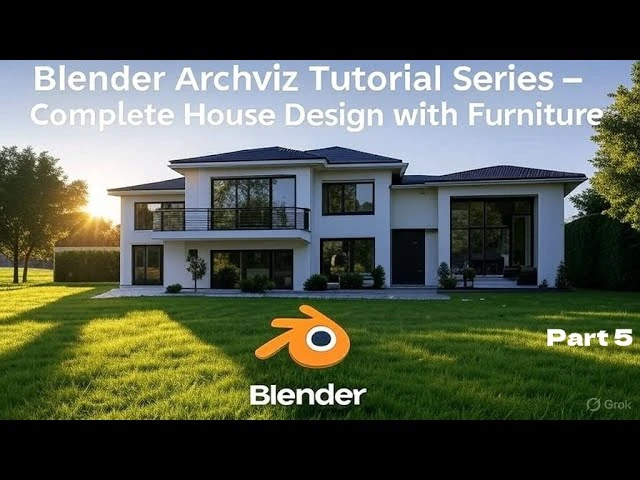
Blender Archviz Tutorial – Complete House Design with Furniture | Series Part 5
Beginner🍅 Pomodoro Timer
Study for 25 min, then take a break. Improves focus!
Description
In this final video of our complete Blender Archviz tutorial series, we’ll continue designing our realistic house from start to finish. We’ll begin with a simple 2D floor plan, model the architecture, add detailed interiors, and furnish every room.
Today, we’ll focus on adding textures and materials to every element of the house—including the floors, walls, kitchen, all rooms, and facades—to bring our design to life.
#archiviz
#interiordesign
#blender3d
#blender3d
#architecture
#blendertutorial
Today, we’ll focus on adding textures and materials to every element of the house—including the floors, walls, kitchen, all rooms, and facades—to bring our design to life.
#archiviz
#interiordesign
#blender3d
#blender3d
#architecture
#blendertutorial
Up Next






La IA acaba de llegar a Blender… pero no como imaginaba
Aura Prods
MAKE THIS: Realistic Dense Forest Scene in Blender
Meshful Works
1 Easy Way to Make Better Environments in Blender
ManjuRam
Sculpting a cliff in Blender (timelapse)
Blender Guru
Easy Fog in Blender
Blender Guru
Making motion trails in Blender
Bad Normals
Optimize interior Renderings in Blender Cycles
rileyb3d
Rigging chains and Scoprion's hook in Blender
Pierrick Picaut
How to Create Photorealistic Interior Lighting in Blender
coral lab
Blender 3.0 Beginner Tutorial Part 12: Floating Particles
Blender Guru