Break time!
Your Pomodoro session has ended
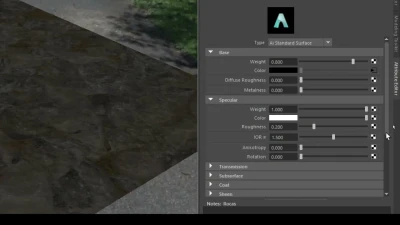
Arnold Tutorial: How to use the distance shader to create a ripple using bump mapping in Maya (GPU)
Beginner🍅 Pomodoro Timer
Study for 25 min, then take a break. Improves focus!
Description
This tutorial shows how to use the distance shader with the cell_noise and bump 2d shader to create some sand and water ripples around an object.
https://help.autodesk.com/view/ARNOL/...
https://help.autodesk.com/view/ARNOL/...
#arnoldrenderer #shaders #shading
https://help.autodesk.com/view/ARNOL/...
https://help.autodesk.com/view/ARNOL/...
#arnoldrenderer #shaders #shading
Up Next



Idle ANIMATION in UNDER 5 MINUTES!
Gogan
Configurar Shader PBR Arnold Render
Blender Deluxe Tutoriales
Arnold tutorial - Toon hatching shading in MtoA
Arnold renderer
Animación de Parpadeo en Maya Parte 1 ⭐
Blender Deluxe Tutoriales
Arnold tutorial - Rendering a space warp effect in MtoA
Arnold renderer
Interior Lighting Techniques in Maya
SARKAMARI
¡Descubre el secreto del Parkour Blocking en Maya! Tutorial Animación Parte 1 🚀
Blender Deluxe Tutoriales
CÓMO USAR CAPAS DE ANIMACIÓN - Tutorial de animación 3D
Skitty Animates
Arnold tutorial - Render Bifrost strands with the Arnold toon shader in MtoA
Arnold renderer
Optimizing 3D Assets for Games
Abe Leal 3D