Break time!
Your Pomodoro session has ended
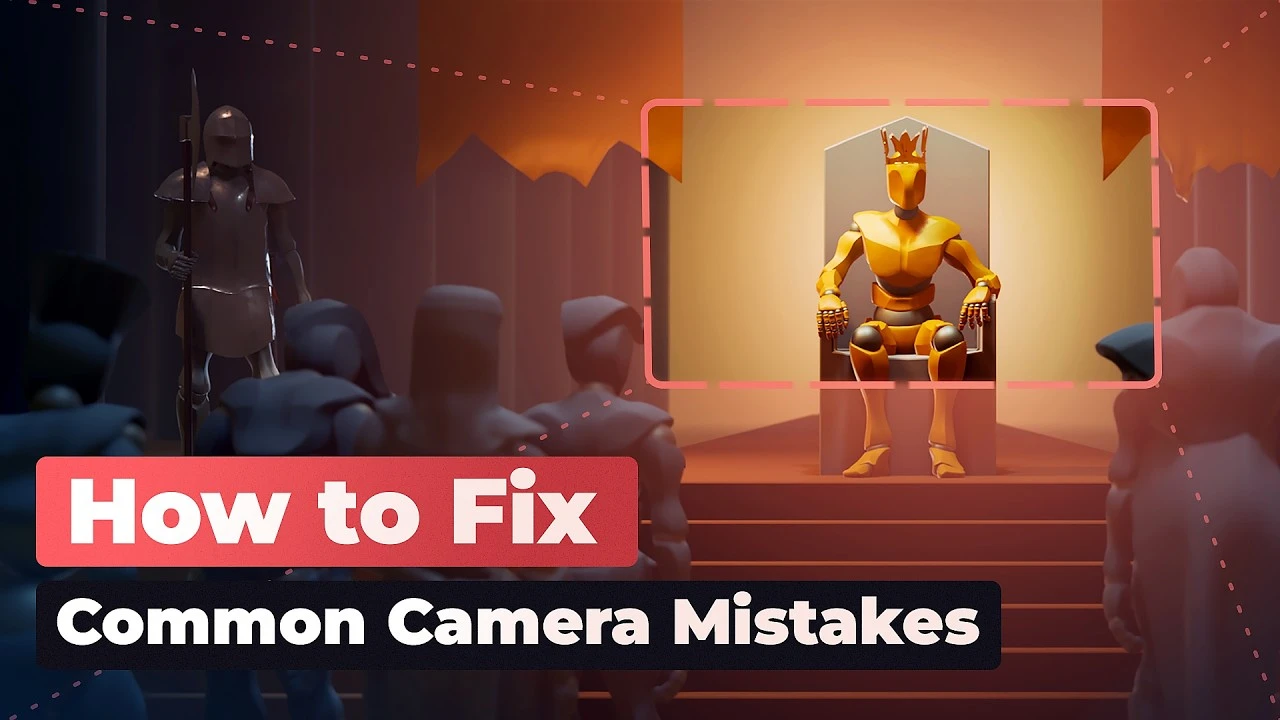
8 Mistakes to Avoid when Animating Cameras #b3d
Beginner🍅 Pomodoro Timer
Study for 25 min, then take a break. Improves focus!
Description
In this video, @MartinKlekner goes over the most common camera movement pitfalls and how to fix them in Blender.
⇨ Master Cinematic Storytelling in Blender: https://cgboost.link/master-cinematic...
⇨ Master 3D Environments in Blender: https://cgboost.link/master-environme...
⇨ Blender Shortcut PDF (free): https://www.cgboost.com/resources
⇨ Receive our latest Updates: https://cgboost.com/newsletter
LINKS
⇨ Make Short Films in Blender FAST • Make Short Films in Blender FAST #b3d
⇨ Heroes of Bronze: The Memory • Heroes of Bronze "The Memory"
⇨ Poly Nature Pack: https://superhivemarket.com/products/...
⇨ Mixamo: http://www.mixamo.com/
⇨ Shakify Add-on: https://extensions.blender.org/add-on...
CHAPTERS
00:00 - Intro
01:05 - Mistake 1 - Abrupt Stops
02:30 - Mistake 2 - Using the Default Bezier Curve
03:32 - Mistake 3 - Speeding up in Big Camera Moves
04:09 - Mistake 4 - No Space for Story
04:38 - Mistake 5 - Moving the Camera Too Fast
05:32 - Mistake 6 - Clairvoyant Camera Moves
06:49 - Mistake 7 - Disconnected Camera Moves
08:12 - Mistake 8 - Ignoring the Shot-to-shot Flow
09:15 - Outro
MY SYSTEM
CPU: AMD Ryzen 9 5900 X
GPU: GeForce RTX 3080
RAM: 64 GB
FOLLOW CG BOOST
⇨ X: / cgboost
⇨ Instagram: / cg_boost
⇨ Web: https://cgboost.com/
⇨ Master Cinematic Storytelling in Blender: https://cgboost.link/master-cinematic...
⇨ Master 3D Environments in Blender: https://cgboost.link/master-environme...
⇨ Blender Shortcut PDF (free): https://www.cgboost.com/resources
⇨ Receive our latest Updates: https://cgboost.com/newsletter
LINKS
⇨ Make Short Films in Blender FAST • Make Short Films in Blender FAST #b3d
⇨ Heroes of Bronze: The Memory • Heroes of Bronze "The Memory"
⇨ Poly Nature Pack: https://superhivemarket.com/products/...
⇨ Mixamo: http://www.mixamo.com/
⇨ Shakify Add-on: https://extensions.blender.org/add-on...
CHAPTERS
00:00 - Intro
01:05 - Mistake 1 - Abrupt Stops
02:30 - Mistake 2 - Using the Default Bezier Curve
03:32 - Mistake 3 - Speeding up in Big Camera Moves
04:09 - Mistake 4 - No Space for Story
04:38 - Mistake 5 - Moving the Camera Too Fast
05:32 - Mistake 6 - Clairvoyant Camera Moves
06:49 - Mistake 7 - Disconnected Camera Moves
08:12 - Mistake 8 - Ignoring the Shot-to-shot Flow
09:15 - Outro
MY SYSTEM
CPU: AMD Ryzen 9 5900 X
GPU: GeForce RTX 3080
RAM: 64 GB
FOLLOW CG BOOST
⇨ X: / cgboost
⇨ Instagram: / cg_boost
⇨ Web: https://cgboost.com/
Up Next






La IA acaba de llegar a Blender… pero no como imaginaba
Aura Prods
Hand keyed cloth animation in Blender
Pierrick Picaut
Realistic Materials Are Easy In Blender
DECODED
1 Easy Way to Make Better Environments in Blender
ManjuRam
Sculpting a cliff in Blender (timelapse)
Blender Guru
Easy Fog in Blender
Blender Guru
Destroy Anything with Particles in Blender - Iridesium
Iridesium
Create Custom Buildings in Blender - Lazy Tutorials
IanHubert
5 Tips for FASTER Renders in Blender Cycles
Kaizen
Making Couch Cushion Seats (Part 4)
Blender Guru