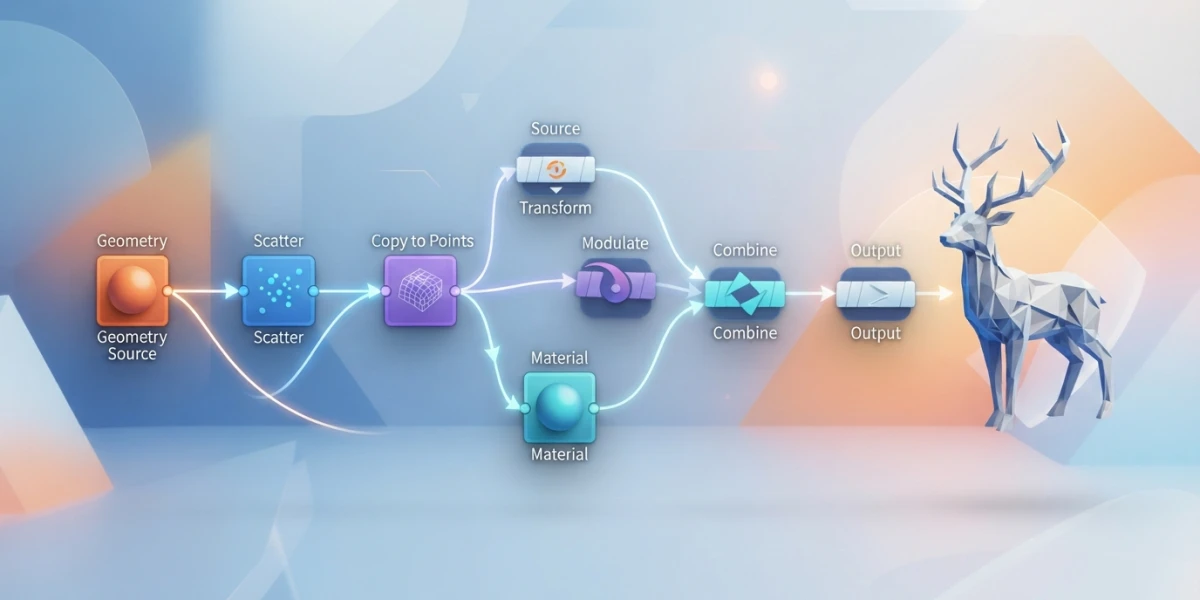
Image generated with AI
Getting Started with Houdini: The Node Workflow

Diego Cortés
Author
If your first steps in Houdini feel like a wall, switch your mental model: everything here is a node network, and that makes the software more predictable, not harder. With the free Apprentice edition and one guided project, you can master the node-based workflow for free.
What Is Houdini and Why Is It Different?
Houdini is SideFX's 3D package, a Toronto-based company that became the industry standard for visual effects in film and television, as well as for procedural pipelines in game development. What sets it apart from other applications is that modeling and simulation are procedural and non-destructive: every operation is recorded as a node in a network, and you can jump back to any step and re-edit it at any time.
In practice, nothing gets "baked" beyond recovery. Change a parameter at the start of the chain and everything downstream regenerates on its own. It is a workflow that rewards experimentation and removes the fear of making mistakes.
Before You Install: Apprentice, Indie and Education
Houdini Apprentice: the free version
The entry point is Houdini Apprentice, a free edition of Houdini FX built for learning and personal non-commercial projects. It includes virtually all the features of the full software, so you can follow any serious tutorial without hitting tool limits.
The restrictions exist but are fair: renders come out watermarked and capped at 1280 by 720 resolution, and the license renews for free every 30 days. The license agreement forbids using it in a commercial pipeline, though you can exchange files with the Education edition.
Houdini Indie and Education
When you outgrow the learning mode, Houdini Indie costs around 269 dollars a year, removes the watermark, allows renders up to 4K and permits commercial use up to 100 thousand dollars in annual revenue. The Education edition, meanwhile, targets schools and training centers and remains file-compatible with Apprentice.
The Interface: the Network Editor Is Your Home
The first surprise when you open Houdini is that there is no single work window: there are specialized contexts, each with its own tab in the Network Editor. SOPs operate on geometry, COPs process images and textures, LOPs handle USD scenes inside Solaris, and TOPs automate tasks with the PDG dependency graph.
The mental rule is simple: nodes connect from left to right, each node is an operation with its parameters, and every change propagates forward. Once that clicks, the interface stops looking like a chaotic board and starts looking like a readable flowchart.
Your First Node: Procedural Geometry
The classic exercise to feel the power of the network is building a minimal chain: create a sphere, plug it into a Mountain node to displace its surface with noise, and finish with a Subdivide to smooth the result. Now change the noise seed and watch: the mesh regenerates instantly, with no manual rework.
That tiny gesture sums up Houdini's whole philosophy. The history is not a list of commands you ran; it is a living network you can tweak at any point.
Copying Geometry to Points
Another revealing step is the Copy to Points node: it copies the geometry from the first input onto every point of the second input. Create a grid, scatter points across it with a Scatter node, and copy a rock onto each point: with a couple of attributes varying scale and rotation you get a rock field in minutes, ready to repeat with any stylized object.
Attributes: the Data That Flows Through the Network
The magic happens thanks to attributes, data that travels attached to points and primitives: position P, scale, orientation, color Cd and many more. Nodes read those values and write new ones, which is why in Houdini geometry "carries information". Learning to read and write attributes is the next level after mastering the basic nodes.
From Network to Image: Solaris and Karma
When your scene is ready, rendering does not escape the same mental model. Solaris is Houdini's USD-based environment, where you handle layout, look development, lights and camera, and Karma is the integrated physically based renderer. Its Karma XPU variant uses CPU and GPU at the same time, making iterations much snappier if you have a decent graphics card.
To close the mini-project: add a couple of lights, a simple material and a camera, then launch the render. The result gives you an image, but the network is still there, editable, so you can change anything and render again.
Simulation: Vellum and the Rest of the Solvers
Houdini is also synonymous with simulation, and the good news is that solvers follow the same node logic. Vellum is the unified constraint-based solver: instead of separate physics for each material, it resolves cloth, hair, soft bodies and grains by adjusting vertex positions against constraints, which yields stable and fast results.
The rest of the catalog is just as approachable conceptually: RBD for rigid destruction, FLIP for liquids, smoke and fire for volumetric effects. They are all editable networks, never black boxes: if a simulation does not convince you, you step in, tweak a parameter and run it again.
Houdini 22: Why 2026 Is a Great Time to Start
SideFX released Houdini 22 in June 2026, with the keynote published on June 22 after an event in London, and current builds sit around version 22.0.4xx. For a beginner there are concrete reasons to start now: the interface was redesigned, Gaussian Splats are native and editable (under the hood they are point clouds with attributes, so they fit what you already learned), and Copernicus revamps the COPs context with texturing, terrain generation and ocean spectrums.
Rigging also improved with KineFX and APEX, along with hair and muscle physics, Solaris and Karma, and there is even Model Context Protocol integration for connecting AI tools. Starting with the current version means learning on a foundation that will not be obsolete tomorrow.
Where to Learn for Free
The official path is SideFX's Start Here section and its Learning Paths, which begin from the node workflow without assuming anything. Robert Magee's H22 Foundations series is ideal for beginners: it builds a complete scene from start to finish with a step-by-step PDF. One practical tip: finish your first complete project before jumping into standalone simulation tutorials, or you will end up copying nodes without understanding the network.
Conclusion
Houdini is not hard; it is different. Once you think in nodes, everything else is practice. With Apprentice, a first node-based project and a Karma render, you are already inside the community. If you come from Blender or Maya, the good news is that your modeling, lighting and camera concepts carry over; only the way you build changes. Keep practicing with the curated video tutorials on the platform covering VFX, animation and CGI to take the next step.