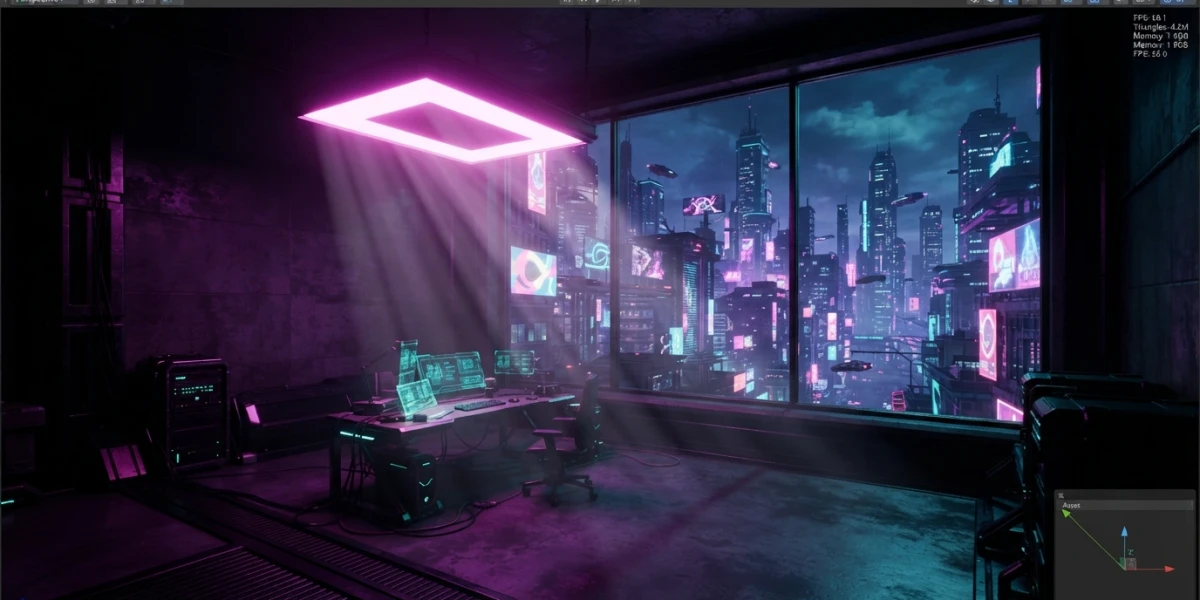
Image generated with AI
Godot 4.7: Top Updates for 3D and CGI Artists

Diego Cortés
Author
Godot 4.7, the latest stable release of the open source engine, landed in June 2026 with a package of updates built around 3D work: area lights, HDR output and modeling tools that artists had been requesting for a long time.
Godot 4.7: three years of maturity
The Godot team shipped this version on June 18, 2026 under the tagline "Lights, Camera, Action". After three years of life in the 4.x series, the first releases focused on stability and the next ones on polish and quality of life. With 4.7, the spotlight is on visual output: colors with unprecedented intensity, HDR support and a smoother workflow both in the editor and at runtime.
Real area lights: AreaLight3D
The most relevant addition for 3D scenes is the new AreaLight3D node, a rectangular light source that works in real time. It makes it possible to achieve soft glows from TV screens, illuminated billboards or frosted glass windows without the classic trick of combining an emissive material with global illumination.
Because it is a real rectangular light, it also casts softer shadows and more realistic reflections on nearby surfaces. For anyone coming from the CGI world, it is like having a softbox inside the engine.
Real HDR output
Godot has always computed lighting internally in high dynamic range, but the SDR output mode hid much of that information. With 4.7, HDR output arrives on Windows, macOS, iOS, visionOS and Linux (Wayland), with the ability to display highlights up to 10,000 nits in both 2D and 3D scenes.
That means more vivid colors and realistic blowout effects on compatible displays, something artists reviewing their renders on HDR monitors will notice immediately.
3D tools that speed up modeling
The release adds several direct improvements to the scene workflow:
3D vertex snapping. Pressing B highlights the nearest vertex of the selected geometry so you can drag and snap it onto a vertex of another mesh. No more fighting to align edges by hand.
Autosmooth on CSG nodes. A new property assigns smooth or sharp faces automatically based on a smoothing angle (50 degrees by default), preventing CSG-built curves from looking faceted.
Ruler with per-axis measurements. The 3D editor ruler now shows the length of each vector component when you hold Shift and drag, ideal for measuring complete rectangular regions.
Path3D snapping to colliders. Path3D points can now snap onto colliders instead of the imaginary camera plane, making it easier to place routes flush against geometry.
DrawableTexture2D. Drawing on a texture no longer requires Viewport or RenderingDevice hacks: a simple API lets you paint textures for anything, from chalkboards to dynamic masks.
Shaders and 2D effects
The text shader editor gains inline previews: as you type an operation, you see the result applied in real time, without compiling or opening a separate workspace. In 2D, GradientTexture2D now supports conic gradients (FILL_CONIC), useful for CSS-style effects or volumetric-looking shading in custom shaders.
UI and Asset Store
Control nodes gain offset transforms (offset_transform), a system similar to the CSS transform property that lets you animate position, rotation and scale of a button without the container reverting it. The asset store gets a refresh with visible ratings, zoomable previews and threaded background work, and long menus now include a search bar. Accessibility also improves with landmark navigation for screen readers.
What LTS means and which version to use
It is worth clearing up the usual confusion: the Godot 3.x series is the long-term support (LTS) branch. Its latest version, 3.6.3, released in August 2026, receives only critical fixes and platform support for legacy projects that cannot migrate to 4.x. It does not get new features.
Real features arrive with the 4.x series. Godot 4.7 is the recommended stable version today for new projects, especially if you work in 3D, and 4.8 is estimated for Q4 2026. If you are starting a new 3D or CGI project, choose 4.7 and keep LTS only for maintaining older games.
Conclusion
Godot 4.7 confirms the engine is no longer just a lightweight alternative: with area lights, HDR and better scene tools, it is a serious option for 3D artists. To make the most of these features, CGI Academy Hub has curated tutorials on lighting, shaders and lookdev to make the jump with a solid foundation.