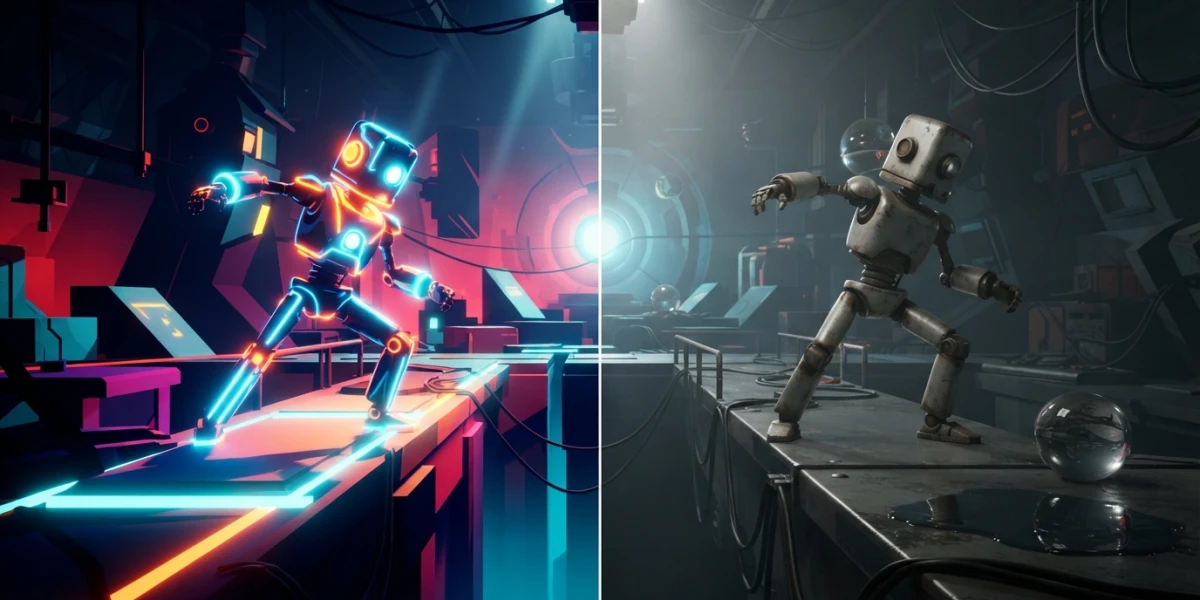
EEVEE vs Cycles in 2026: When to Use Each Blender Render Engine

Diego Cortés
Author
EEVEE or Cycles? If you have ever opened Blender and hesitated between the engine that renders instantly and the one that takes minutes, this article answers exactly that: how each one works, what changed in 5.2, and which engine fits the project on your table.
Two philosophies: rasterizing vs tracing rays
The difference between EEVEE and Cycles is not speed or quality, but how they compute light. Understanding that explains every other difference.
EEVEE: the real-time engine that approximates light
EEVEE is a rasterizer: it turns geometry into pixels directly and approximates lighting with screen-space tricks, meaning reflections, occlusion and global illumination computed only from what is visible on screen. That is why it responds in real time, like a video game. The image is great for iterating, but the approximations break when light comes from outside the frame or bounces off surfaces you cannot see.
Cycles: the physically accurate path tracer
Cycles is a path tracer: it casts millions of light rays from the camera and simulates how they bounce around the scene until they reach a light source. The result is unbiased, meaning the image converges to the physically correct solution. That is cinematic quality, and you pay for it in render time.
Workbench, the third engine
Workbench does not use materials or lights: it is built for layout, modeling and quick previews, when only the geometry matters.
EEVEE Next: the rewrite that changed the rules (Blender 4.2)
In Blender 4.2, EEVEE Next rewrote the engine from scratch and closed part of the gap with Cycles.
Screen-space ray-traced GI for every BSDF
Every material now receives global illumination computed with screen-space ray tracing, and the BSDF limit per node is gone: complex shaders no longer degrade silently.
No light limit and a fuller viewport
There is no cap on lights per scene anymore, and the viewport shows displacement, motion blur and depth of field. What you see is much closer to the final render.
What is new in 5.2: light linking and a faster Fast GI
Blender 5.2, released in July 2026, adds copying light/shadow linking to selection, camera-ray visibility on lights, and a Fast GI that renders faster with less noise.
Cycles in 5.2: less noise and less memory
Stochastic path guiding: up to 40% less noise
The new algorithm guides rays toward lit areas, cutting noise by up to 40% in caustics, interiors and subsurface scattering with the same sample count. Cleaner renders without touching the samples.
Texture cache and fixed dark interiors
The texture cache drastically cuts the memory needed in production scenes, and the fix for interiors that rendered too dark through window glass makes renders both more accurate and faster.
When to use each one
EEVEE: lookdev, stylized work and iteration
Pick EEVEE to block out the scene, test materials, handle long animations, and stylized looks where physical accuracy is not the goal.
Cycles: final photorealism
Pick Cycles for final product shots, architecture and any image where light accuracy, caustics or realism decide the outcome.
The hybrid workflow: best of both
The most practical flow is to set up in EEVEE and render in Cycles: lights, camera and materials survive the engine switch, and you only fine-tune the final detail.
Conclusion
EEVEE is speed for decisions; Cycles is truth for delivery. Knowing when to use each one is part of the craft, and if you want to see it in action, the platform's video tutorials show it with real scenes.