Texture baking in Blender: how to bake normals, AO and PBR maps with Cycles

Diego Cortés
Author
An asset that depends on Cycles nodes and lights does not travel well to a game engine. Texture baking in Blender turns that information into images: normals, ambient occlusion and color. Here is how to bake.
What is baking and what is it for?
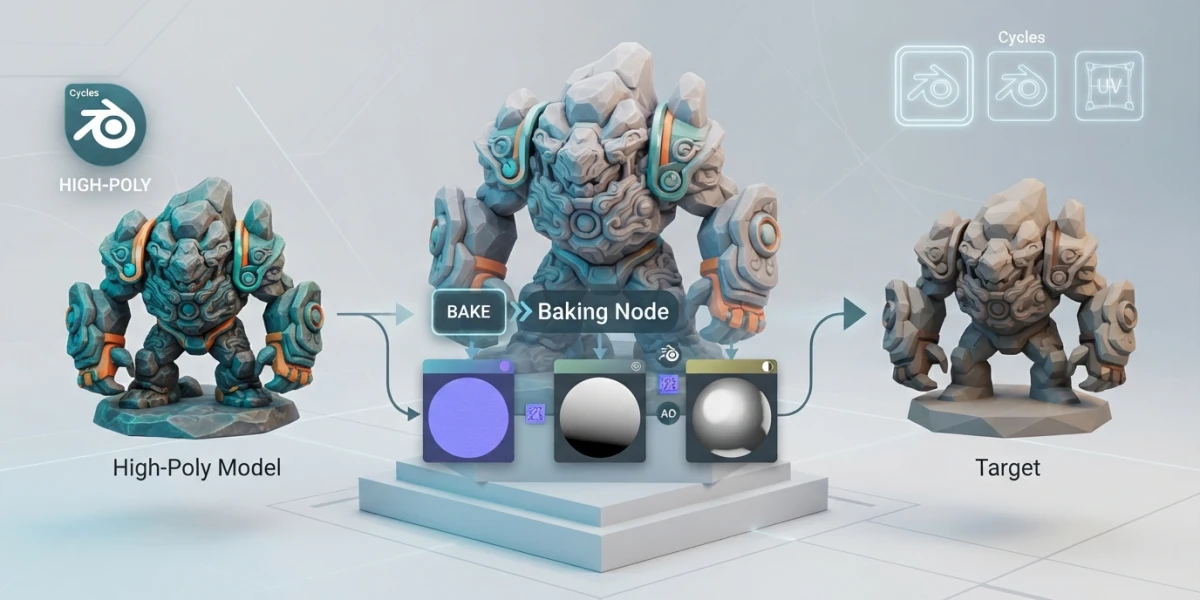
Baking means computing Cycles shaders and lighting in advance and saving the result into image textures. Instead of having the renderer evaluate complex materials every frame, the information is already written in pixels. The Blender manual defines baking as the ability to convert Cycles shaders and lighting into image textures, and its uses are many.
The most common case is exporting: an asset built with procedural materials needs the target engine to interpret every node, and that rarely happens. By baking base color and normals, the model reaches Unity, Unreal or Godot with its look already resolved. Artists also bake ambient occlusion to add depth without paying its cost in every frame, and many use baked procedural textures as a starting point to paint over by hand. Light maps are another application: they precompute global illumination for real-time scenes.
The key advantage is time savings: if the main objects carry baked AO, there is no need to enable occlusion in the full render. The map is computed once and reused in every image.
Setup: UVs and the target image
Two requirements come before baking. The mesh needs an unwrapped UV map and an image that acts as the bake target, usually an active Image Texture node or a Color Attribute. Without those, Cycles has nowhere to write pixels.
Best practice is to work with clean UVs and no overlapping islands, since each island receives its portion of the texture. In the node, create the image at the right size, for example 2048×2048 pixels, and leave the node selected and unconnected before baking. If the node is wired to something, the result can end up in the wrong place or simply not appear.
One detail surprises many beginners: Cycles bakes using the scene render settings. Samples, bounces and the configured engine determine map quality, so a noisy render produces a noisy bake. Before starting, raise the samples if you are after a clean map.
Most useful bake types
The Bake Type menu in Cycles offers many map types, but real workflows revolve around three of them.
Combined
This is the full bake: materials, textures and lighting, everything except the specular component. It is what you use to export an asset with its final look. Internally it is built from passes that can be enabled separately: direct and indirect light, plus diffuse, glossy, transmission and emission contributions.
Ambient Occlusion
It bakes occlusion based on the world settings and ignores the scene lights. It is ideal for generating a soft shading map for cavities that you later multiply over the albedo.
Normals
It converts surface directions into an RGB image. The bake space matters: if you choose Object or Tangent, the Normal Map node in the final material must use the same space, or the normals will look rotated.
The manual lists other useful types depending on the case: Shadow, Position, UV, Roughness, Emit, Environment, Diffuse, Glossy and Transmission, plus the View From option to bake from the viewport or from the active camera. Most artists live with Combined, AO and normals, and add the rest when a project demands it.
Baking AO without errors: concrete values
There is a classic mistake when trying to bake occlusion: doing it with Eevee. Eevee screen-space ambient occlusion (SSAO) is a real-time effect and cannot be saved as a texture. Baking requires Cycles with Bake Type = Ambient Occlusion.
With the right type selected, a few concrete values avoid the usual problems. Margin prevents bleeding between UV islands when mipmaps are generated: 16 pixels for 2048 maps and 8 pixels for 1024 ones. The image must be marked as Non-Color, because AO is linear data, not sRGB color; left as sRGB, the map looks washed out or banded.
To integrate AO into the material, add a Mix Color node in Multiply mode between the albedo and the occlusion map, feeding the Base Color of the Principled BSDF. The mix factor sits between 0.6 and 0.85: below 0.6 the effect is nearly invisible, and above 0.85 the cavities become too dark.
And a warning that costs dearly: Blender does not automatically save baked images when you close the project. The map lives only in memory until you run Image ‣ Save As. Closing without saving means baking from scratch.
High to low poly: Bake from Multires
When working with sculpting, the usual flow is to sculpt at high density, retopologize to low, unwrap UVs and bake the high-detail mesh onto the low one. The Bake from Multires option automates part of that process by comparing two levels of the Multiresolution modifier: Viewport Levels, the low-density base mesh, and Render Levels, the detail mesh. Cycles bakes the difference between them.
Three bake types apply to Multires. Normals saves surface direction differences, the map most engines consume. Displacement writes heights in grayscale, ideal for real geometry displacement. Vector Displacement stores full three-dimensional offsets, with more information but also more demanding on the target engine.
This flow connects directly with retopology: the clean low-density mesh receives the maps, and the original sculpt stays as a reference for future adjustments.
Packing for engines: the ORM map
When exporting to a game engine, you do not multiply AO over color in Blender. Unity, Unreal and Godot apply occlusion separately, and they expect it in the right channel. The most widespread convention is ORM packing: a single texture where the red channel holds Ambient Occlusion, the green one Roughness and the blue one Metallic. Three maps in one image, a single sample in the engine shader.
To build it, bake the three maps separately and combine them with color nodes in Blender, or use direct packing in tools like Substance. The result is a compact asset compatible with the standard pipeline of modern engines.
Conclusion
Baking turns a fragile asset, full of nodes and dependent on Cycles lighting, into solid, portable textures. Baked normals, AO and color travel to any engine without argument, and the high-to-low flow with Multires closes the sculpting loop. If you want to see these concepts in action, the curated video tutorials on the platform about texturing and shading are a great next step.